
New Participant
February 27, 2024
Question

apply texture to extrude shape imported from Blender

  • February 27, 2024
  • 1 reply
  • 377 views

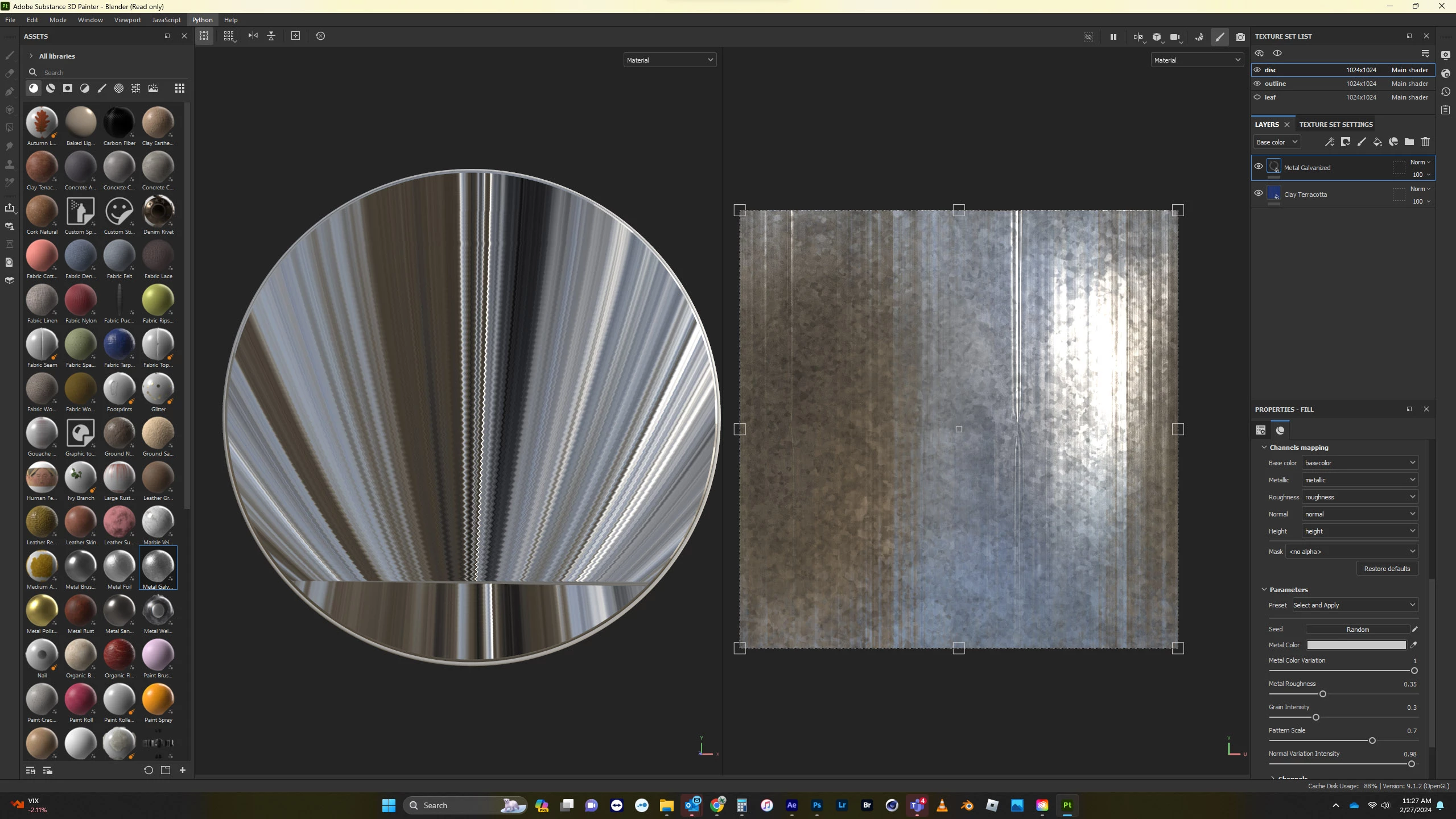
Hi, I've imported a simple extruded shape from Blender into Painter and I can't get any of the preset materials or textures to appear correctly (see attached).  I am new at this, tried changing the projection settings but nothing is fixing the issue.


What am I missing?  Seems like it should be a simple setting somewhere in the workflow.


thanks!
 

This topic has been closed for replies.

1 reply

Cyril Dellenbach
Community Manager
Community Manager
February 28, 2024

Hi @craigb24936457,


This seems to be a UVs issue. Make sure to properly Unwrap your mesh before importing in Painter.


Additionnaly, if you don't wish to Unwrap your 3D model, you can use the Auto-unwrap feature when creating a new project. Make sure to switch the parameters for Recompute All.


Regards,

Cyril Dellenbach (Micro) | QA Support Artist | Adobe
New Participant
February 28, 2024

Thanks Cyril - 'seems' to work but it certainly takes a very long time to import with auto-unwrap set and recompute all checked.  It's not a very complex model.  Shouldn't it import it pretty quickly without materials/textures assigned to it?

Cyril Dellenbach
Community Manager
Community Manager
February 29, 2024

It depends on the 3D model and the computer. Actually, very simple (low poly) models can be more complicated for the Auto-unwrap than complex (high poly) models.


I'd say that if the model is pretty basic, it will be more interesting to unwrap it yourself. The result will be cleaner, and it shouldn't take too much time.


Regards,

Cyril Dellenbach (Micro) | QA Support Artist | Adobe