Participant
July 3, 2022
Answered

artifacts when baking Mesh Maps

  • July 3, 2022
  • 1 reply
  • 8296 views

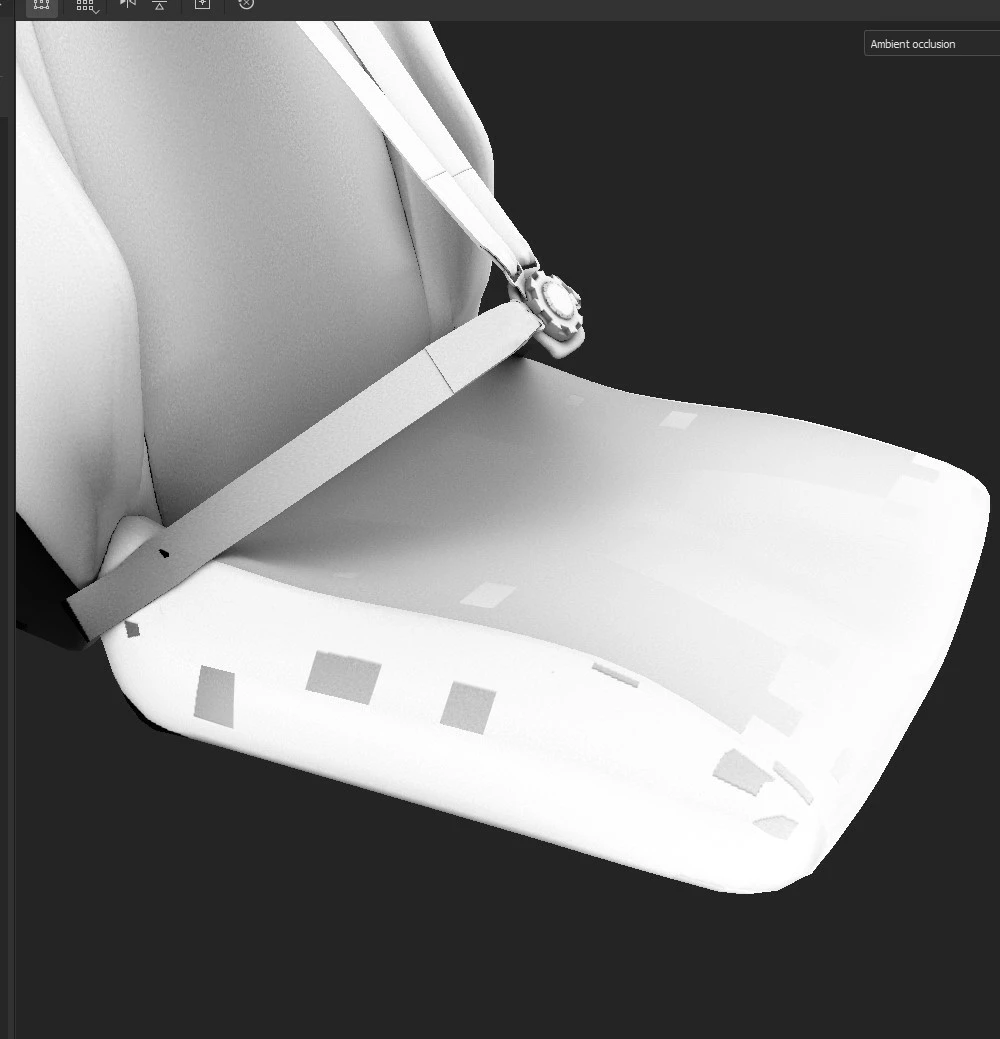
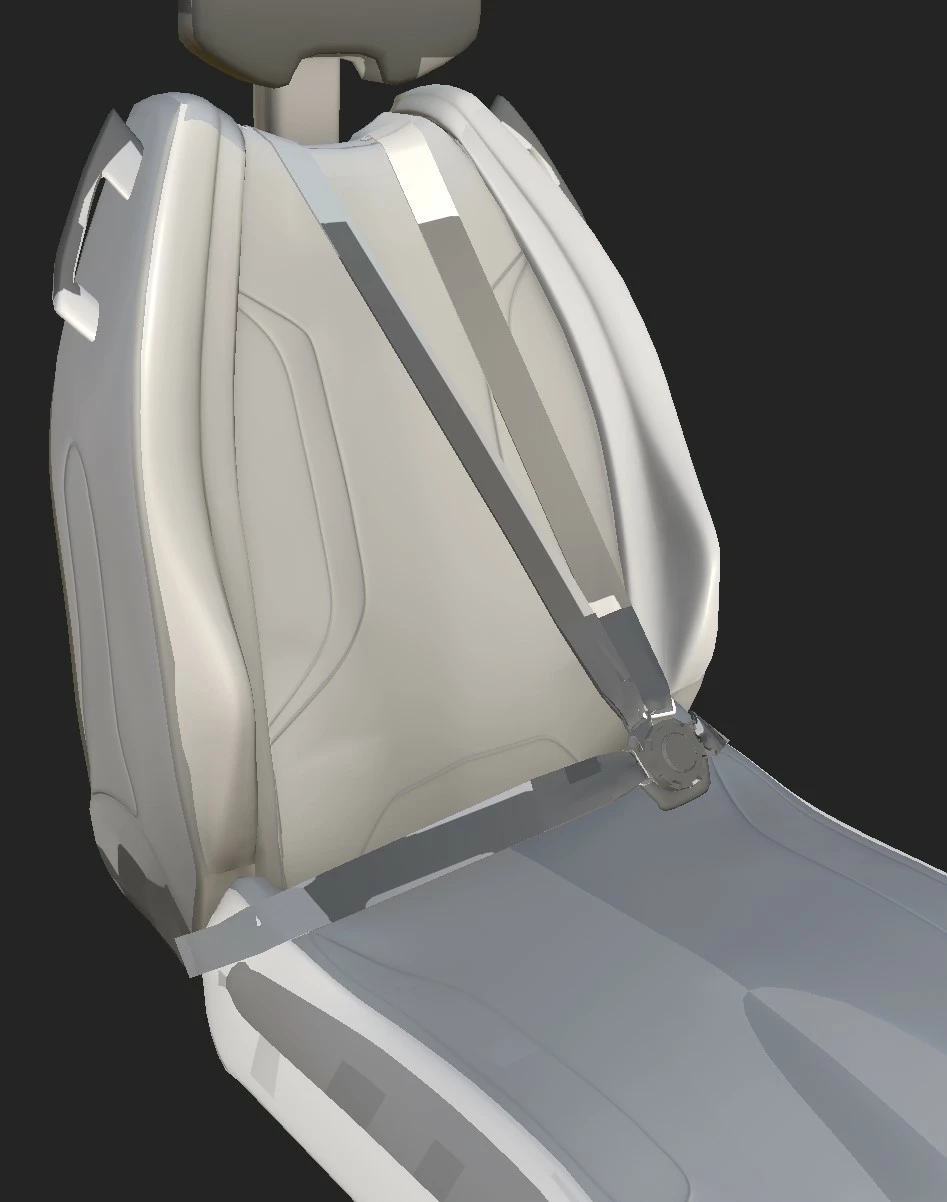
I am trying to bake the mesh maps from my seat model, but i am left with weird artifacts(see picture).

These artifacts are visable in the ambient occlusion, world space normals and the position maps. The mesh is correctly uv-unwrapped btw.


Does somebody know what the problem is??


This topic has been closed for replies.
Correct answer davescm

I have sent a drive link.


Hi

I just took a look at the model. Several of the parts in the unwrap are used twice in two different places on the model. For example, the seat side appears once on the UV map but is used twice on the model (once on the left and then reversed on the right). Obviously this means that the same part of the UV map has two different places in the position map so the bake looks incorrect.

Try re-unwrapping with each piece of the model appearing on the UV map separately. I just tried it quickly using Blender's smart UV project, after applying the scale on a few parts, and it now bakes correctly in Painter.


Dave

1 reply

davescm
Community Expert
Community Expert
July 3, 2022

Have you double checked the unwrap for overlaps? It does look remarkably like the artifacts you would see when UV islands overlap

Dave

Participant
July 3, 2022

Thanks for the replie, but I am very sure the uv-maps are not overlapping. Moreover I have baked the normal maps in blender with no problem.

It is specifically substance painter that creates these artifacts.

davescm
Community Expert
davescmCommunity ExpertCorrect answer
Community Expert
July 4, 2022

I have sent a drive link.


Hi

I just took a look at the model. Several of the parts in the unwrap are used twice in two different places on the model. For example, the seat side appears once on the UV map but is used twice on the model (once on the left and then reversed on the right). Obviously this means that the same part of the UV map has two different places in the position map so the bake looks incorrect.

Try re-unwrapping with each piece of the model appearing on the UV map separately. I just tried it quickly using Blender's smart UV project, after applying the scale on a few parts, and it now bakes correctly in Painter.


Dave