
Participating Frequently
January 17, 2023
Question

Bad shading mesh in Iray

  • January 17, 2023
  • 1 reply
  • 933 views

Hi everyone,

I'm having a bad shading error in Iray render that i cant explain.

Is visible only in Iray, in paint mode i do not have any problem.

The mesh has benn exported from Blender with the faces smothed and in fact the same mesh in blender does not cause any shading issue.  Aloso if i give one more subdivision level to the mesh and i apply it, the mesh still give this weird shading issue in Iray.
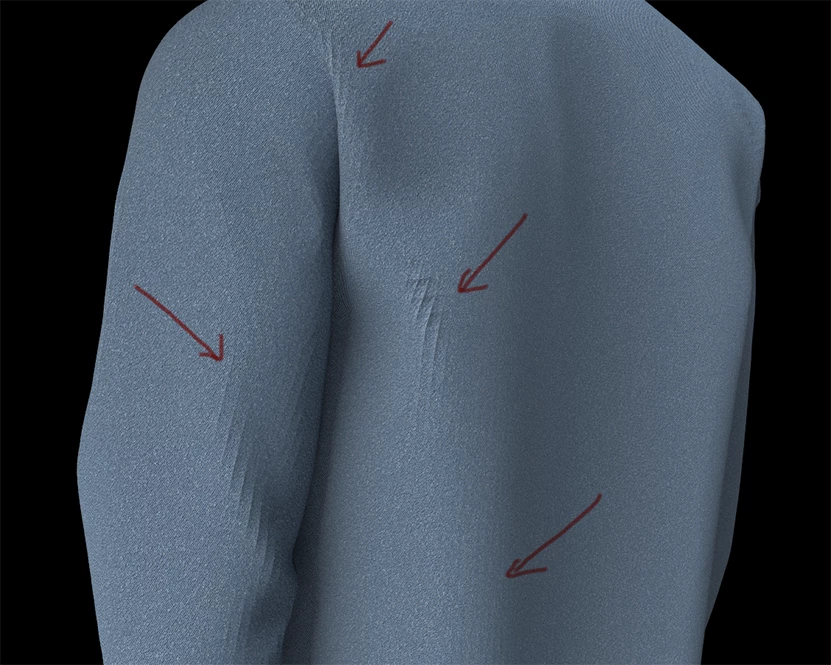
As you can see the mesh is rather dense, so i cant figure out which could be the problem.
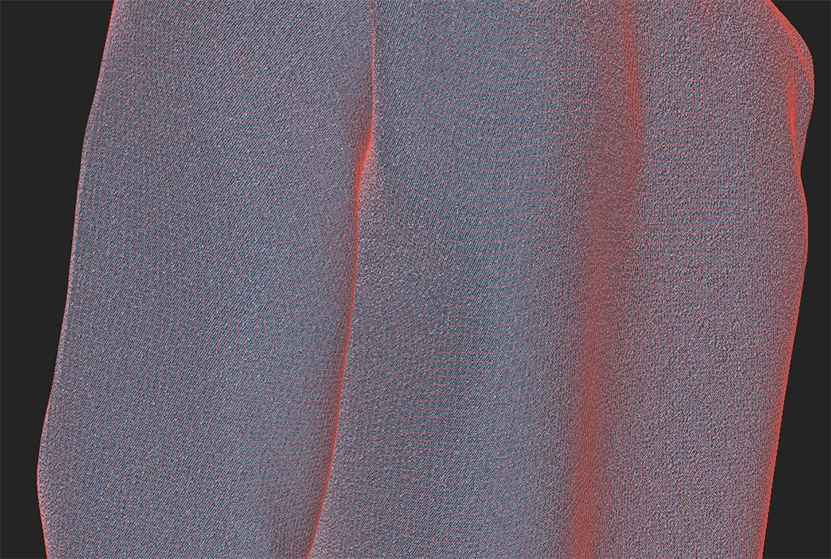
Thanks in advance to everybody.

This topic has been closed for replies.

1 reply

GeoffroySC
Community Manager
Community Manager
January 24, 2023

Hi, 

Is displacement activated in Iray? Have you baked your height map in Painter?

This looks like what a height baked in Painter does in the rendering side of the soft as this bake was designed for catmull clark subdivisions. 

In any case, could you show us your mesh maps? 

Thank you,

Kind Regards,

Geoffroy SC

Participating Frequently
January 27, 2023

Hi @GeoffroySC 

thanks for your help.

I'm sorry but i don't know nothing about Iray displacement, i never used, where i could find this function?

Sorry again for my ignorance but why i should enable the catmull clark subdivisions if in my render engine i wont use any subD for final render?

Here my mesh maps:


I actualy noticed a weird shading in the height map, as if it took some information from the low poly mesh. 

This is weird because i made the bake from an hig poly mesh at 8k with 64x supersampling


I have no idea of which could be the problem.

Thanks.

Cyril Dellenbach
Community Manager
Community Manager
February 10, 2023

Thanks @Cyril Dellenbach 

Thanks for the support.

As youa will see i baked 8K texture maps with antialiasing 64x so the higest options but the issue persist.

This is the link to download LOW POLY, HIG POLY and SP File:

https://drive.google.com/drive/folders/1SF6Kc-ldiA4fVxrR9rglqQFul3_kYjH2?usp=sharing 


To keep you informed, I am investigating at this very moment on your models and I have several leads.


But in the meantime, if you want to keep working on your project, I would suggest to simply not use the Height map for the moment. Your project doesn't seem to require a big assisstance from the height map and the normal map perfectly do the job.


With that being said, I will obviously get back to you as soon as I have the answer to the height map issue.


Best regards,

Cyril Dellenbach (Micro) | QA Support Artist | Adobe