colin121212
Participant
February 23, 2023
Answered

Blotchy Ambient occlusion maps

  • February 23, 2023
  • 1 reply
  • 1774 views

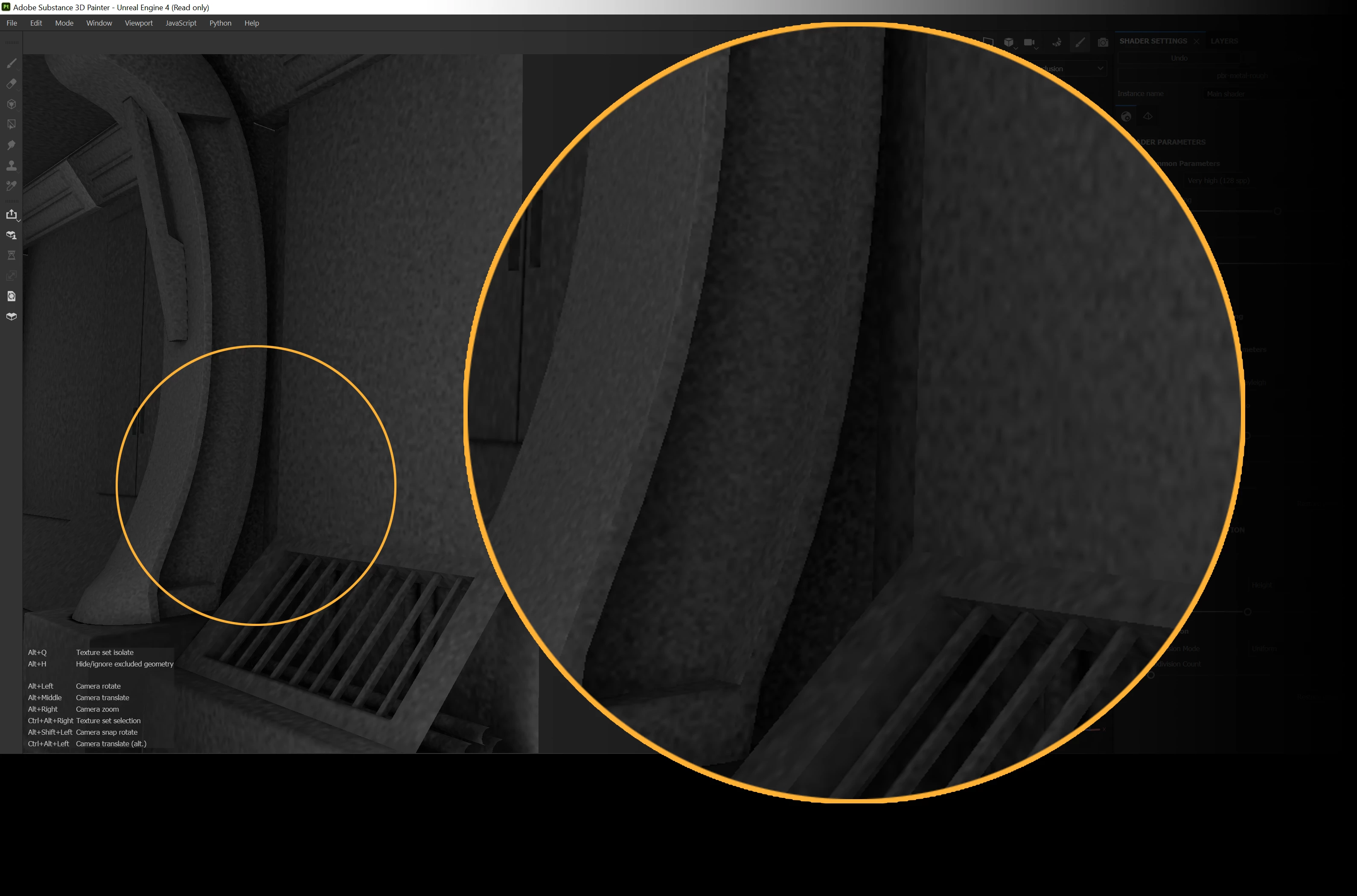
After latest update of Substance Painter, my Ambient Occlusion maps are blotchy and unusable. Is there a new setting that I am not aware of? PBR metal/rough

This topic has been closed for replies.
Correct answer Cyril Dellenbach

Hello @colin121212,


Thanks for the message.


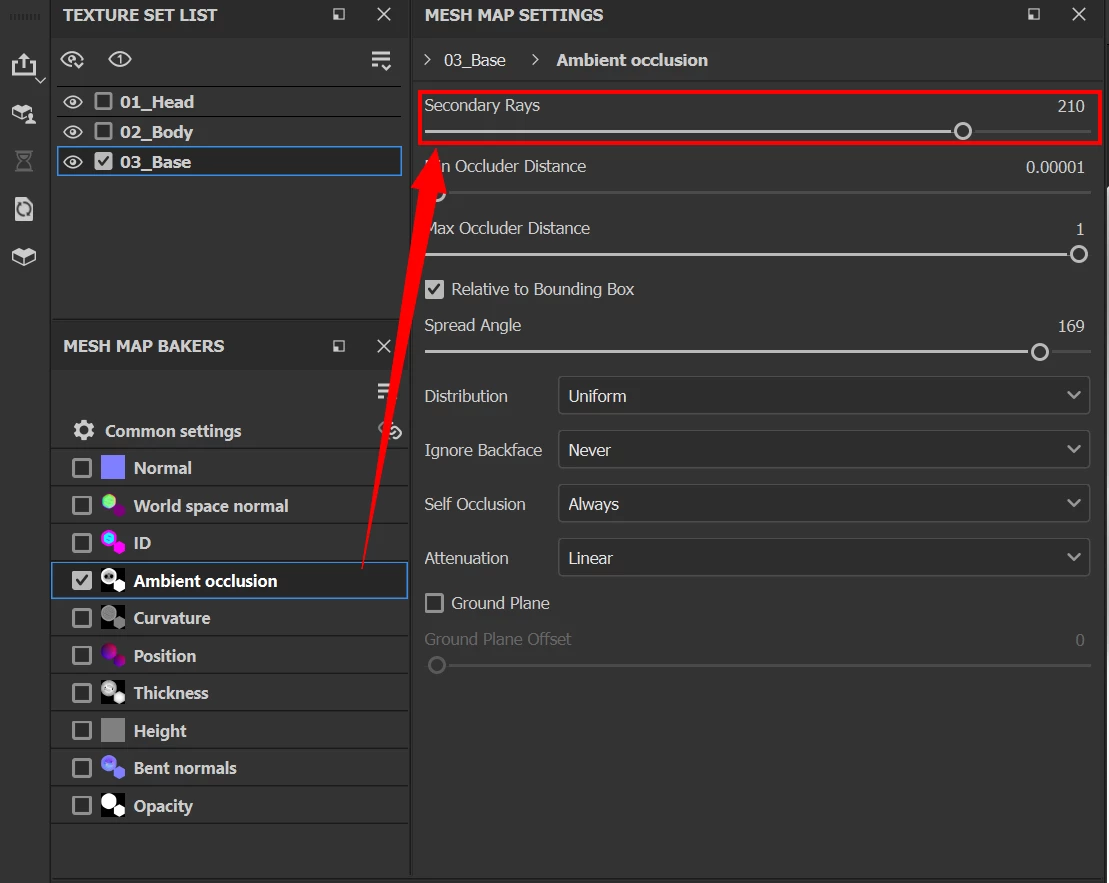
Increasing the Secondary Rays option in your baking parameters should solve the issue.


Keep me posted and have a nice day,

1 reply

Cyril Dellenbach
Community Manager
Cyril DellenbachCommunity ManagerCorrect answer
Community Manager
February 24, 2023

Hello @colin121212,


Thanks for the message.


Increasing the Secondary Rays option in your baking parameters should solve the issue.


Keep me posted and have a nice day,

Cyril Dellenbach (Micro) | QA Support Artist | Adobe
Participant
July 16, 2023

Im glad I found this.  This advice saved me.  My AO maps were horrible.  First time Substance had ever had scrap AO maps.  Raising them to 233 made them nearly perfect.  My spread angle setting is 180.  Different from yours, @Cyril Dellenbach .  
Thanks again.
Also for those that cannot find this setting, 
* Go to Bake mode
* Go to Windows/Views/ and there you will find the two windows views for Mesh Map Bakers and Mesh Map Settings.

Participant
July 16, 2023

Note..  You cannot find those two windows for adjusting AO map settings unless you are in Bake mode.