
Participant
February 11, 2023
Answered

can't get more than 1 udim tile in a texture set

  • February 11, 2023
  • 2 replies
  • 3477 views

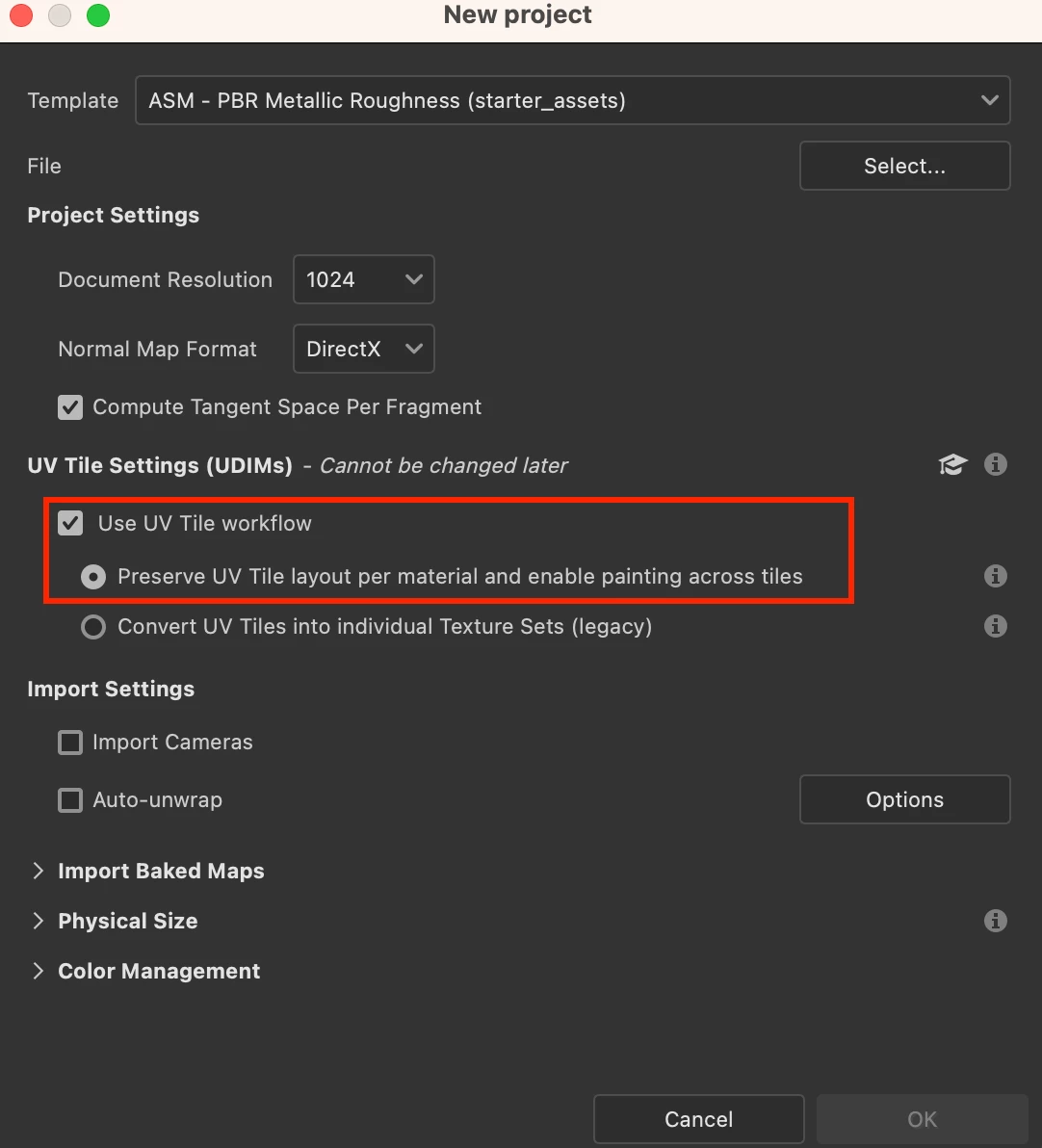
I use 8.3 and watched quite a few tuts and online information. They all come up with a texture set with more than 1 UV tile. I want to be able to paint across the tiles. I've got 1 obj file and only 1 serie of 4 base color udims. creating a new file, import the obj an UV tile workflow with Preserve UV tile layout checked. I've tried with and without importing the base color texture files, but always I get 4 texture sets with 1 UV tile per texture set. That way I can't paint across the tiles. What am I doing wrong? Any help is appreciated.

regards

René
This topic has been closed for replies.
Correct answer Cyril Dellenbach

Hello René,


A texture set is defined by a Material ID. Each time Substance 3D Painter finds a new Material ID, it will create a new texture set. If Substance 3D Painter creates 4 texture sets, most likely the mesh has 4 different Material ID.


May I suggest you to check in your 3D software that your mesh has only one material applied ?


Also, make sure you checked the UV tile workflow while starting a new project.


Have a nice day,

2 replies

Cyril Dellenbach
Community Manager
Cyril DellenbachCommunity ManagerCorrect answer
Community Manager
February 13, 2023

Hello René,


A texture set is defined by a Material ID. Each time Substance 3D Painter finds a new Material ID, it will create a new texture set. If Substance 3D Painter creates 4 texture sets, most likely the mesh has 4 different Material ID.


May I suggest you to check in your 3D software that your mesh has only one material applied ?


Also, make sure you checked the UV tile workflow while starting a new project.


Have a nice day,

Cyril Dellenbach (Micro) | QA Support Artist | Adobe
Participant
February 13, 2023

Thanks Cyrill for the clarification.

slowly but surely it begins to make sence to me.

I've opened the obj in cinema4D and with Arnold I could turn the textures into udims. After saving I could import the obj in Painter and loaded only 1 textureset with 4 UV tiles.

When you mentioned Material ID I tried something else and that works as well and is a lot faster: I edited the .obj file and got rid of all .mtl lines. Works like a charm.

So thanks for your post.

Regards,

René van Gageldonk

Participant
February 12, 2023

Ah, my obj and textures are exported from agisoft metashape. Now I think that's where the problem comes from. Now I'm looking into a way to correct this in C4D and then import it in Painter.