

Rendering0101
Participant
September 19, 2022
Answered

Color Management and Environment Variables

  • September 19, 2022
  • 1 reply
  • 648 views

Hi guys,


For context: I am working in ACEScg color space in SP and want to export ACEScg color maps, but I have to make sure the input maps have the correct color space (sRGB for color data).


OCIO is set up in the Windows Environment Variables, and this is how the Color Management configuration looks like when I open a new SP project.
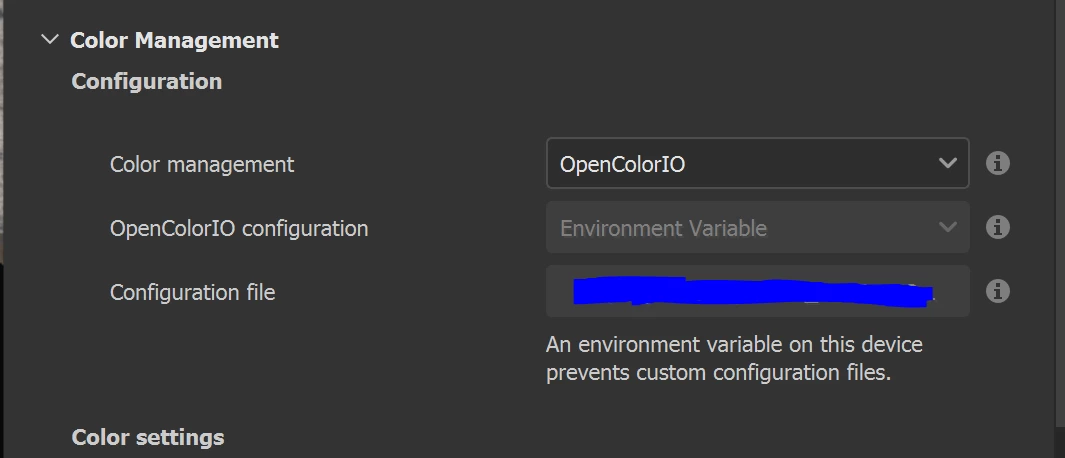
All good so far.


The problem is that the drop-down menus below are now greyed out, so can't choose Utility-sRGB-Texture for Bitmap input color space.
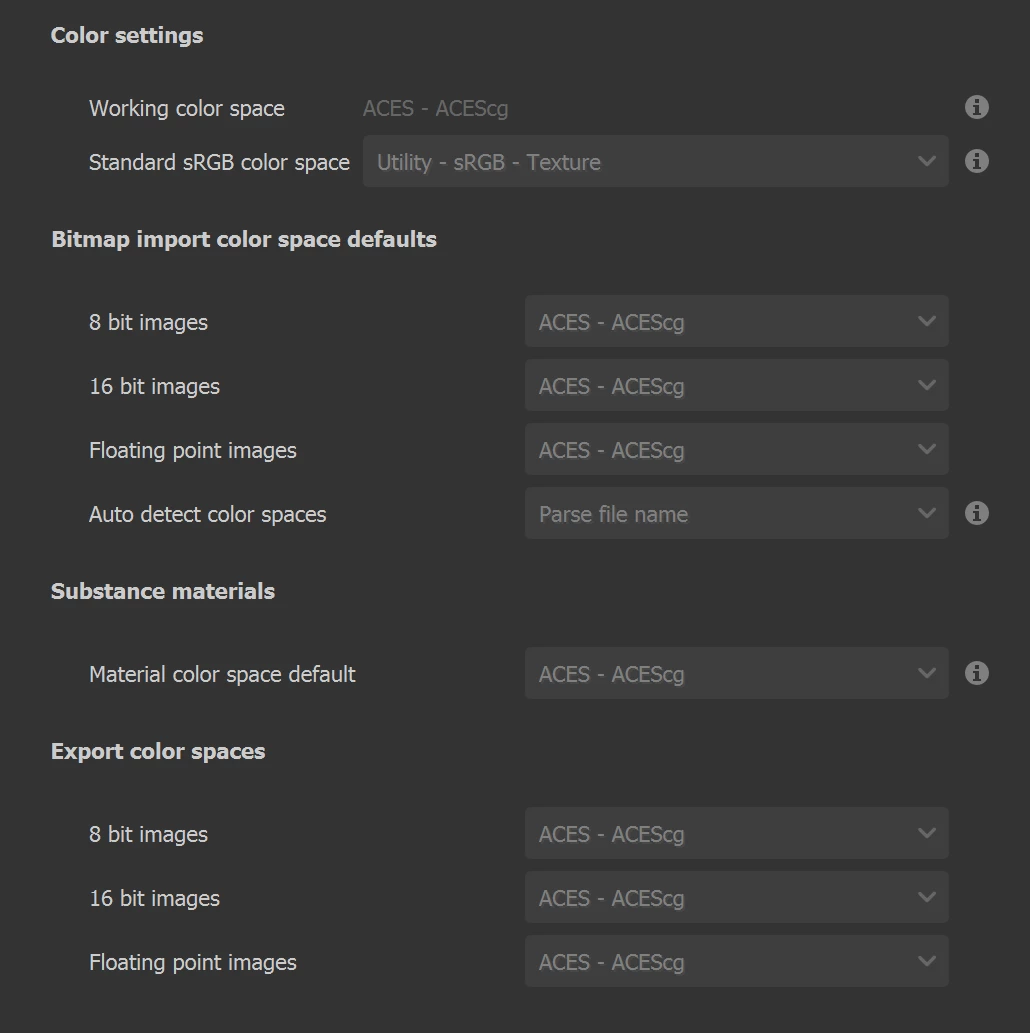


Any idea why this is?
If I disable the OCIO from Environment Variables and choose OCIO manually, these menus are available. However I prefer to keep using Environ. Variables.


I remember this used to work before.


Thank you.

This topic has been closed for replies.
Correct answer davescm

See the documentation linked below which states, 'If the OCIO environment variable is present, and specifies a valid configuration file, it will override and disable the settings in UI.'  So those greyed out and incorrect settings should not be having any impact, which in turn is why it makes sense to grey them.


https://substance3d.adobe.com/documentation/spdoc/color-management-with-opencolorio-225969419.html


The change was made in version 8.1.2. See release notes below:

https://substance3d.adobe.com/documentation/spdoc/all-changes-188973073.html


Dave

1 reply

davescm
Community Expert
davescmCommunity ExpertCorrect answer
Community Expert
September 19, 2022

See the documentation linked below which states, 'If the OCIO environment variable is present, and specifies a valid configuration file, it will override and disable the settings in UI.'  So those greyed out and incorrect settings should not be having any impact, which in turn is why it makes sense to grey them.


https://substance3d.adobe.com/documentation/spdoc/color-management-with-opencolorio-225969419.html


The change was made in version 8.1.2. See release notes below:

https://substance3d.adobe.com/documentation/spdoc/all-changes-188973073.html


Dave

Rendering0101
Participant
September 19, 2022

Understood, thank you so much Dave. I somehow missed this detail in the documentation.

davescm
Community Expert
Community Expert
September 19, 2022

No problem - I had to look it up myself 🙂

Dave