Participant
May 23, 2023
Answered

Couple of issues with SB stencils

  • May 23, 2023
  • 1 reply
  • 1125 views

Hi there all,

I'm having a couple of issues working with Substance Painter 8.3 stencils. The 1st is possibly a bug, and the 2nd is possibly a feature request. 

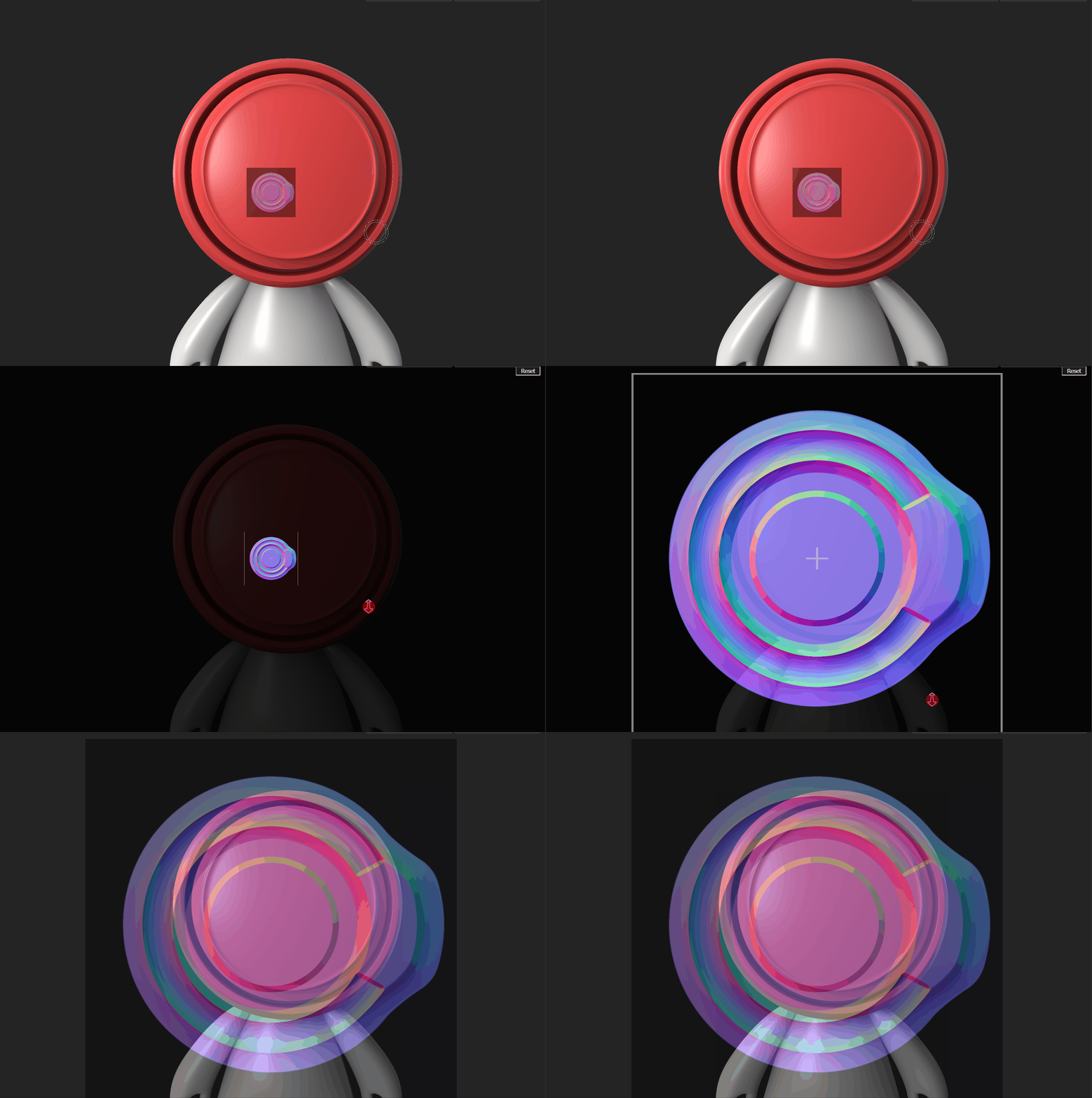
1) when holding 'S' to adjust the size, rotation and zoom of the stencil, the model goes so dark, it's impossible to transform the stencil as required. Bug?

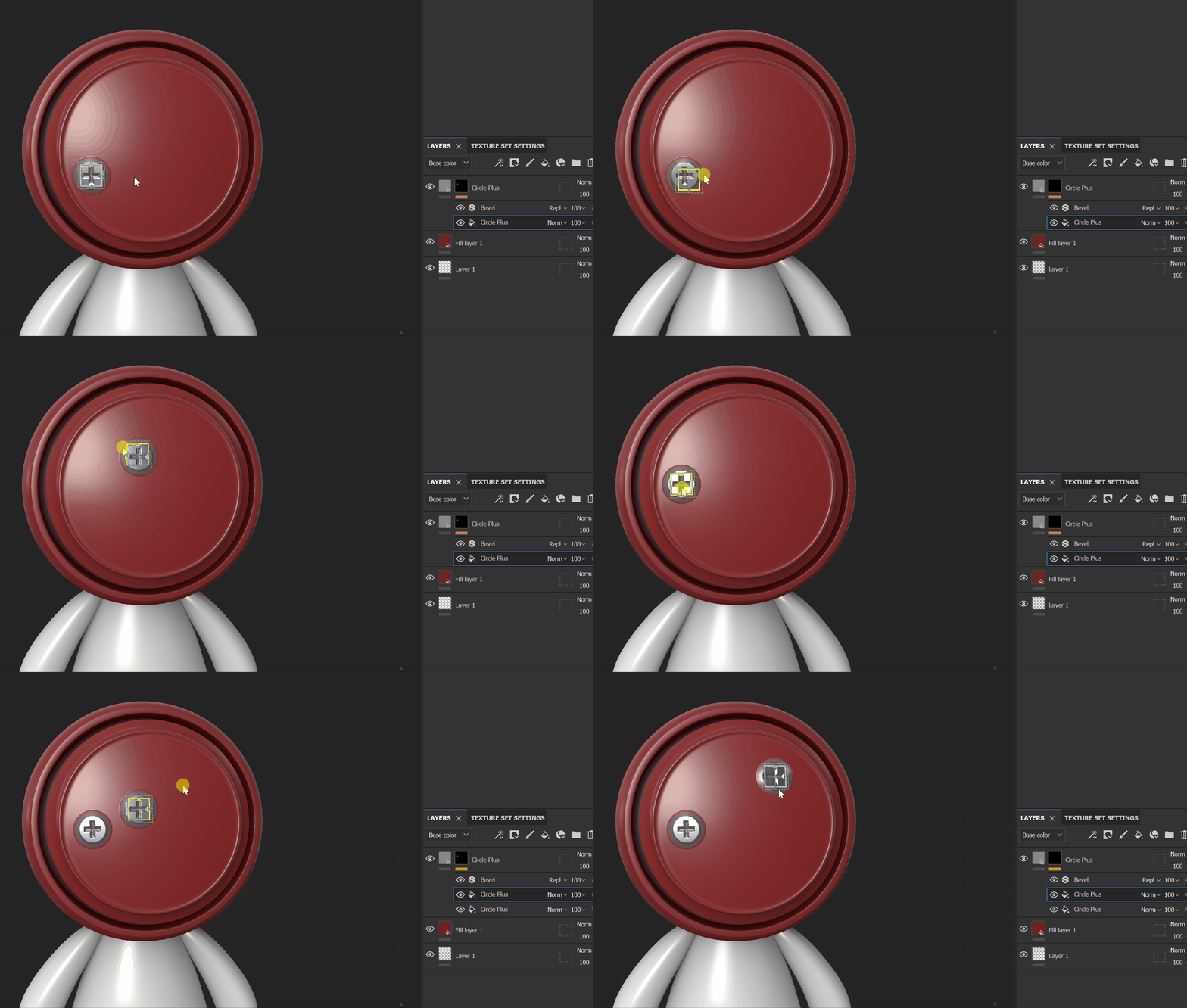
2) Is it possible to lock the zoom of the stencil and model?  e.g. when using the stencil to paint items that need to be of a uniform size (Screw heads,etc), it just needs an inadverdant zoom of the model to throw things out of wack.  Unless I'm missing somthing, then please put this down as a feature request. 🙂
Thanks

Jon


This topic has been closed for replies.
Correct answer Cyril Dellenbach

Hi @Jon Painter,


Thanks for the message.


When adjusting the size of the Stencil, Substance 3D Painter is automatically focusing on the Stencil, darkening the rest of the viewport.


Unfortunately, it's not possible to lock the zooming or the camera movement while using the Stencil, but I'll make sure to add this as a feature request!


With that being said, for the example you gave us, other tools could do the job without these inconveniences. I personally think the Warp projection (also known as Decal) would be a nice solution.


Best regards,


1 reply

Cyril Dellenbach
Community Manager
Cyril DellenbachCommunity ManagerCorrect answer
Community Manager
May 24, 2023

Hi @Jon Painter,


Thanks for the message.


When adjusting the size of the Stencil, Substance 3D Painter is automatically focusing on the Stencil, darkening the rest of the viewport.


Unfortunately, it's not possible to lock the zooming or the camera movement while using the Stencil, but I'll make sure to add this as a feature request!


With that being said, for the example you gave us, other tools could do the job without these inconveniences. I personally think the Warp projection (also known as Decal) would be a nice solution.


Best regards,


Cyril Dellenbach (Micro) | QA Support Artist | Adobe
Participant
May 24, 2023

Thanks for the reply cyril 🙂
Great youv'e added the zoom lock as a feature request. To clarify, I dont want to lock the movement or zoom of the model, but lock the template and model together, so they zoom in sync

In reply to "When adjusting the size of the Stencil, Substance 3D Painter is automatically focusing on the Stencil, darkening the rest of the viewport"


, but that's the problem it darkens it way too much, especially on models with darker materials, thus rendering it impossible. Given we have a setting to adjust the opacity of the template when painting with it, I don't see any need to darken the model at all when adjusting the template. After all we know when we're holding "S" down. 🙂

I shall try the warp projection mode. I never though of that...duuh!! 🙂

Jon