Participant
March 11, 2024
Answered

Default library starter assets is only available in read mode

  • March 11, 2024
  • 1 reply
  • 789 views

Hello!


Im trying to change a default library file and this message appears every time and it's imposible to change it.

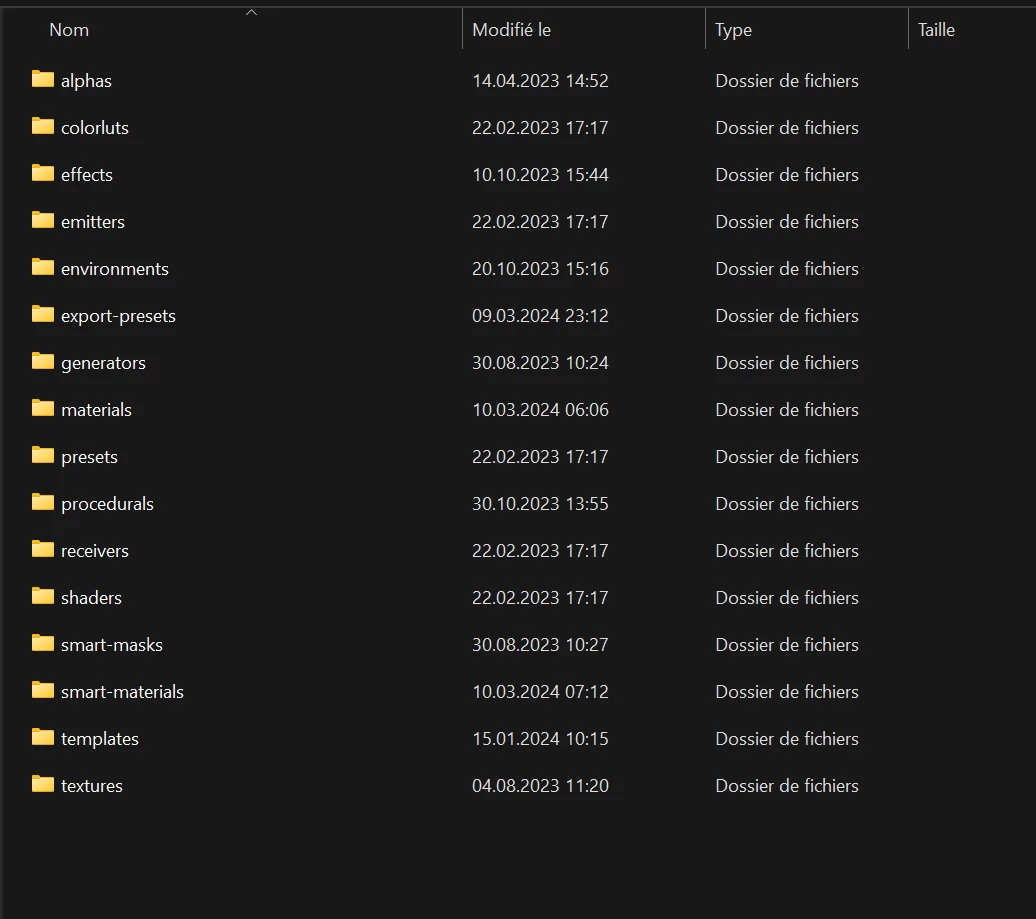
If i duplicate it is possible but i would like to know in which folder in Windows they are saved. Are there some option in order to change the permission and add them write mode too?


Thanks.
This topic has been closed for replies.
Correct answer Cyril Dellenbach

Hello @Yisusp0,


Thanks for the question.


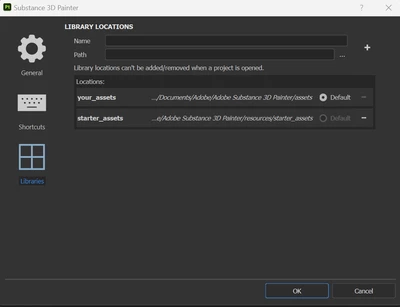
If you're looking to change the current default library, there's a simple workflow: Edit > Settings > Library


From here, you can remove the starter_assets (the default library) with the - button. You can also add a new library by selecting the desired Path and hitting the + button. To keep similar categories (Smart materials, Alphas, etc.) as other libraries, make sure it shares the same folders.


Regards,

1 reply

Cyril Dellenbach
Community Manager
Cyril DellenbachCommunity ManagerCorrect answer
Community Manager
March 12, 2024

Hello @Yisusp0,


Thanks for the question.


If you're looking to change the current default library, there's a simple workflow: Edit > Settings > Library


From here, you can remove the starter_assets (the default library) with the - button. You can also add a new library by selecting the desired Path and hitting the + button. To keep similar categories (Smart materials, Alphas, etc.) as other libraries, make sure it shares the same folders.


Regards,

Cyril Dellenbach (Micro) | QA Support Artist | Adobe
Yisusp0Author
Participant
March 12, 2024

Hey @Cyril Dellenbach 


Perfect, it was really helpful!

Thanks for you help 🙂