
Participant
July 5, 2023
Answered

Export of Substance Painter is creating tiled effect on model in Blender

  • July 5, 2023
  • 1 reply
  • 406 views

Hi,


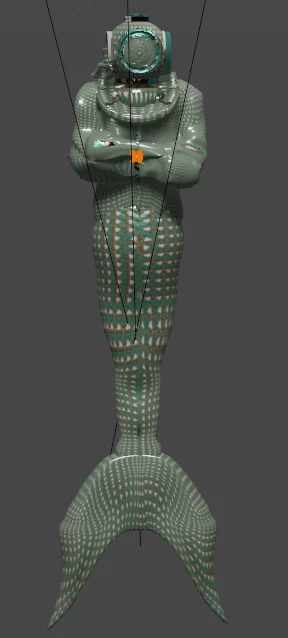
I"m using Susbatnce Painter 9.0 and i export a file from Painter to Blender 3.0 and then use Ctl Shift T to import the textured into the Shading nodes and it looks like the model is covered in a tile of the texture map that i see in the 2D window in Substance Painter.

Below left is the result of the model in Blender (close up) below right is the texture map window i see in the 2d window in Painter.
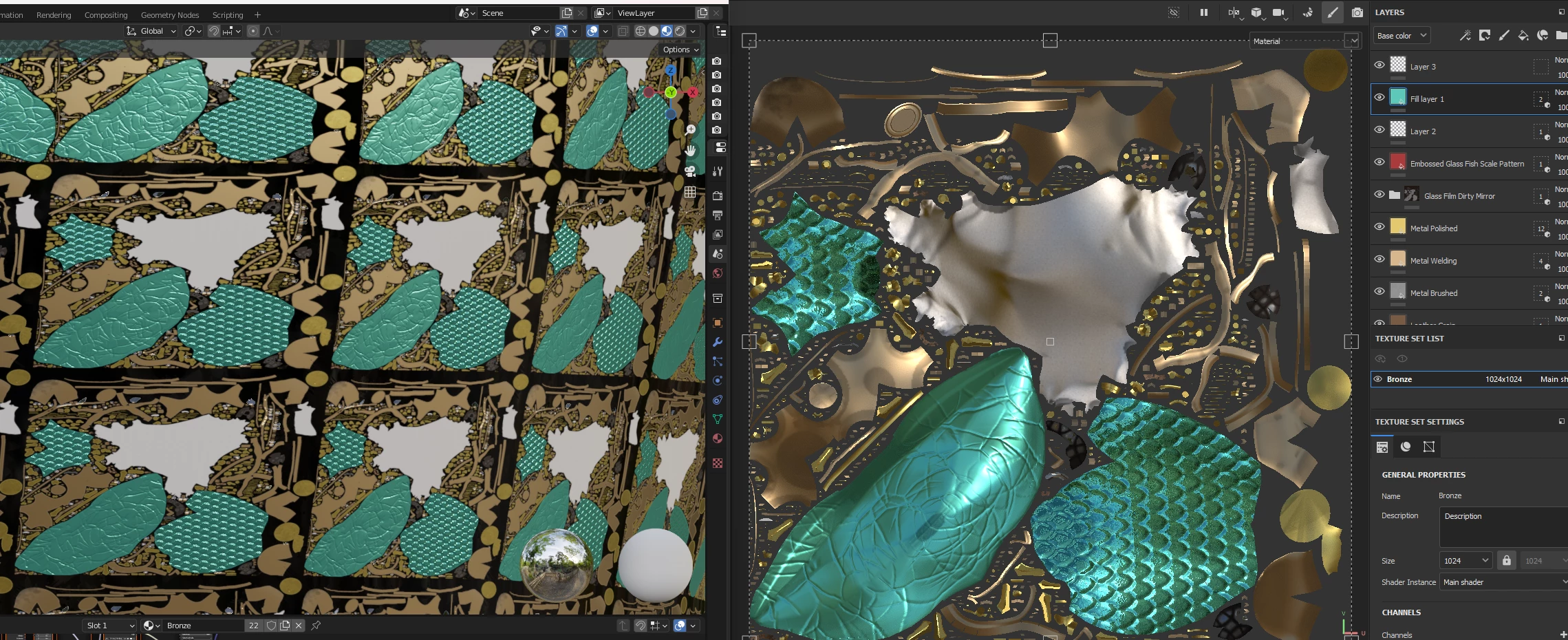
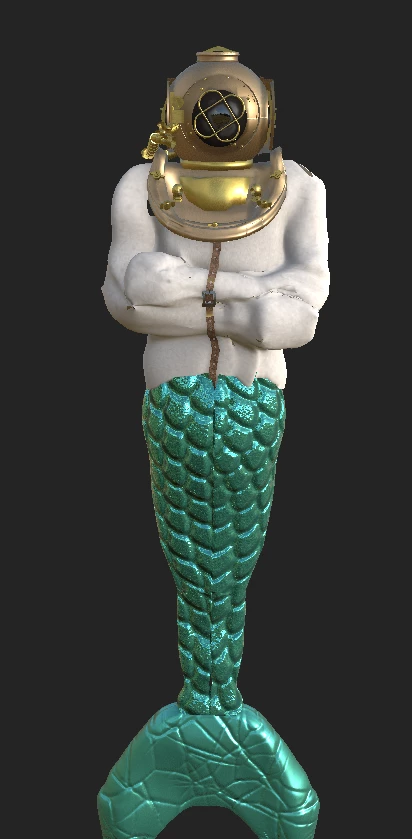
Below is the model in Painter (with the colors in place)and this is what i hoped it would look like in Blender.
 

Below  is what it looks like when i import in from Painter to Blender with the tiled texture map appearance.
Can someone let me know what i did wrong? 

Thank you in advance.


This topic has been closed for replies.
Correct answer Cyril Dellenbach

Hello @Eric McCracken,


Did you use the Automatic Unwrapping with Substance 3D Painter? If so, you'll need to export the mesh from Substance Painter and import it in Blender.


Also, can you make a screenshot of your Shader editor, and the UV view in Blender?


Let me know,


1 reply

Cyril Dellenbach
Community Manager
Cyril DellenbachCommunity ManagerCorrect answer
Community Manager
July 5, 2023

Hello @Eric McCracken,


Did you use the Automatic Unwrapping with Substance 3D Painter? If so, you'll need to export the mesh from Substance Painter and import it in Blender.


Also, can you make a screenshot of your Shader editor, and the UV view in Blender?


Let me know,


Cyril Dellenbach (Micro) | QA Support Artist | Adobe
Participant
July 6, 2023

Thank you,. That was it. I exported the mesh frim Substance Painter and imported it into Blender and then added the tectures using the nodes!