
Participant
November 20, 2023
Answered

Glass from substance to unity 2023.2

  • November 20, 2023
  • 1 reply
  • 879 views

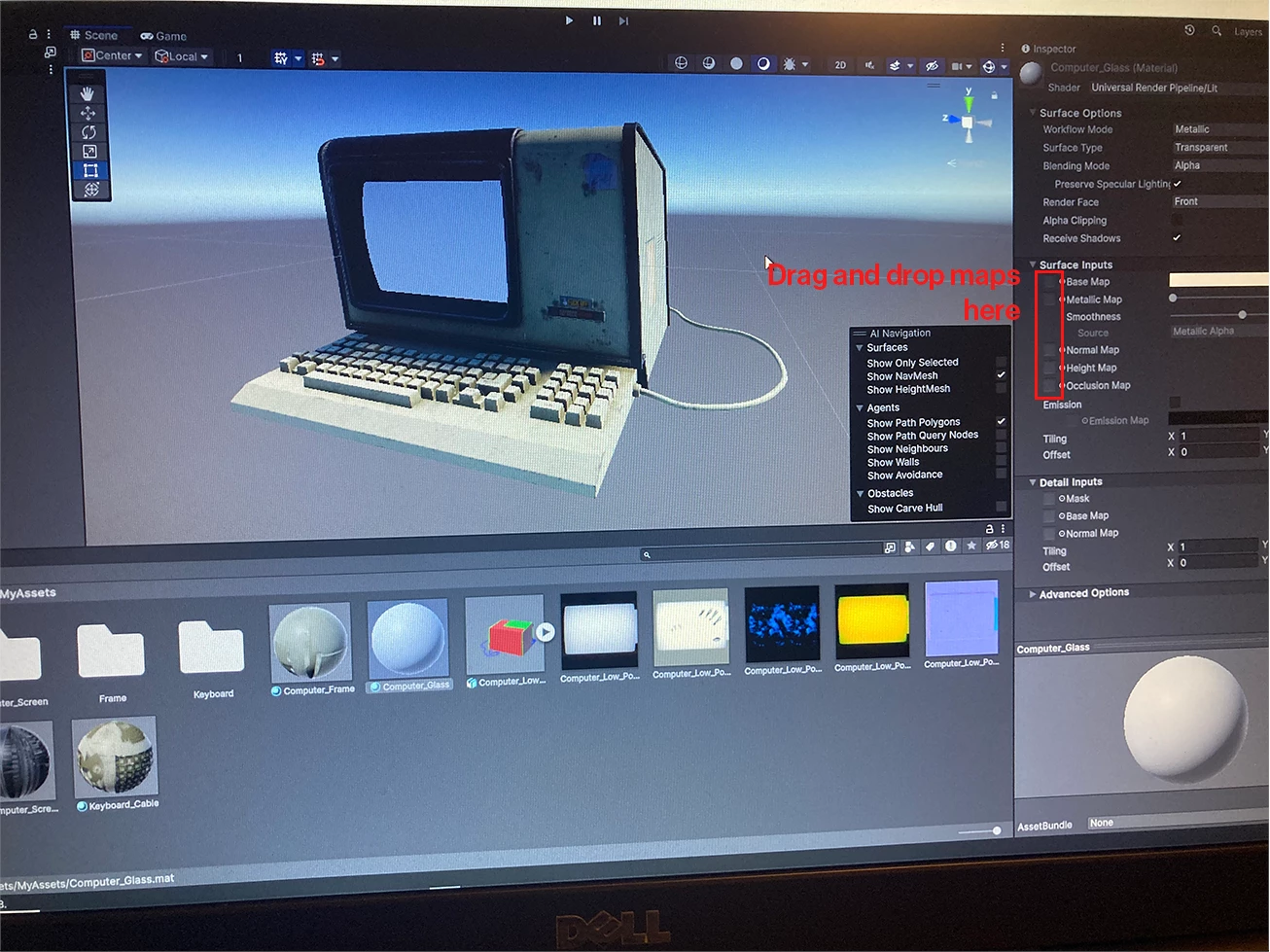
Hi, I would post this to a unity forum but I can't for some reason. Anyway, I have this 70's model with a glass material. I'm totally new to this and have never used Unity before. 

I'm using the Unity HD render pipeline metallic standard output template.


what export settings do I use and howwwww the hell do you input those texture files into the material in Unity. I've bummed around for a whole day trying to do it and I just can't do it.


these images are substance and unity.


I've watched several tutorials but they're just not quite what I'm looking for.


please help 😂 thank you guys
This topic has been closed for replies.
Correct answer Cyril Dellenbach

Hello @samn76553361,


Thanks for the message.


The Unity HD Render Pipeline (Metallic Standard) export preset should perfectly work for your project (it has all the maps you'll need). I'm not a user of Unity, but I think you'll have to import your bitmaps from Painter in Unity and drag & drop them in the dedicated slots.


Regards,


1 reply

Cyril Dellenbach
Community Manager
Cyril DellenbachCommunity ManagerCorrect answer
Community Manager
November 21, 2023

Hello @samn76553361,


Thanks for the message.


The Unity HD Render Pipeline (Metallic Standard) export preset should perfectly work for your project (it has all the maps you'll need). I'm not a user of Unity, but I think you'll have to import your bitmaps from Painter in Unity and drag & drop them in the dedicated slots.


Regards,


Cyril Dellenbach (Micro) | QA Support Artist | Adobe
Participant
November 21, 2023

Hi,


I think my exports are correct. It's handy knowing my presets will work I just wish some unity wizard knows how to input them and adjust the material settings in unity. No idea why I can't post in a unity forum