Exit
  • Global community
    • Language:
      • Deutsch
      • English
      • Español
      • Français
      • Português
  • 日本語コミュニティ
  • 한국 커뮤니티
0

How to create beautiful texture

New Here ,
Mar 23, 2023 Mar 23, 2023

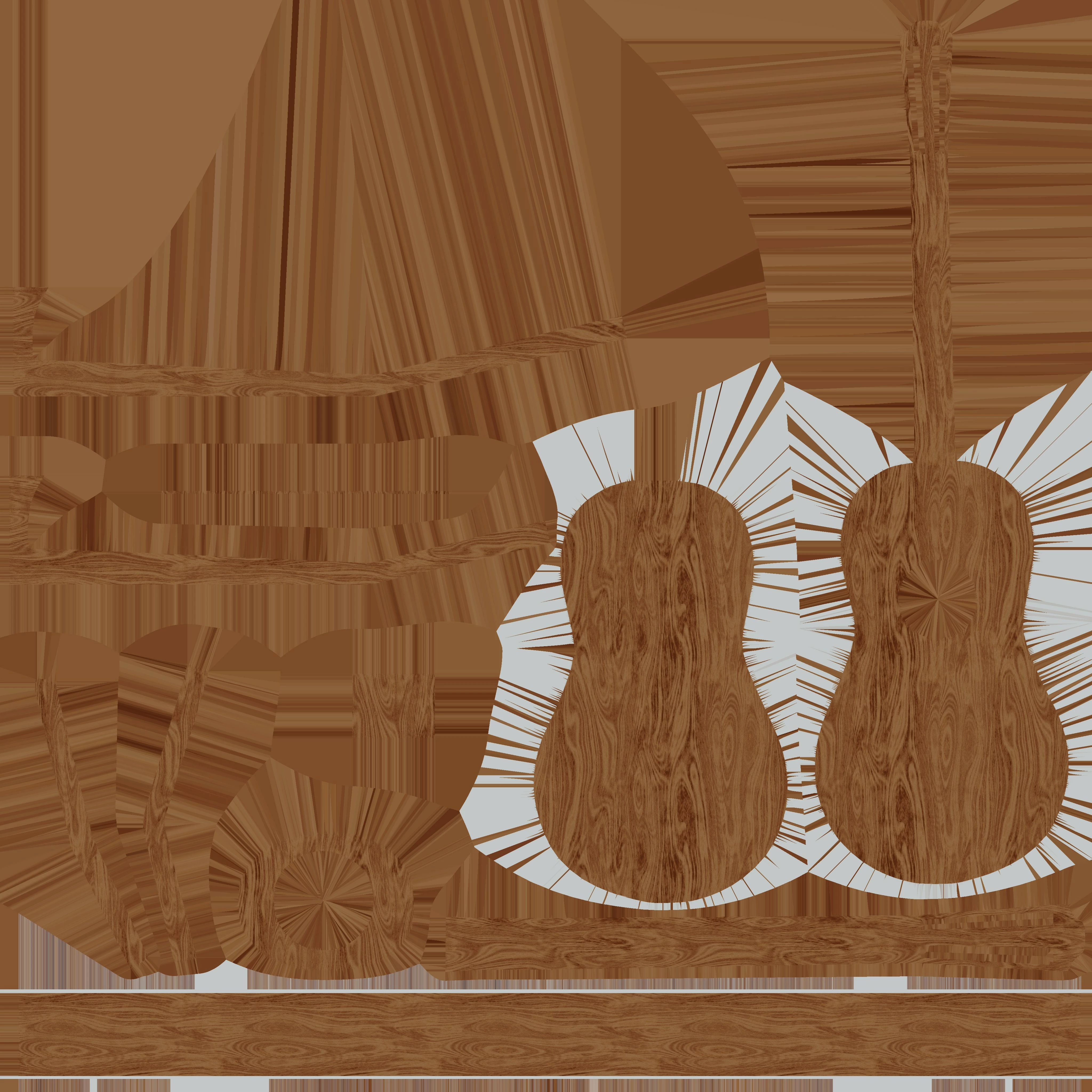
Good afternoon. I would like to ask if it is possible to remove this texture blur in Substance Painter?
And if possible, how???Material _5_Base_color.jpg
TOPICS
Baking , Import & Export
387
Translate
Report
Community guidelines
Be kind and respectful, give credit to the original source of content, and search for duplicates before posting. Learn more
community guidelines

correct answers 1 Correct answer

Adobe Employee , Mar 23, 2023 Mar 23, 2023

Hi @Wist29030520p4i0,


Thanks for the question.


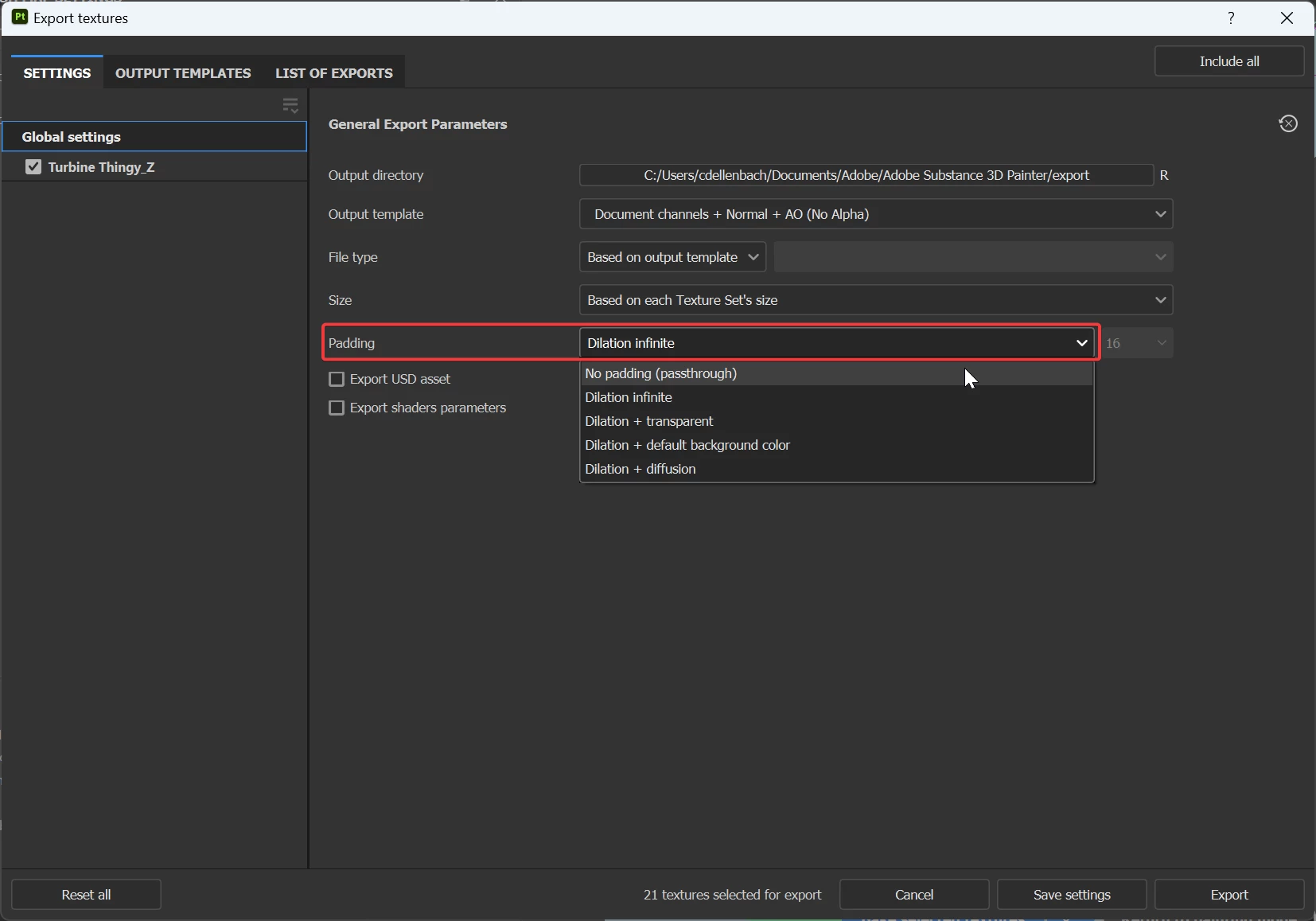
If you're talking about the stretched colors, this is called Dilation or Padding and I'd advise you to keep using it. It usually avoids artifacts at the border of your seams, but if for a reason or another you need to have a clear map without Dilation, you can set it at the export.
 

PaddingExport.png


I hope this helps you and have a nice day.


Translate
Adobe Employee ,
Mar 23, 2023 Mar 23, 2023
LATEST

Hi @Wist29030520p4i0,


Thanks for the question.


If you're talking about the stretched colors, this is called Dilation or Padding and I'd advise you to keep using it. It usually avoids artifacts at the border of your seams, but if for a reason or another you need to have a clear map without Dilation, you can set it at the export.


PaddingExport.png


I hope this helps you and have a nice day.


Cyril Dellenbach (Micro) | QA Support Artist | Adobe
Translate
Report
Community guidelines
Be kind and respectful, give credit to the original source of content, and search for duplicates before posting. Learn more
community guidelines
