
Inspiring
January 18, 2024
Answered

Invalid Preset Resources still visible on Substance Painter

  • January 18, 2024
  • 1 reply
  • 3163 views

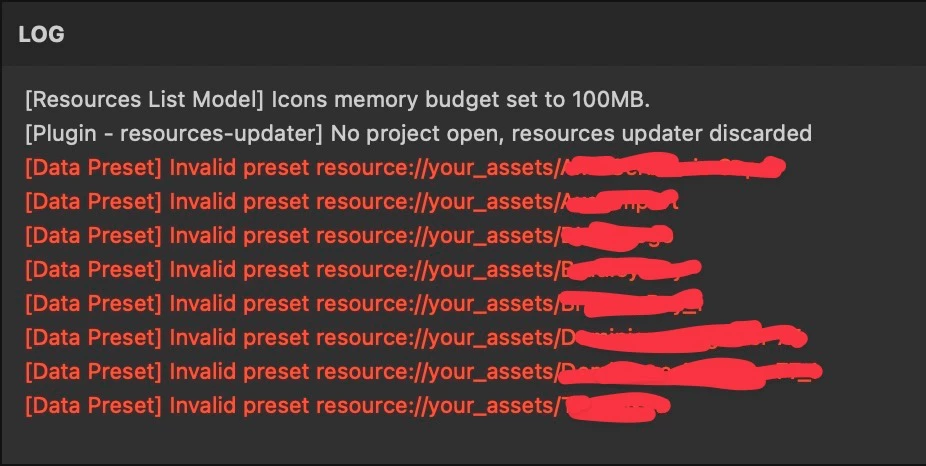
Hi, for a long time (since I deleted some intelligent materials from the assets window) every time I open Painter they appear in the log and I don't know why but above all how to remove them...


Correct answer Cyril Dellenbach

Hi @helpful_Glow5E6F,


Thanks for the message.


Can you check in 

C:\Users\username\Documents\Adobe\Adobe Substance 3D Painter\Assets

that the corresponding files are properly removed?


Let me know.

1 reply

Cyril Dellenbach
Community Manager
Cyril DellenbachCommunity ManagerCorrect answer
Community Manager
January 18, 2024

Hi @helpful_Glow5E6F,


Thanks for the message.


Can you check in 

C:\Users\username\Documents\Adobe\Adobe Substance 3D Painter\Assets

that the corresponding files are properly removed?


Let me know.

Cyril Dellenbach (Micro) | QA Support Artist | Adobe
Inspiring
January 19, 2024

I'm on Mac but almost the same folder path. There was the files yet. I clean them and the messages disappeared. Many thanks. So why this happen? Isn't it enough to just delete them from the stack?

Cyril Dellenbach
Community Manager
Community Manager
January 19, 2024

It should be enough, but it was worth checking in the folder.


Regards,

Cyril Dellenbach (Micro) | QA Support Artist | Adobe