
Inspiring
February 15, 2024
Answered

Layer becomes transparent

  • February 15, 2024
  • 1 reply
  • 590 views

Hello.

I have this layer stack in Painter: 
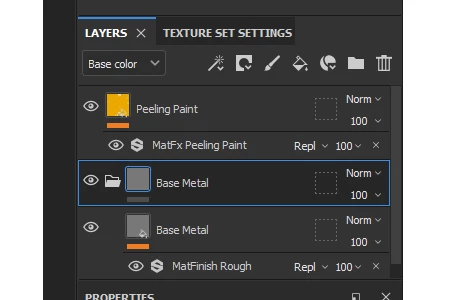
I have the Base Metal that looks like this:
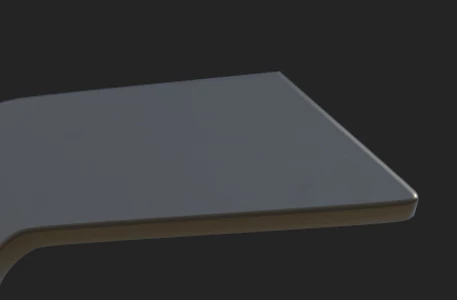
And above this I have a Layer called Peeling Paint with a filter.

When both layers are showing, the Metal Base becomes transparent.
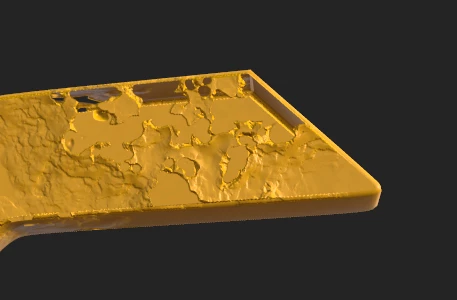
Can anyone help me out?
This topic has been closed for replies.
Correct answer Cyril Dellenbach

Hello @RexRon,


Thanks for the message.


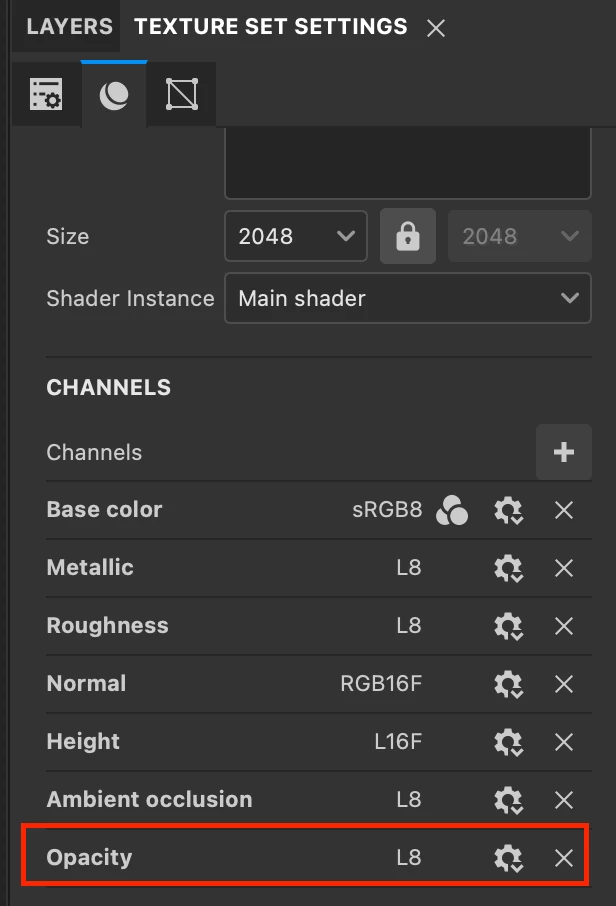
Do you have the Opacity channel enabled in your Texture set settings?


If so, deactivate the channel in the properties of the MatFx peeling paint.


Regards,

1 reply

Cyril Dellenbach
Community Manager
Cyril DellenbachCommunity ManagerCorrect answer
Community Manager
February 15, 2024

Hello @RexRon,


Thanks for the message.


Do you have the Opacity channel enabled in your Texture set settings?


If so, deactivate the channel in the properties of the MatFx peeling paint.


Regards,

Cyril Dellenbach (Micro) | QA Support Artist | Adobe
RexRonAuthor
Inspiring
February 15, 2024

Thank you so much!!! That was it!