Participant
July 3, 2023
Answered

Masks working incorrectly

  • July 3, 2023
  • 1 reply
  • 1696 views

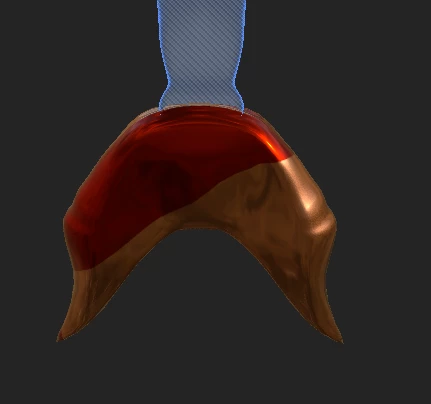
When i create a mask in Substance Painter, the mask forms its own unique shape each time and the colors bleed onto each other.

I unwrap in blender, export in fbx and then when i open in Susbtance Painter, I create a mask but it doesn't work properly. I've tried it with a few different models and each time the same thing happens. I'm guessing i'm missing sometthing obvious but i can't see it. Any help would be most appreciated.

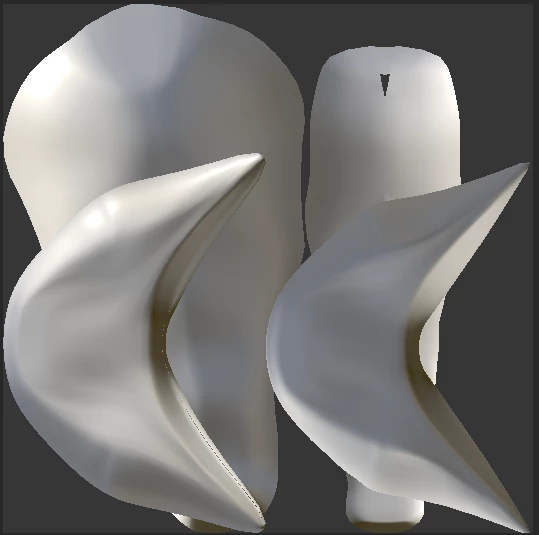
Below is an example. The mermaid tail is meant to be all metallic red but  it's half red half gold. (The mermaid fin above is gold which is where that color comes from.)
 

This topic has been closed for replies.
Correct answer davescm

With the import settings you show I could not replicate the issue.


However, your settings show you have Auto Unwrap checked on import. If I uncheck that and just take the unwrap as you made in Blender (you did say you unwrapped in Blender) then the UV islands are overlapped and lead to the exact issue you show.


So to fix it either:

a. Ensure you do use AutoUnwrap on import

or

b. Go back to Blender and unwrap making sure there is no overlap in the UV islands, in which case do not check Auto Unwrap on import.


Dave

1 reply

davescm
Community Expert
Community Expert
July 3, 2023

Can you attach an fbx on which you have the issue, a simple demo file will do as long as you have the issue with it, and a description of exactly how you made the mask. I can use that to try and replicate here.

Dave

Participant
July 3, 2023

Hi. Thank you for helping.

I create a new project in Substance Painter with the below settings

then i bake it.

Then i drag a smart material onto the model and use a mask to only apply it only to the  fin bottom.

Then i drag another smart material onto the model and use a mask to only apply it to the fin top.

and that creates the weird effect.

The strange thing is everything worked fine a week ago. but now i have this weird making layout. See below. The tail is meant to be a solid color.

Also, i checked and my PC is strong enough to run Substance painter.


Cyril Dellenbach
Community Manager
Community Manager
July 4, 2023

Hi @Eric McCracken,


Could you specify which Smart Material you're using and on which version Substance 3D Painter is running?

Under the current 9.0.0, some blending modes were causing issues just like the one you're facing (this should be fixed in the 9.0.0).


With that being said, this could very well be something else, but it is worth looking into.


Best regards,


Cyril Dellenbach (Micro) | QA Support Artist | Adobe