Participant
April 3, 2022
Question

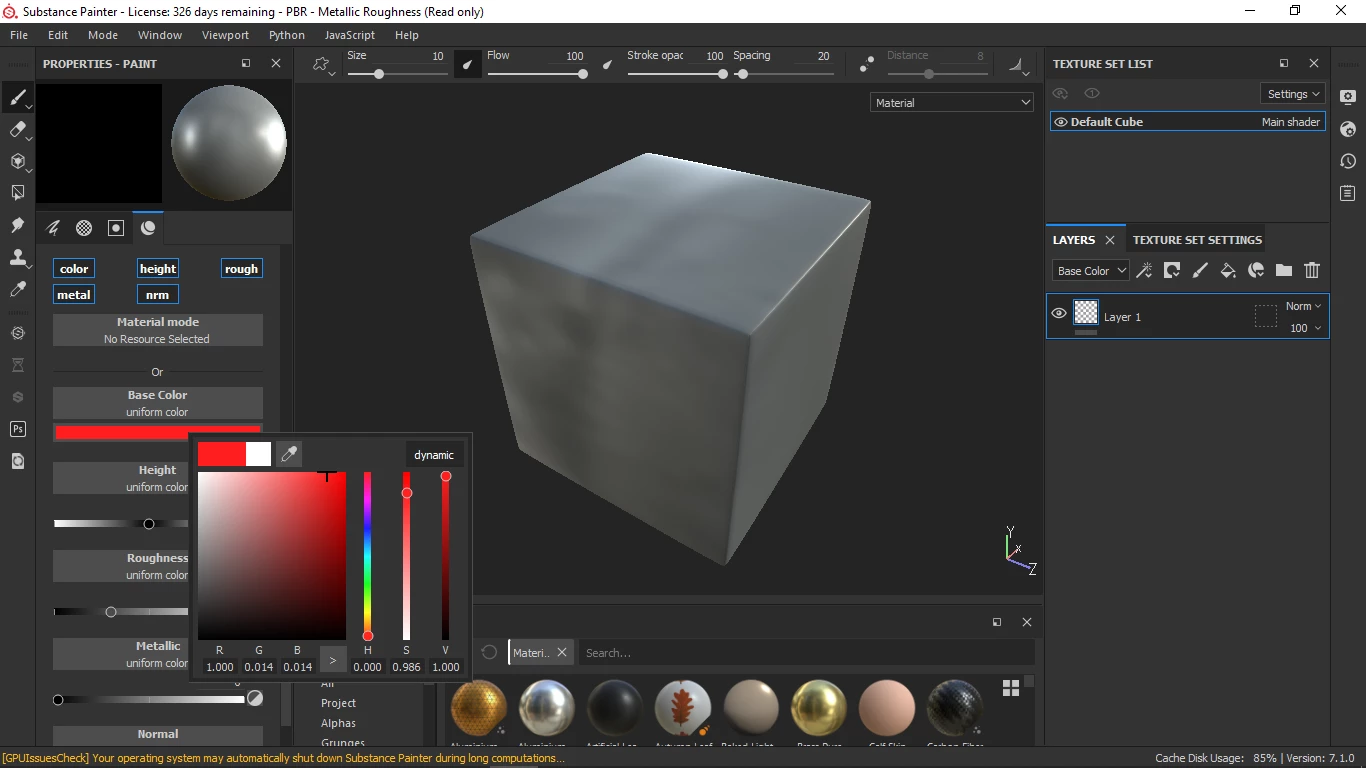
materials not working
  • April 3, 2022
  • 2 replies
  • 4127 views

 Hello! Can anyone pls help me on this, I'm new on substance painter so im kinda stuck it would be really great if someone helps

This topic has been closed for replies.

2 replies

Participant
May 10, 2023

facing the same issue, can anyone share the solution ASAP

Cyril Dellenbach
Community Manager
Community Manager
May 10, 2023

Hi @Draglet91,


Would you mind sharing your log (help>export log...), so I can have a deeper look?


Keep me posted.


Cyril Dellenbach (Micro) | QA Support Artist | Adobe
Participant
May 11, 2023

Hy,

Surely please have a look screenshots as well various essential information.

davescm
Community Expert
Community Expert
April 3, 2022

You have an empty layer at present. To apply that material to the model, either use a brush and paint it on, or add a fill layer and add the material to that.


Take a look at the foundation courses here:


https://substance3d.adobe.com/tutorials


Dave


Participant
April 4, 2022

i watched few foundation courses, here it seems height maps are working but not color

GeoffroySC
Community Manager
Community Manager
April 6, 2022

Hi,

Could you share a video of what you're doing as well as a log?

Thank you,

Kind Regards,

Geoffroy SC