

AlanMattano
Known Participant
May 3, 2023
Answered

[MISSING FEATURE] PBR Spec Gloss to Metallic Rough export issue

  • May 3, 2023
  • 1 reply
  • 5872 views

Hello,


My initial intention was to convert some Spec Gloss textures to Metallic Rough, but I encountered an unexpected error while exporting.


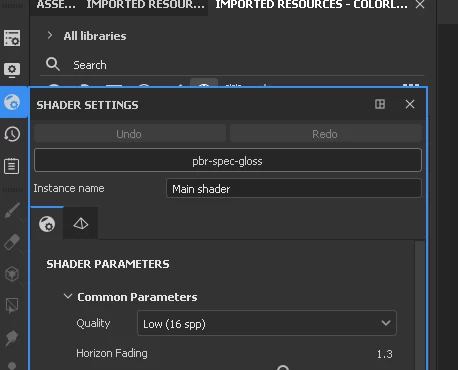
I started a new project using PBR Specular Gloss workflow inside Substance Painter:


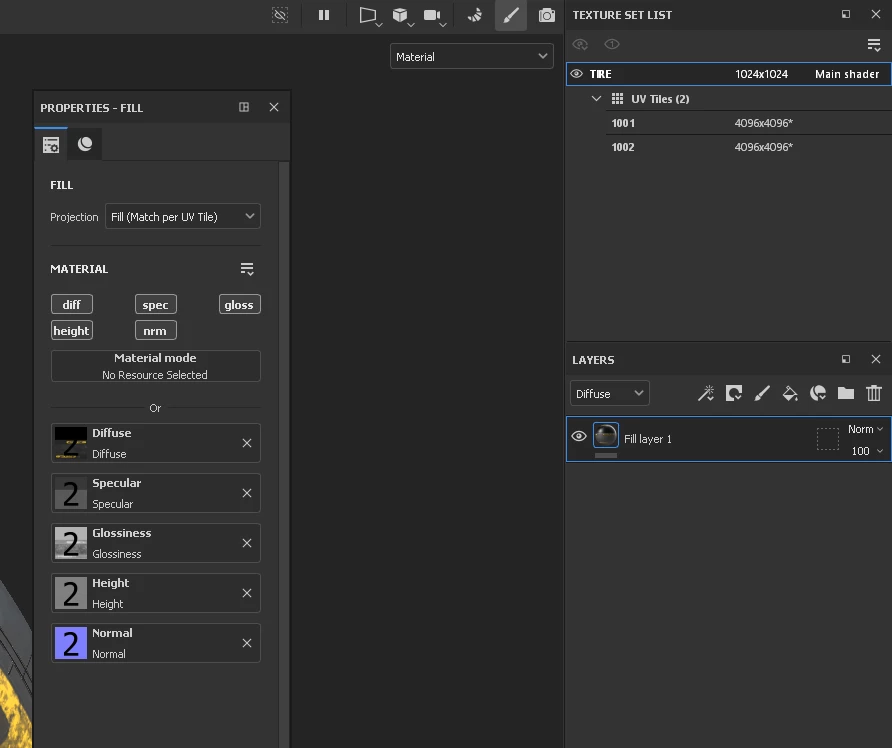
Imported some specular Dissuse and Glossiness textures to the material


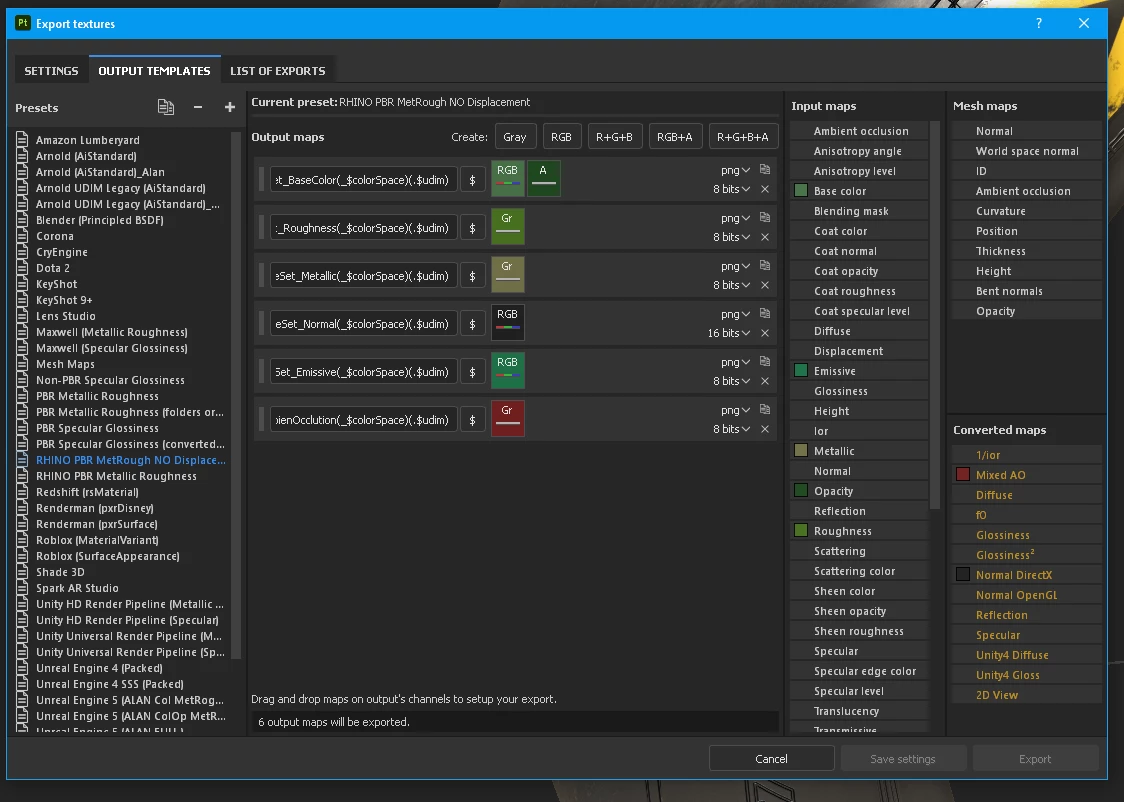
And now exporting as PBR Metallic Rough
 

But I get an error during the export.
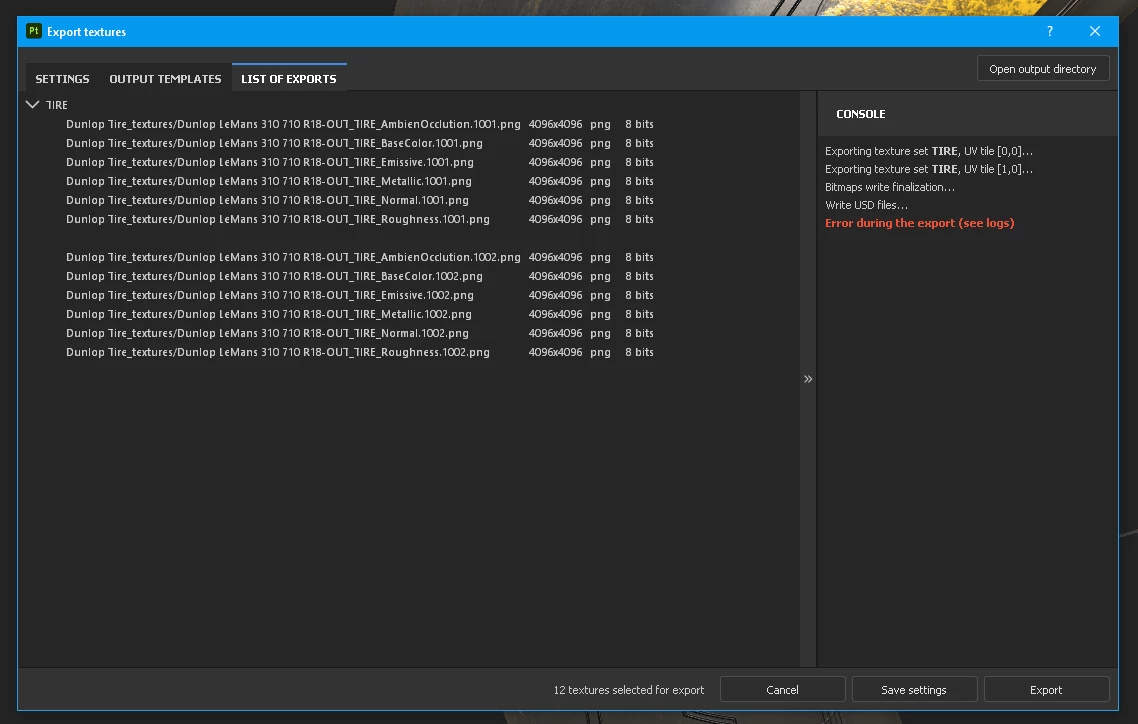
 

And the log:
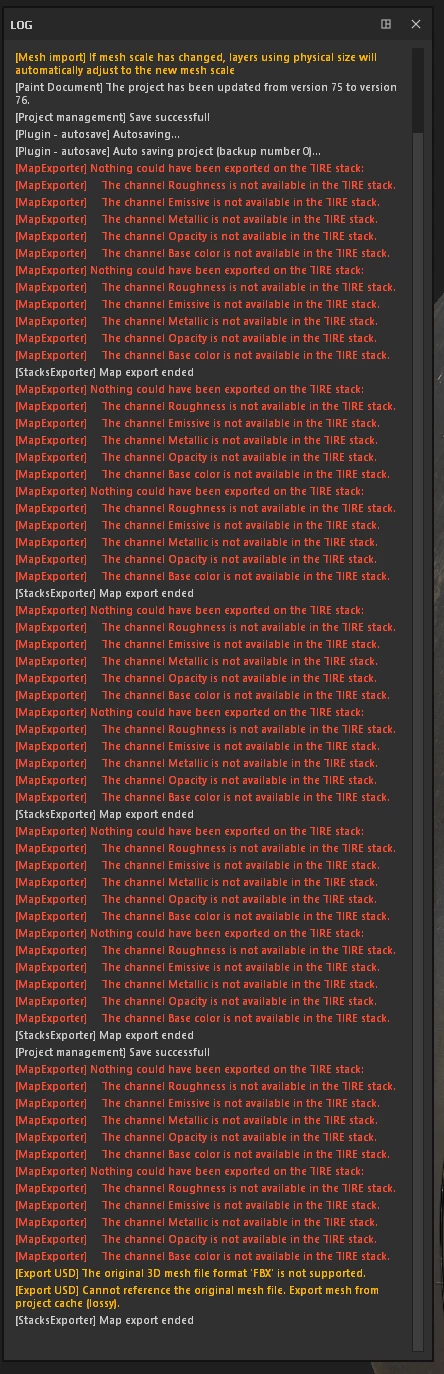
I'm using UDMs 

Any idea?


Correct answer davescm

You are getting those errors because there are no Roughness, Metallic,.....etc channels in your layer stack to export. You can only export where relevant channels are enabled and information exists to export.


Dave

1 reply

davescm
Community Expert
davescmCommunity ExpertCorrect answer
Community Expert
May 3, 2023

You are getting those errors because there are no Roughness, Metallic,.....etc channels in your layer stack to export. You can only export where relevant channels are enabled and information exists to export.


Dave

AlanMattano
Known Participant
May 5, 2023

Heeey...WOOOWW That's very bad! To be clear, I'm a beginner. But surprised me with the lack of these basic features. 

Thx Dave for the answer.


Dear Painter Developers,

You have done amazing work but

Is like saying you can export in PNG, JPG, or TGA, I import as TGA, I wish a JPG output. And you say, you can not export as JPG. You can only export TGA because your input is TGA...


What is the point of having so many unuseful outputs format if you can't use them? It is 2023, not  Painter 1. We pay a subscription but probably core development might migrate to another Substance app some time ago.  And is not converting the channels? This must be done since version 1. At least for specular to metallic ( It is just a filter) Or hide the output channels that you know will get errors.


Is there a workaround?

Do I need to create a filter in Sunstance Designer and attached it to Painter or that also will not work?