
Participant
July 10, 2021
Answered

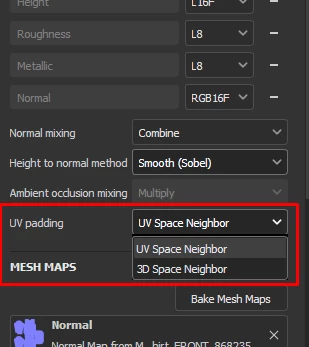
Normal maps export as if 3D Space Neighbor is active instead of UV Space Neighbor

  • July 10, 2021
  • 4 replies
  • 2891 views

Ive tried on Substance painter 2020 and 2021, and am trying on the most recent version... all of them have had the same issue, I prefer to have all my projects set to "UV Space Neighbor" in "texture set settings" as I don't like not having control over how textures blend between seams, Problem is... all my maps will export fine as if they are and hw they appear on screen... except for normal maps which seem to export out as if 3D Space neighbor was active instead which is honestly infuriating to me. It should export as it appears on screen like all the other maps do should it not? 
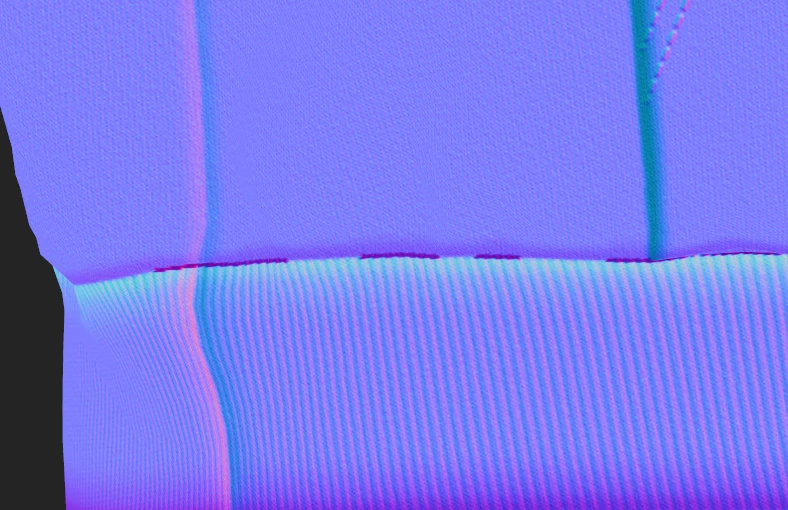
3D Space neighbor 
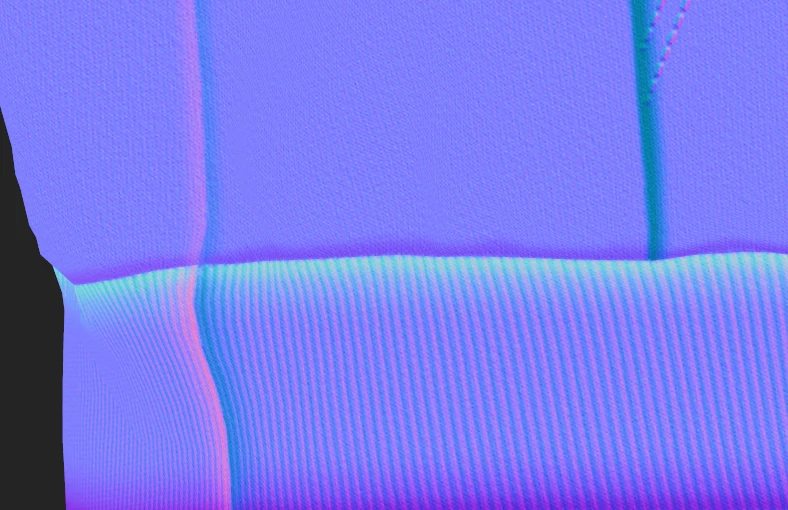
UV Space Neighbor
This topic has been closed for replies.
Correct answer Cyril Dellenbach

This issue is now solved with 9.1.2 release.

Regards,

4 replies

Cyril Dellenbach
Community Manager
Cyril DellenbachCommunity ManagerCorrect answer
Community Manager
February 1, 2024

This issue is now solved with 9.1.2 release.

Regards,

Cyril Dellenbach (Micro) | QA Support Artist | Adobe
vianvolaeus
Participant
November 13, 2023

This issue is still accuring for me in the 9.1.0 update. 

Participant
April 5, 2022

Issue still persists in Version 7.4.2, making the height to normal pretty much useless for me.

Léna Piquet Froyok
Adobe Employee
Adobe Employee
April 6, 2022

Hi,

The normal textures should be exported as if the setting was always set to "UV space neighbor", they are not compatible with the 3D space version (as stated in our documentation: https://substance3d.adobe.com/documentation/spdoc/texture-set-settings-29130771.html#section5 ).


Can you share an example or project of the issue ?

Cyril Dellenbach
Community Manager
Community Manager
September 25, 2023

@Léna Piquet - Froyok Running into this on 9.0.1 still and have been for over a year at this point. Converted OpenGL/DirectX normals ALWAYS export as if using 3D Space neighbor. I've got an example mesh with a sharp seam along the sides of the heels.

UV Padding mode set to UV Space neighbor in Substance.


UV Padding mode set to 3D Space neighbor in Substance.


And here's the Exported OpenGL converted normal map REGARDLESS of what UV padding mode is set to.  

UV Padding set to  UV Space neighbor should result in this exported map looking like the first image.


Hello everyone,


Thank you for bringing the subject back up.


We are checking with the team what's the current state of this issue, and I'll come back to you as soon as I can give you a proper answer.


Best regards,


Cyril Dellenbach (Micro) | QA Support Artist | Adobe
Nova5F95Author
Participant
July 10, 2021

Here is what the exported map looks like, as you can see it has those dark patches that only appear on the 3D Space Neighbor setting.  As I said before all other map types appear to export correctly.