

Paths tool in Masks: Path doesn't take precedence over erase/unfill?
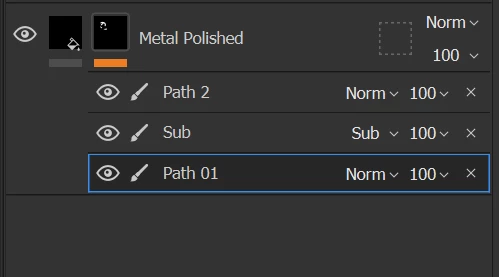
I'm trying out the new path tool to create a layer mask, and I'm finding it strange/unexpected/frustrating that paths aren't effectively on the "stop" of the stack when it comes to the various strokes that make up a mask.
The following video shows what I mean about this. I create a new path tool in a mask. I then erase a portion of the mask. Later I manually paint a new portion of the mask, and then erase it. The issue is that the Path doesn't take precedence over those strokes. You can see as I drag around the path vertices that whatever has been manually erased/drawn is on "top" of the path's contribution.
Is there some way to bring a path to the "top", so that manual erasures don't erase the path's contribution? I've found that simply duplicating the path doesn't work (the duplicate seems to be at the same position in the stack). But if I Copy the path, and Paste it, it gets pasted on the top of the stack. So, technically I can get the paths to the "top" of the stack, if I copy/paste every one of them. But what I really want is for the path to always be on top.
 AdChoices