
Participant
June 21, 2023
Answered

Set default color for background at export

  • June 21, 2023
  • 1 reply
  • 4714 views

Hi, 
I'm a bit lost with this one so I was wondering if someone could help me to figure this out. 
I'm trying to export my textures from SP and I want to use the dilation+default background color at export. All the regular maps seems to have the expected color, for example, metalness is black, but with color map it is giving me a pale grey and I have no idea where to change that, the documentation it's quite poor about that, it only says "default color of the Texture Set's channel"
Hope someone can help me. 
Thanks!
This topic has been closed for replies.
Correct answer Cyril Dellenbach

Hi @AndresFHO,


Thanks for the question.


The background color is unfortunately not something you can change. It's a predefined value depending on the type of channel.


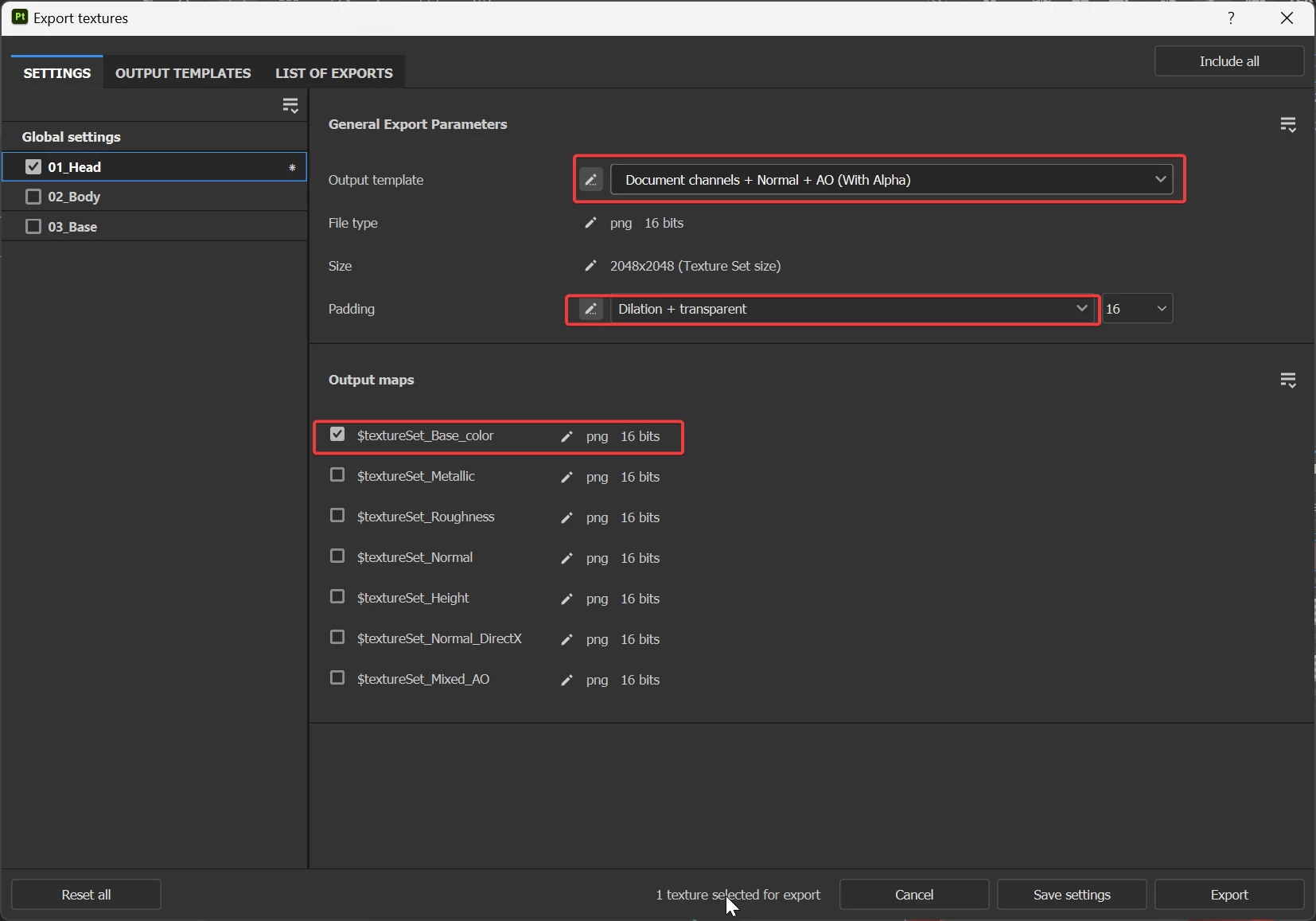
If you want to setup a specific background color, you can export the map with the Padding parameter set up to dilation + transparent and make sure to use the Document channels + Normal + AO (with Alpha) output template.


This way, your map will have a transparent backgound and you'll be able to add one in Photoshop or any editing software you like.


Best regards,


1 reply

Cyril Dellenbach
Community Manager
Cyril DellenbachCommunity ManagerCorrect answer
Community Manager
June 23, 2023

Hi @AndresFHO,


Thanks for the question.


The background color is unfortunately not something you can change. It's a predefined value depending on the type of channel.


If you want to setup a specific background color, you can export the map with the Padding parameter set up to dilation + transparent and make sure to use the Document channels + Normal + AO (with Alpha) output template.


This way, your map will have a transparent backgound and you'll be able to add one in Photoshop or any editing software you like.


Best regards,


Cyril Dellenbach (Micro) | QA Support Artist | Adobe
AndresFHOAuthor
Participant
June 23, 2023

Thank you for your reply Cyril, I was doing what you suggested but I thought that there might be a more straight forward solution. I know it's not a big deal but I wanted to check if it was possible. 
Thanks again!