Participating Frequently
October 23, 2023
Question

EXPORTING PROBLEM WITH SUBSTANCE PAINTER

  • October 23, 2023
  • 4 replies
  • 3353 views

PLEASE HELP - I HAVE AN ORRIBLE PROBLEM WITH SUBSTANCE PAINTER


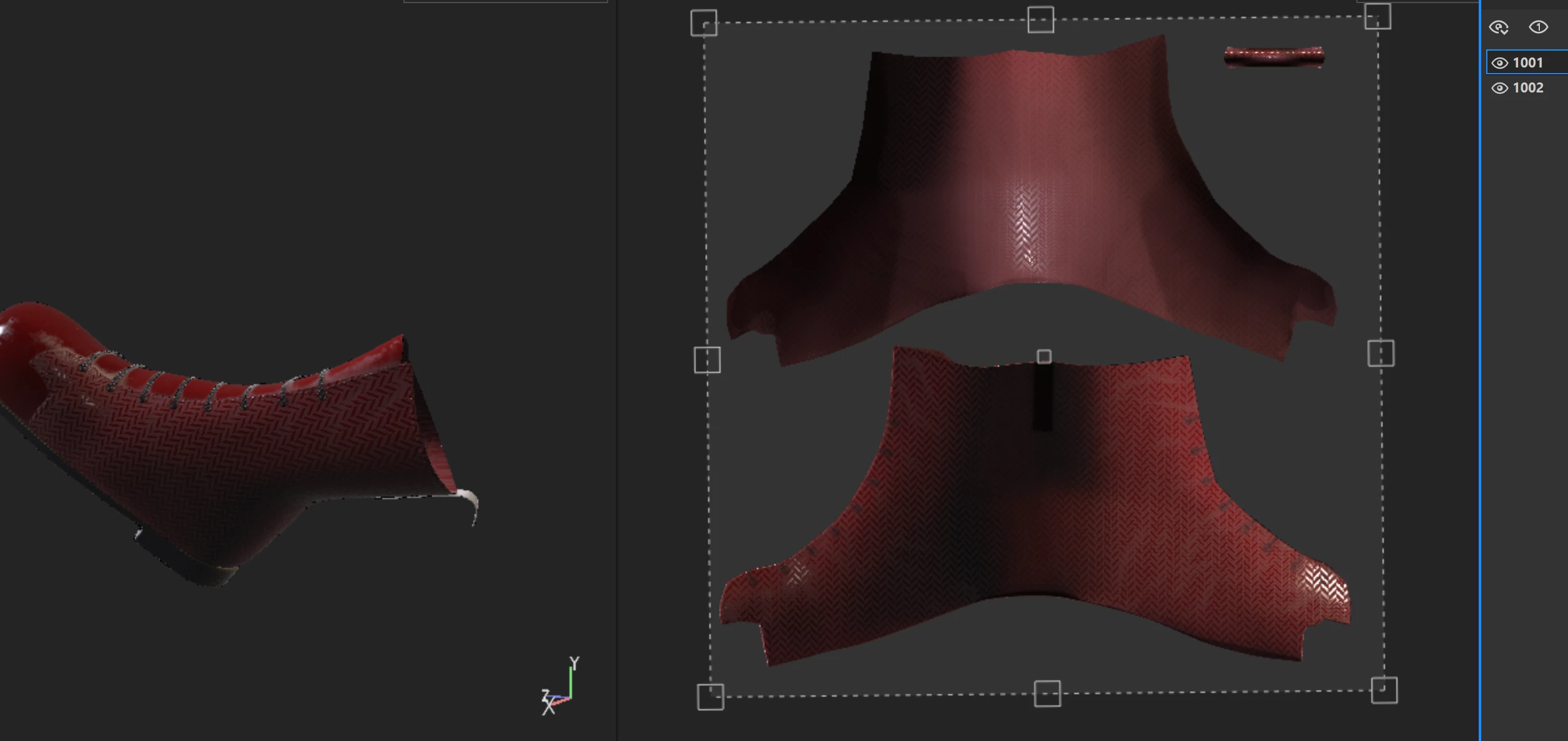
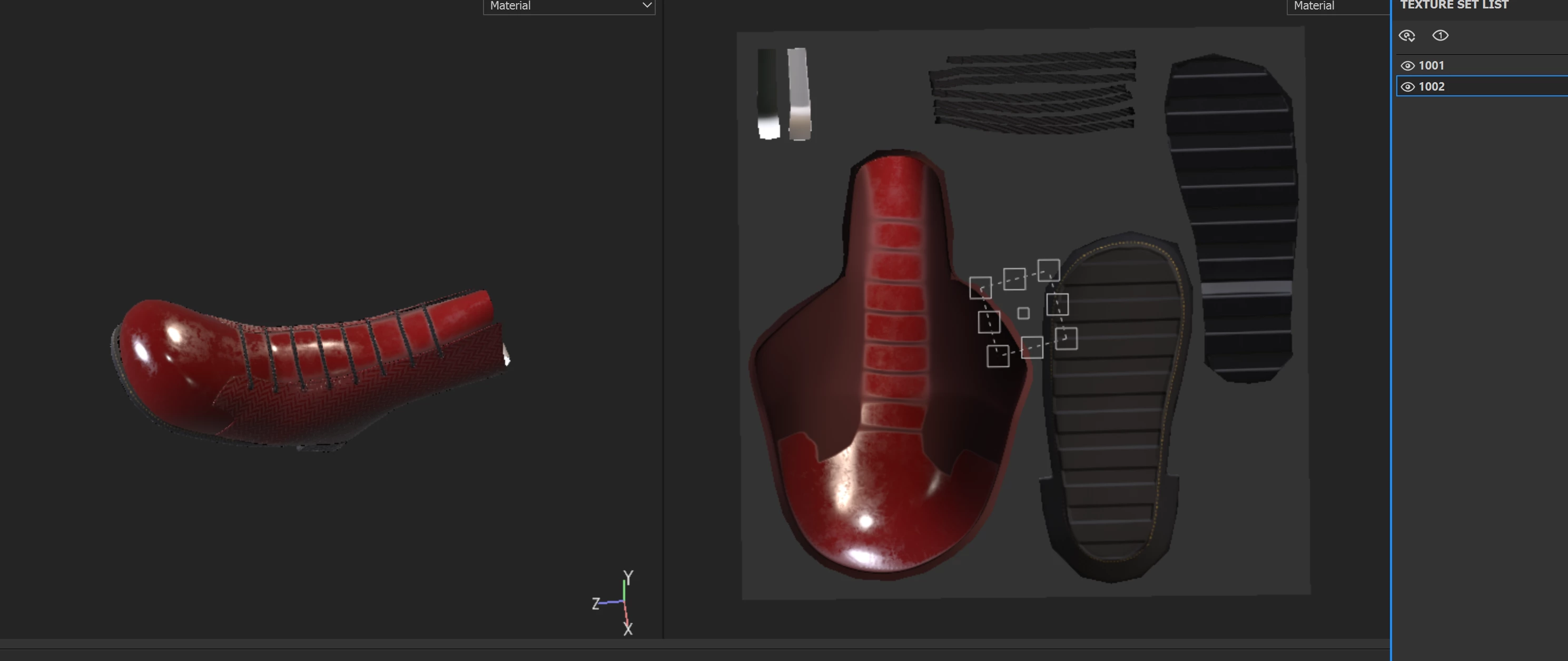
For a few weeks now, Substance has been exporting completely broken maps to me, as if it couldn't recognize UVs. I don't understand if it's a substance problem or derived from maya. On maya, everything looks perfect.

On substance it recognizes me the uv and I can texturize, BUT NOT EXPORT ALL OF THEM


I will insert the images below for you to understand better


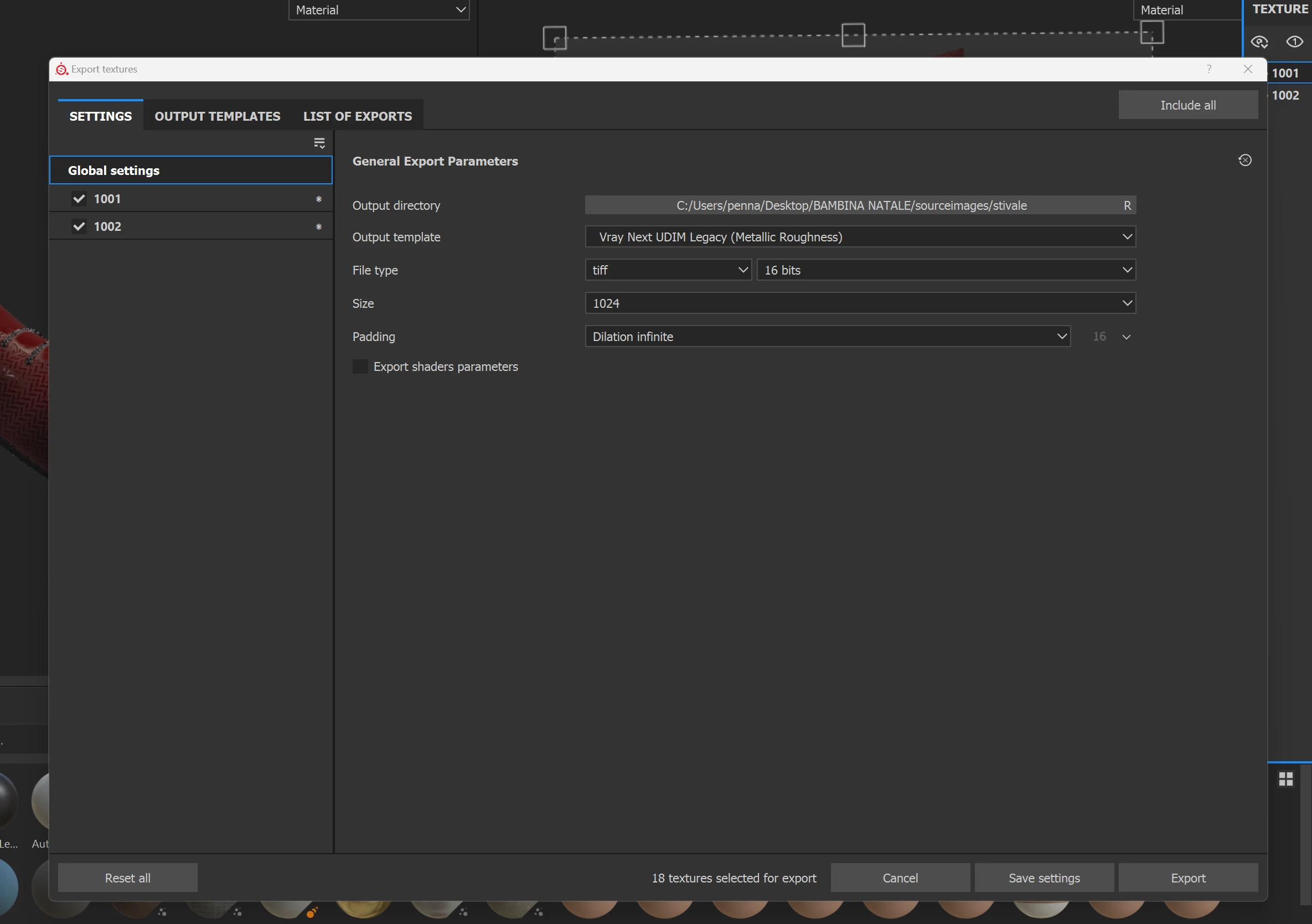
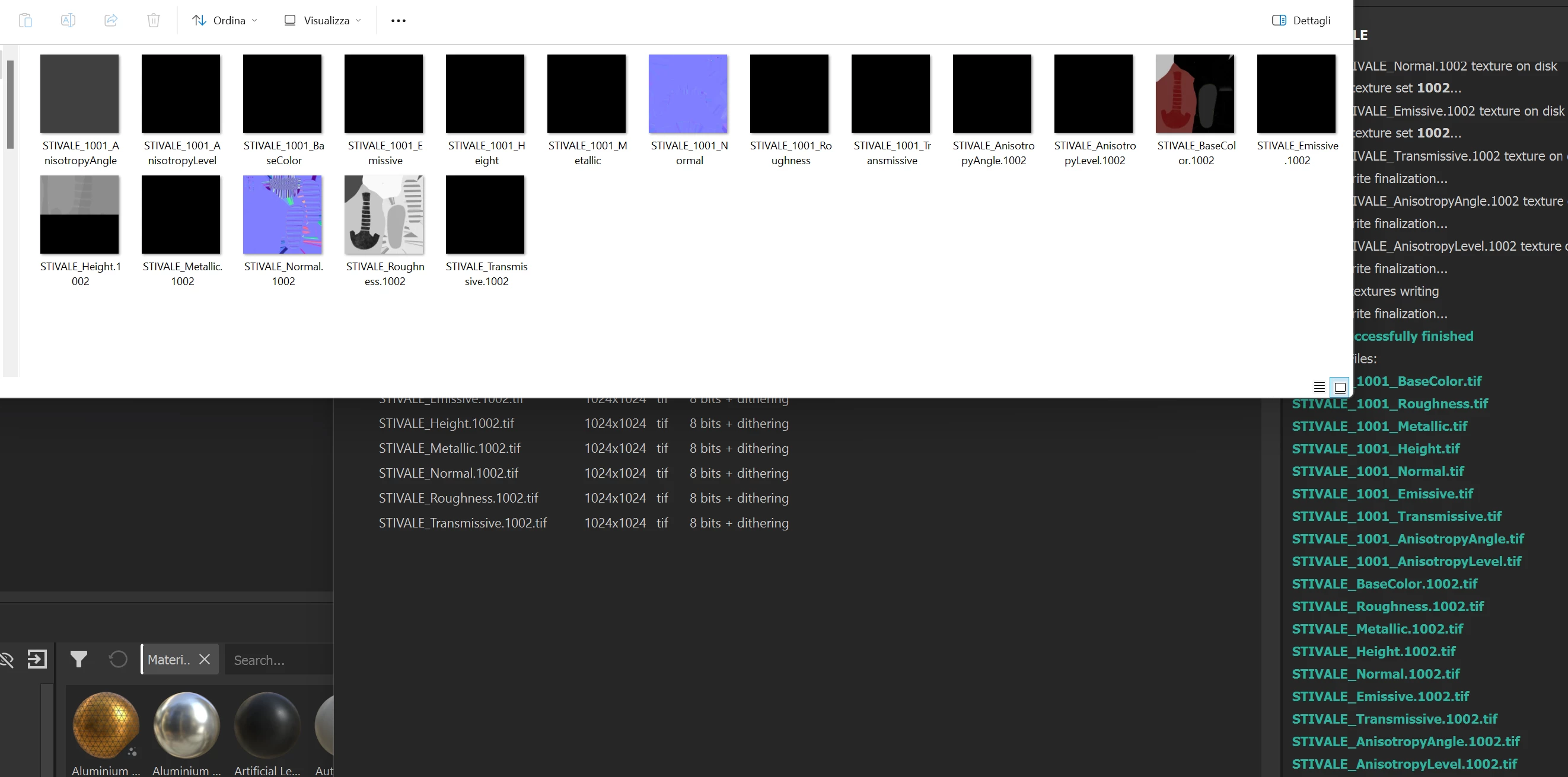
uv 1 - uv2 - export settings - final result
    This topic has been closed for replies.

    4 replies

    davescm
    Community Expert
    Community Expert
    November 19, 2023

    The * in your ouput settings show that you have an over-ride on one or more settings within each tile. What are each set to?


    Dave

    Participating Frequently
    November 20, 2023

    sorry i don't understand wher is this '' * ''
    i can't find it.
    To answer you, what should I look for?


    Participating Frequently
    November 17, 2023

    hi

    substance painter export broken/corrupted udim texture - without showing any error in the script editor


    how can I resolve it?


    I need vray udim texture, i tried to export with other type of texture for example: ARNOLD - PBR ect but nothing works

    Udim in Maya are perfect and the same project opened in another pc works correctly.

    i have just changed all the type of ''padding'' , ''file type'' and ''size''.


    CPU: AMD Ryzen 9 7900X

    GPU: RADEON RX 6800 XT


    Cyril Dellenbach
    Community Manager
    Community Manager
    November 20, 2023

    Hi @SarettaItaly,


    Thanks for reporting.


    From the shared images, and the fact that there's no issue with other computers, I think the problem is due to the GPU driver.

    We had similar problems recently with drivers from AMD. Therefore, if your driver isn't updated, I advise you to update it. If it is, try to rollback for at least an april version.


    Let me know if this helped.


    Cyril Dellenbach (Micro) | QA Support Artist | Adobe
    Cyril Dellenbach
    Community Manager
    Community Manager
    October 24, 2023

    Hello @SarettaItaly,


    I don't see anything wrong with your map. If you're mentioning the stripes at the border of your map, this is due to the Dilation. The Dilation (or Padding) is a process that dilates the borders of your textures in order to prevent artifacts on your model.


    This is usually something that you want activated, but if for some reasons, you need to export your maps without it, switch the Padding parameter to "No padding" at the export.


    Best regards,


    Cyril Dellenbach (Micro) | QA Support Artist | Adobe
    Participating Frequently
    November 17, 2023

    Ho già modificato la dilatazione e non funziona. La texture è rotta perché non mostra tuttie le UV e le texturing:


    come in due texture qui, me le ha esportate così

    kglad
    Community Expert
    Community Expert
    October 23, 2023

    in the future, to find the best place to post your message, use the list here, https://community.adobe.com/

    p.s. i don't think the adobe website, and forums in particular, are easy to navigate, so don't spend a lot of time searching that forum list. do your best and we'll move the post (like this one has already been moved) if it helps you get responses.


    <"moved from using the community">