Participant
June 15, 2022
Question

Substance painter not exporting 8k maps correctly.

  • June 15, 2022
  • 2 replies
  • 7496 views

Hi

So here's the problem...

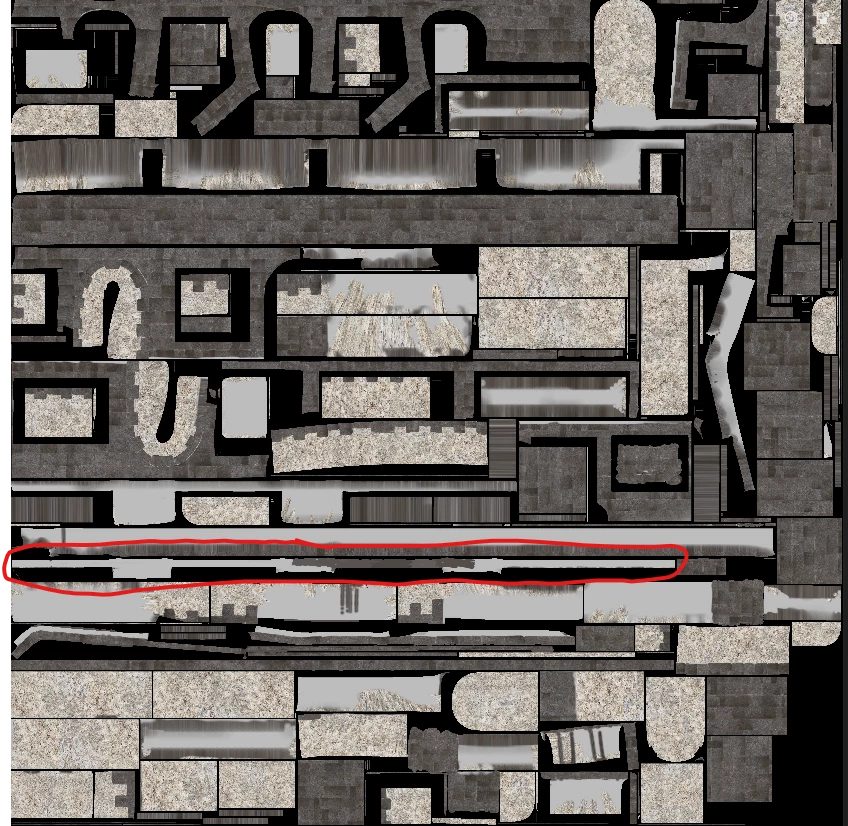
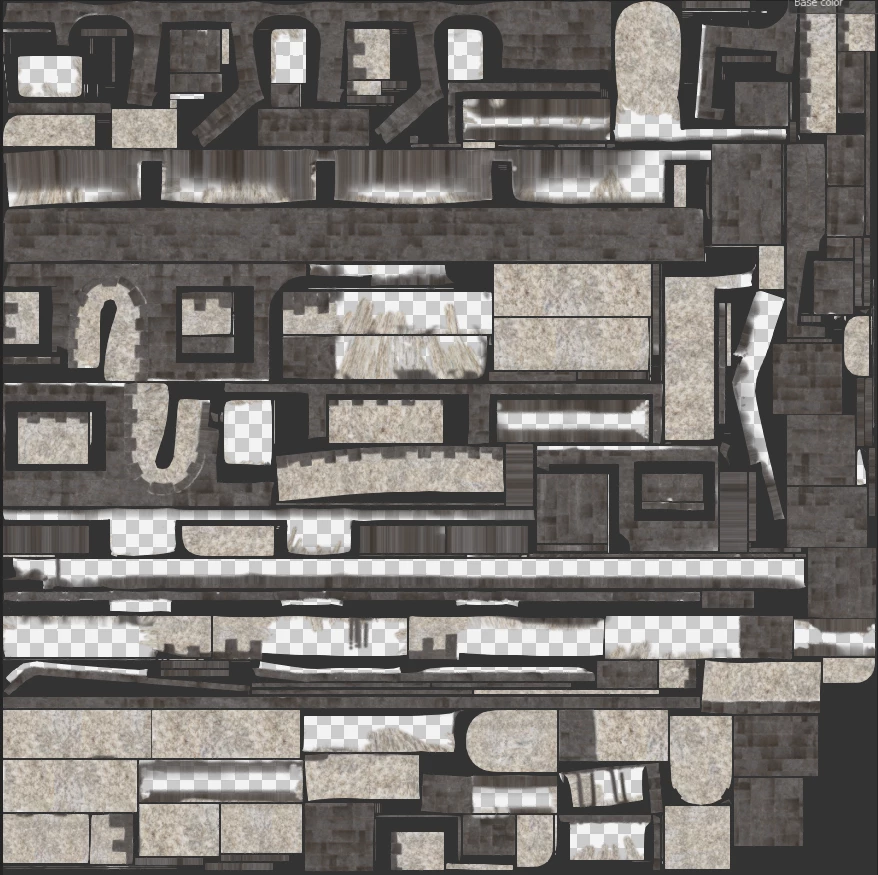
I have more or less finished texturing my model in Substance Painter, and am able to to export, everything seems fine, "Export Complete" it says. Little did I know at this point, that half of the texture map would be missing from the export. I have tried using a few different shaders and export templates, but nothing seems to work.


Attached is an image of what it should look like and one of how it is exporting, with a circle around the main bit that I need to be visible (I have just used the colour map for this example but is the case across all of the maps). Excuse the shoddy UV map, it was an auto unwrap...


Help me Adobe Support Community, you're my only hope


This topic has been closed for replies.

2 replies

GeoffroySC
Community Manager
Community Manager
June 15, 2022

Hi,

It may be because you didn't fill that area with anything and the exporter is interpreting that as alpha (translucency in the texture). If you could share a screenshot showing your layer stack and the vierport, it would help me identify the source of your problem.

Thank you,

Kind Regards,

Geoffroy SC

Participant
June 15, 2022

Hi Geoffroy, ta for the quick response, here is what I'm looking at


Another quick update. I have just exported at 4K instead of the preferred 8K, and it seems to have exported fine. Is 8K an experimental feature or something?


Cheers


Cyril Dellenbach
Community Manager
Community Manager
January 9, 2024

I seem to have a very similar issue. When i export the texture set in 8k my emission map appear weird upon reimporting the asset in Blender. No issues appearing in 2k and 4k version though. I even tried exporting the mesh from substance painter and applying the same textures to the new model, but nothing changed. Seems like some sort of bug within Substance Painter. Please let me know if you found a solution or Adobe fixed it. Also, should this be a bug and be eventually fixed later by Adobe, would this be fixed also for steam version 2023 users?


Well, I'm afraid I've never received the message of @Yann5E1A once again. It's possible that my inbox blocks the message (for security reasons). So @Mark - Da_Drood , could you send me your project (still at cdellenbach@adobe.com) and let me know when it has been done?


Regarding the Steam version, the current one receives the same updates/fixes as the Subscription version. However, the previous versions (2023, 2022, etc.) don't.


Regards,

Cyril Dellenbach (Micro) | QA Support Artist | Adobe
Participant
June 15, 2022

Lil update, I just tried exporting just the layer that has that "missing part" on, and it exported the vast majority of the texture, but still missed off that part