
Participant
December 5, 2022
Question

Switch orientation of smart material

  • December 5, 2022
  • 1 reply
  • 2198 views

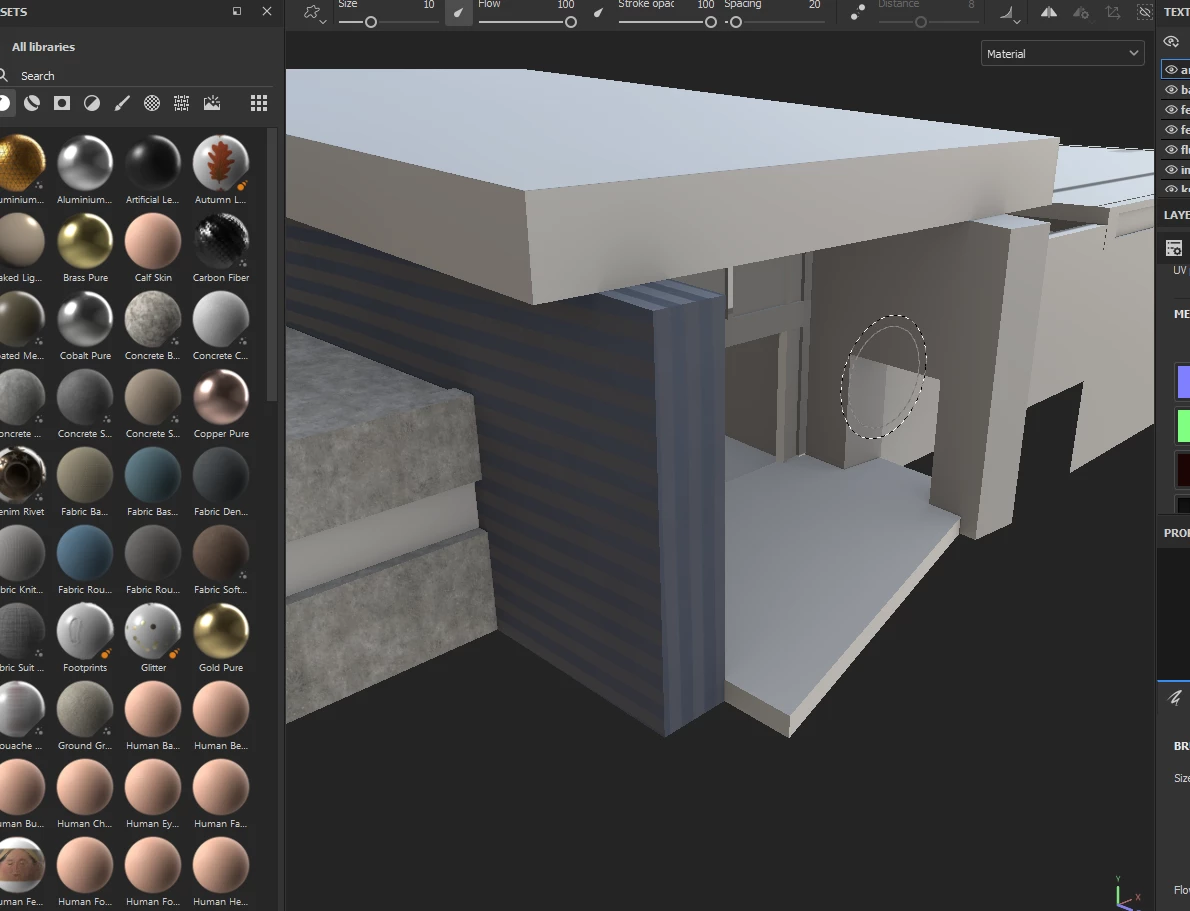
I'm new to Substance and now I'm wondering about a fundamental problem. When I apply a smart material to certain objects/meshes/materials, the generated texture is wrongly oriented. In the picture you can see that the stripes on the front are vertical, but I want it to be horizontal. Can anyone tell me how to tackle this problem?
This topic has been closed for replies.

1 reply

davescm
Community Expert
Community Expert
December 5, 2022

In the Layers panel click on the folder for the smart material to reveal the content. Work down the layers (there may be further folders) and rotate the individual elements using the controls in the Properties panel.


Dave

Participant
December 5, 2022

That would rotate the entire material so that the front would be striped horizontally, but the large side surfaces would now be vertical.

I only want to turn one face, i.e. the front.

Participant
December 5, 2022

I have to correct myself, the effect not only occurs with smart materials, but also with simple textures.