Participant
May 25, 2023
Answered

Tek Rifle has 2 Albedo Maps how to paint

  • May 25, 2023
  • 1 reply
  • 656 views

Hey Guys


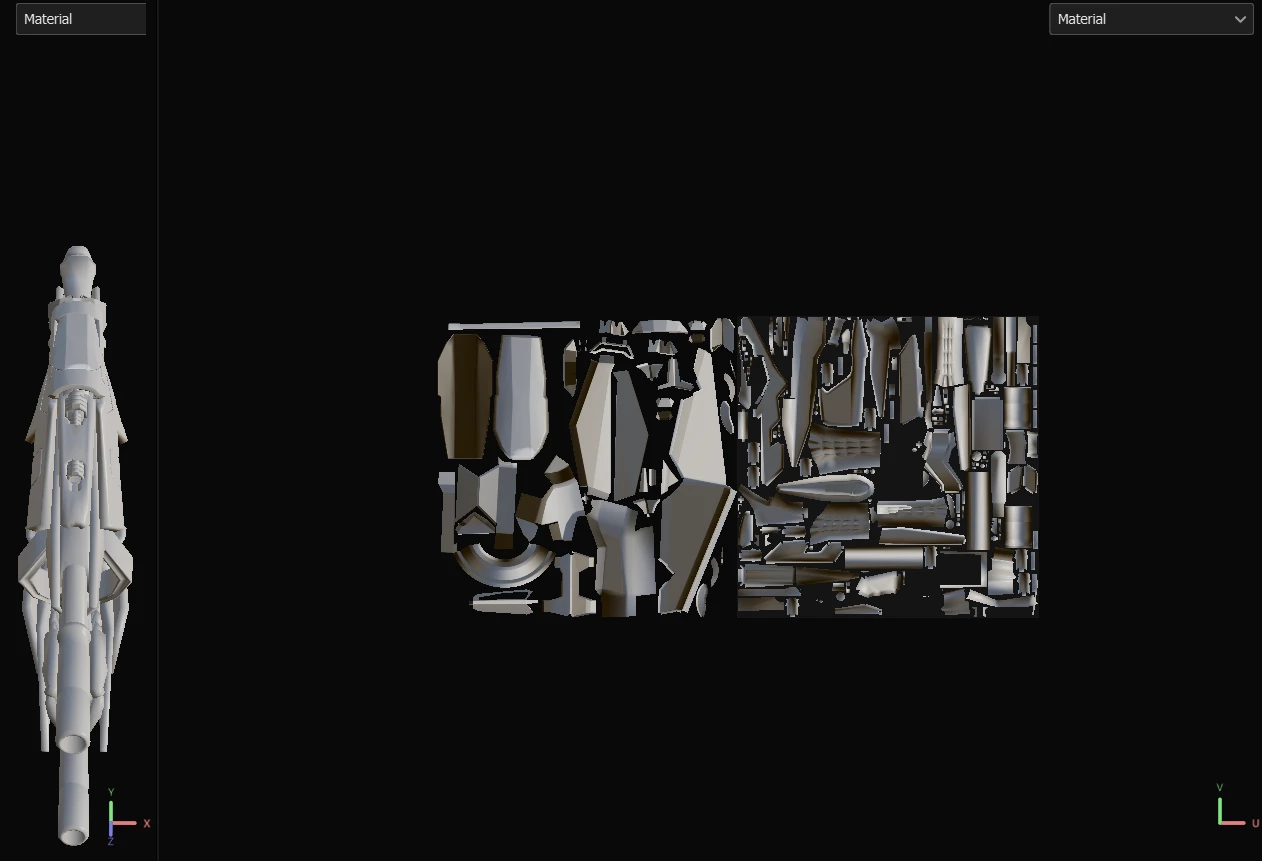
Trying to paint this Tek Rifle from ARK however has 2 albedo maps one for the rifle body and one for the scope, I can only seem to paint the body and it will replicate on the scope map making it look messed up any ideas on this one?

This topic has been closed for replies.
Correct answer Cyril Dellenbach

Oh I see this is actually a asset from the ARK Devkit from ARK Survival Evolved, do I need to modify the file to be ready by substance painter ?


For the UVs on negative coordinates, you'll have to modify it in order to be Substance Painter ready, yes.


For the overlapping UV islands, this is something game studios sometimes do for optimisation, but it surprised me a little bit on the scope.
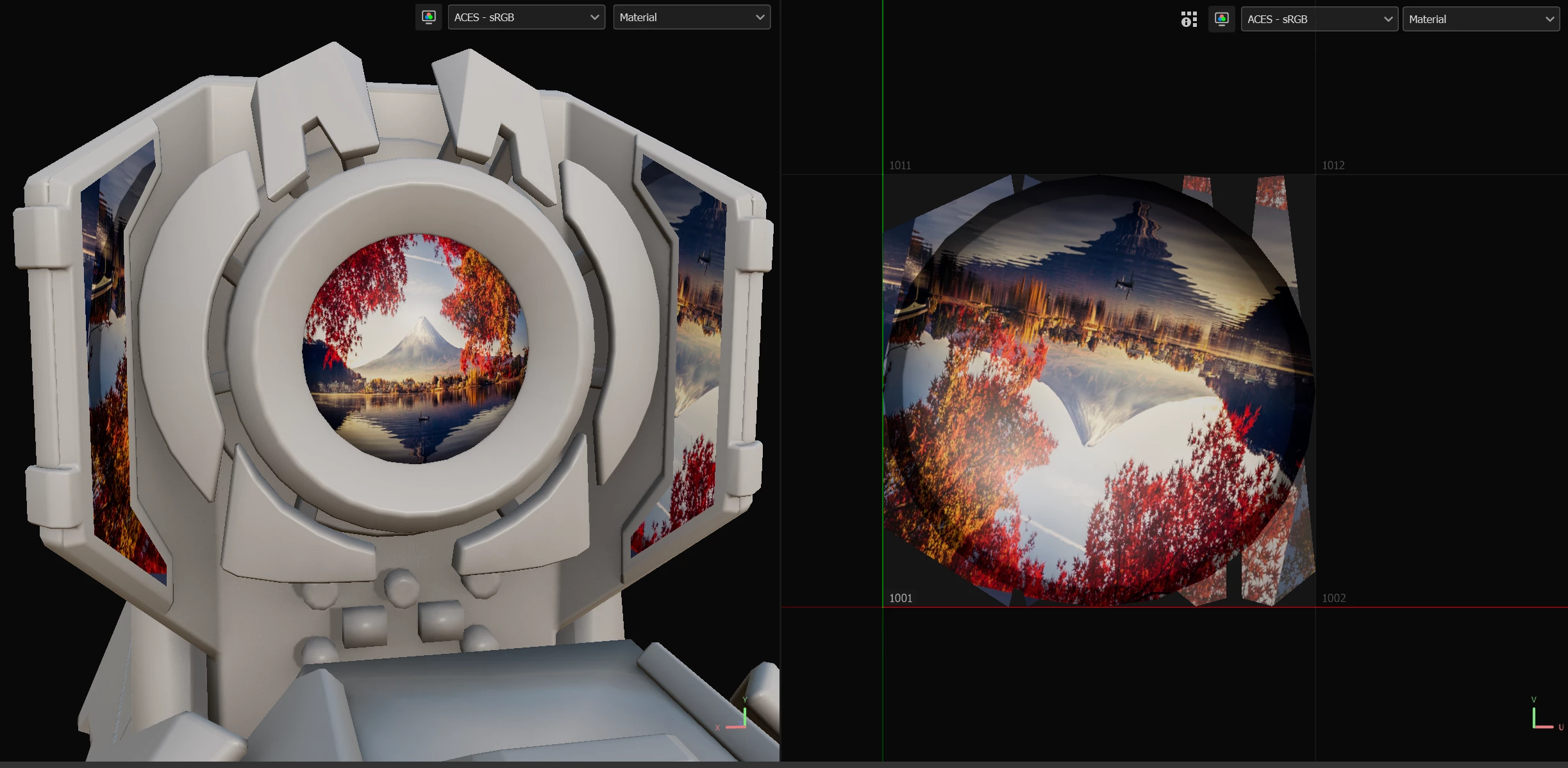


With that being said, there is probably a logical explanation and I don't know how it supposed to loook in game.


I let you enclosed the mesh with the right coordinates, but I left the overlapping UVs untouched. You can try it this way, but I personally wouldn't bake the scope.


Best regards,

 

1 reply

Cyril Dellenbach
Community Manager
Community Manager
May 25, 2023

Hi @Maxwell29923943q5go,


Thanks for the message.


If you already have two maps ready made for this model, maybe the current UV Tile workflow isn't the good one for your project. Try to set the UV Tile to Convert UV Tiles into individual Texture Sets (Legacy) at the start of the project.


This way, you'll have two distinct Texture sets and the maps won't spill on each other. 


Let me know if this works for you.


Cyril Dellenbach (Micro) | QA Support Artist | Adobe
Participant
May 25, 2023

Hey Cyril,


I have tried this and get the following error


Cyril Dellenbach
Community Manager
Community Manager
May 25, 2023

Hmmm... Would you mind sharing the asset, so I can take a deeper look?


Cyril Dellenbach (Micro) | QA Support Artist | Adobe