
Copy link to clipboard
Copied
Hello everyone!
Here's my problem
There is those red lines on seams of a model, and I don't know how to get rid of them.
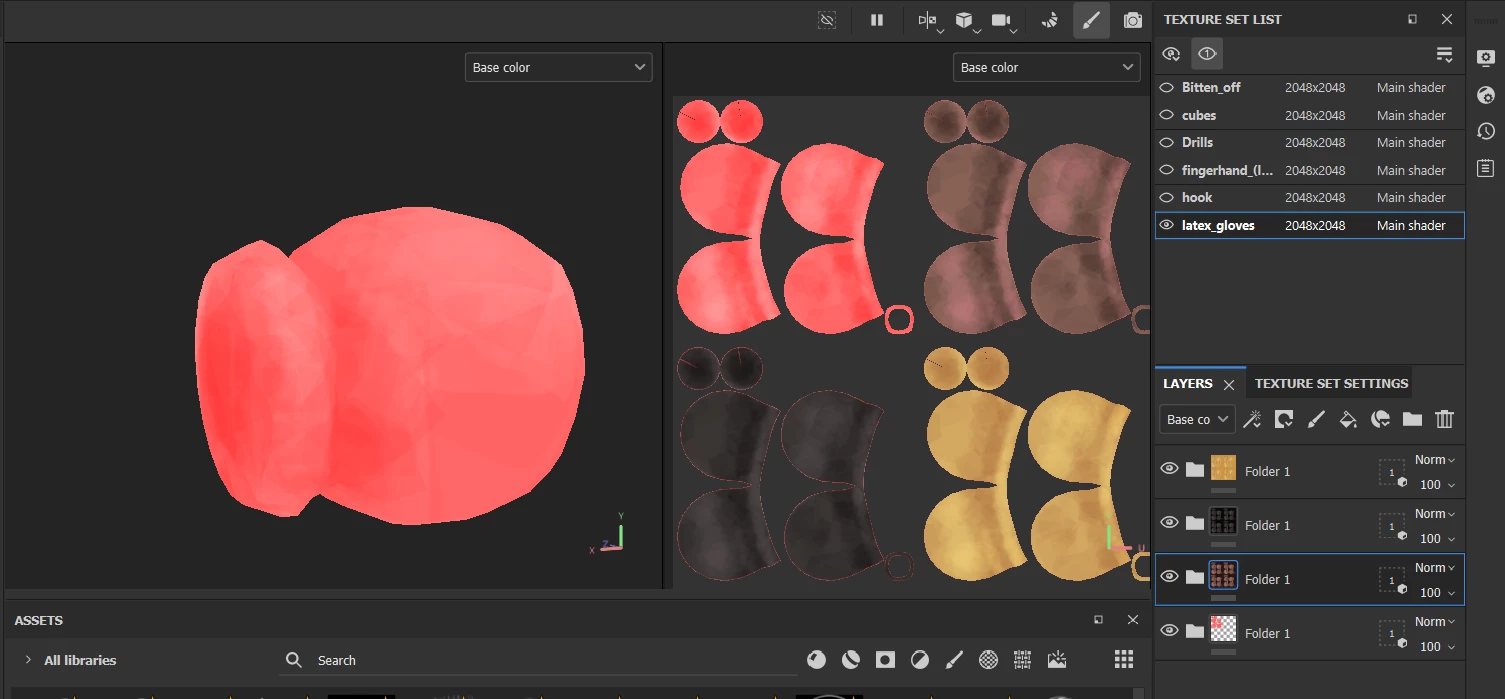
I guess, it somehow related to the first layer folder, which texture is red. And I use different models in same position, but with same material.
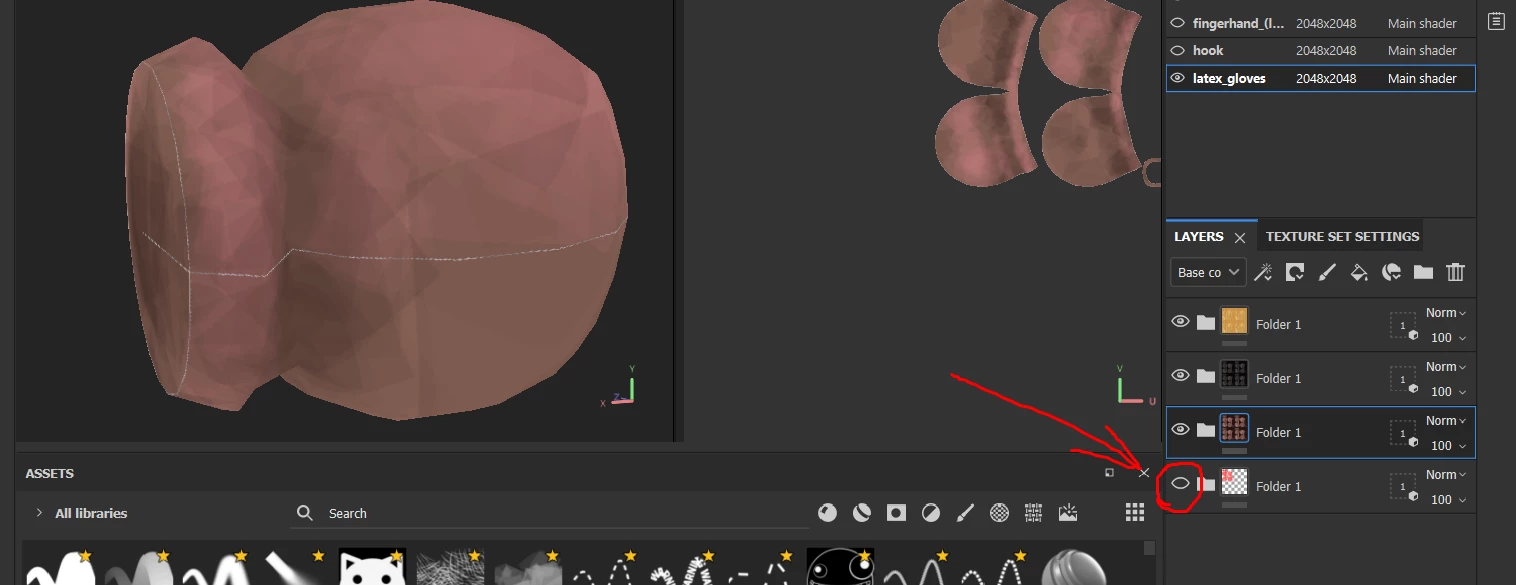
Even if I hide first red layer, you can still clearly see those blank lines on seams. How do I solve this? It is serious problem for me.
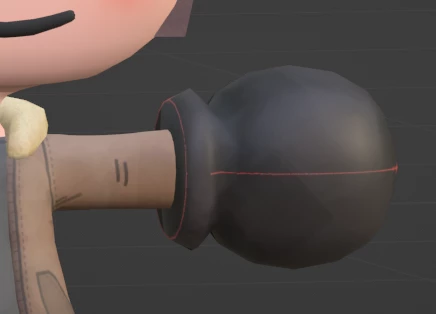
Even putting them in Blender doesn't help.
I beg you guys, please help.
I think this problem applies to texture due to its material wich contains multiple models in it. But how to fill those blanks?
Can not upload my file here -_- . So I hope you understood my problem, and will try to find solution
Hello @Ilya Orchakov,
Thanks for the message.
We can even see the lines on the UVs in the 2D view. It looks a bit like Padding issues, but I am not sure that's the problem here. What was your workflow to select these areas? Would you agree to share your files, so I can take a deeper look?
Keep me updated.
Copy link to clipboard
Copied
Hello @Ilya Orchakov,
Thanks for the message.
We can even see the lines on the UVs in the 2D view. It looks a bit like Padding issues, but I am not sure that's the problem here. What was your workflow to select these areas? Would you agree to share your files, so I can take a deeper look?
Keep me updated.
Copy link to clipboard
Copied
Hello! And thank you very much!
As you said, the broblem is in that padding thing.
I changed this two options, and now it works as I want to.
As you can see, it fills properly now, without any lines on seams
The problem is solved.
Thank you again!
Find more inspiration, events, and resources on the new Adobe Community
Explore Now