Participant
February 21, 2024
Answered

AI image to material bug?

  • February 21, 2024
  • 1 reply
  • 353 views

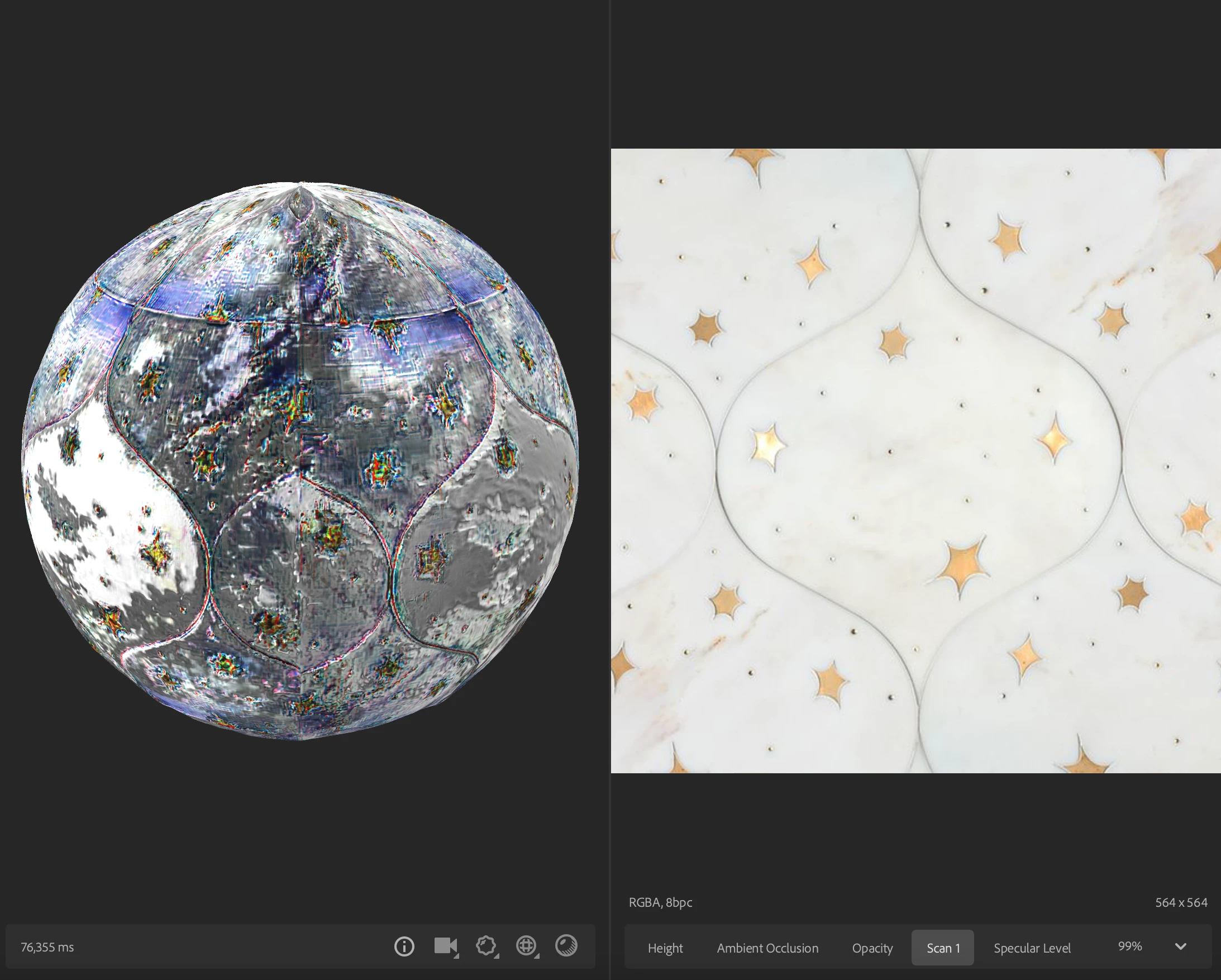
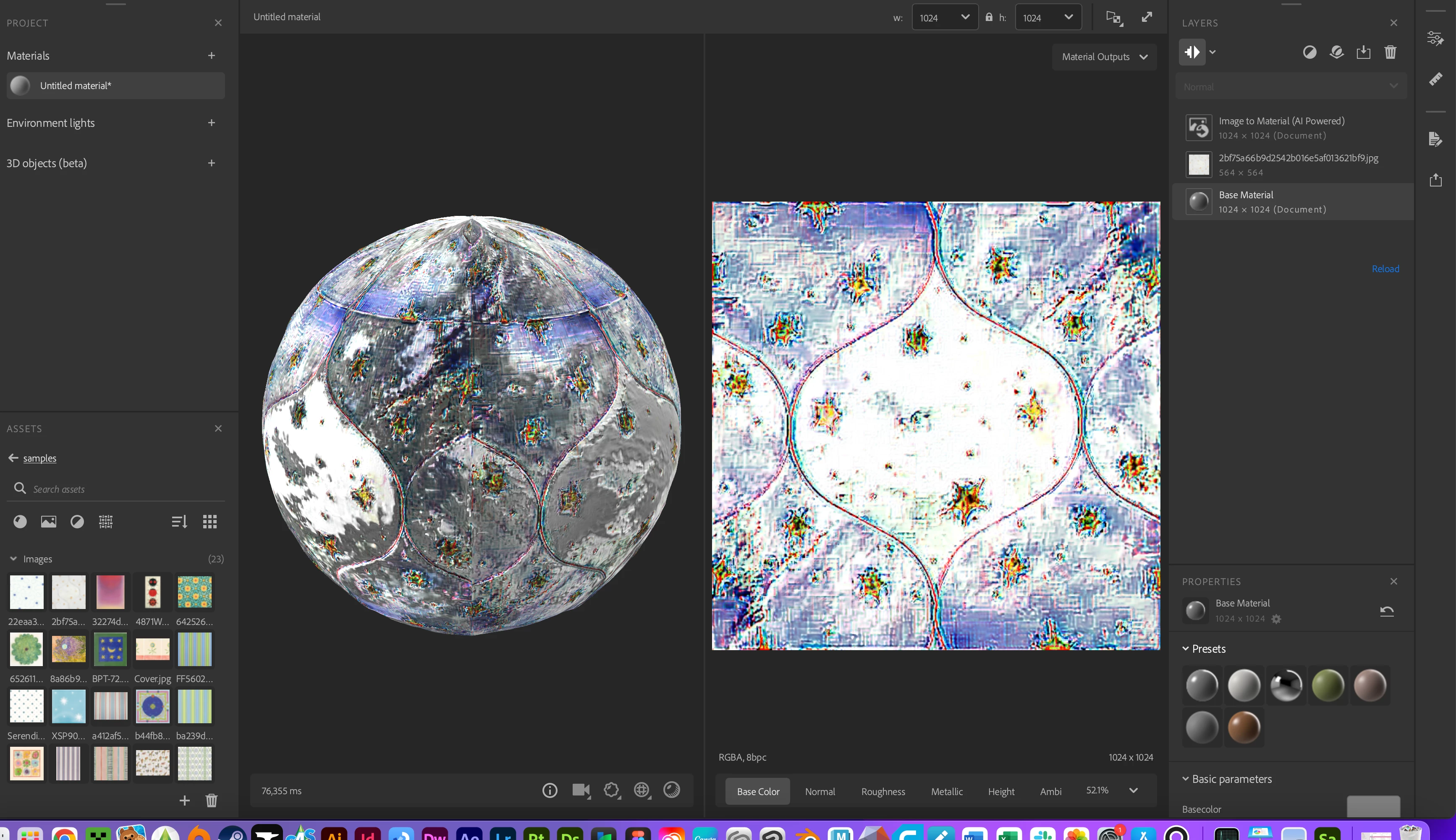
When I use the AI powered image to material feature, the output is a total mess. It adds extra detail, saturation, and pretty much looks nothing like the scan. This is a new issue which I had not previously encountered on my computer. Please let me know if this may be a computer issue or a bug within the program. I have reloaded the software a number of times and redownloaded it too. 
 

This topic has been closed for replies.
Correct answer LoryAline

Hi,
This is a specific MACOS issue you can solve it with those steps:

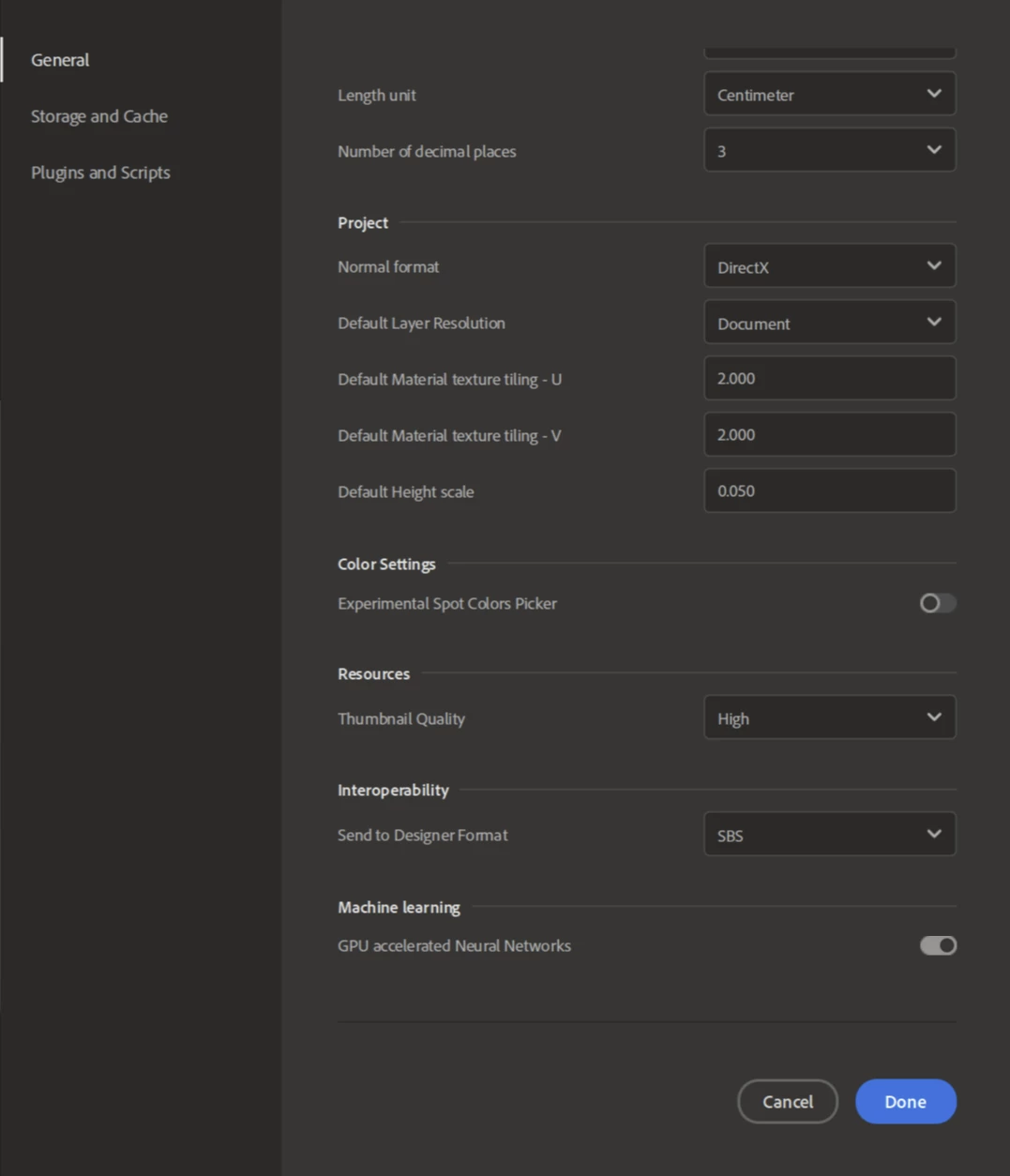
  • Got to Edit>Preferences, scroll to reach "Machine Learning" section and disable the "GPU accelerated Neural Network".


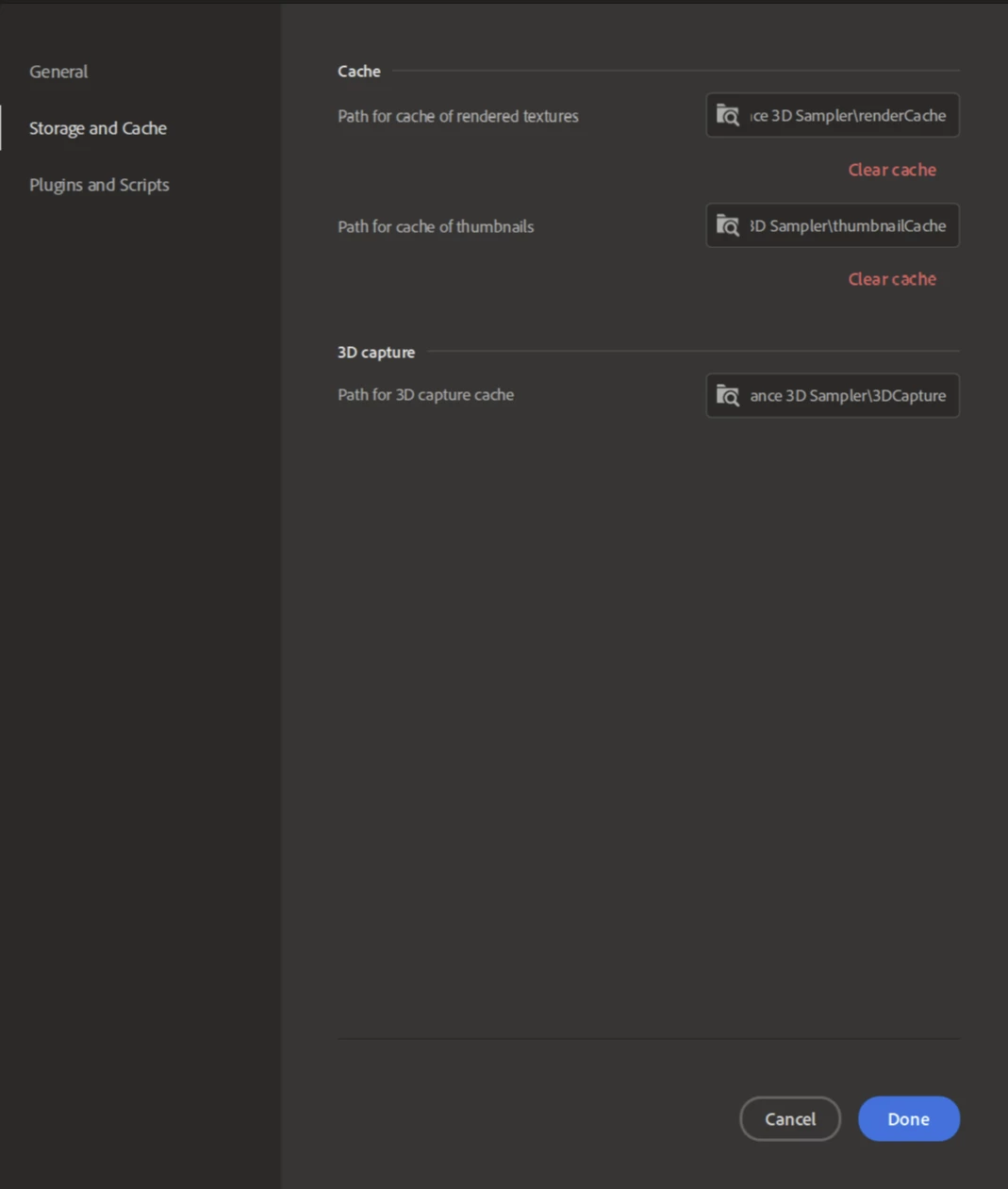
  • Then, go to Storage & Cache, click on both "clear cache".
  • Click on Done
  • And restart Sampler


It should solve the issue.
Thanks.

1 reply

LoryAline
Community Manager
LoryAlineCommunity ManagerCorrect answer
Community Manager
February 21, 2024

Hi,
This is a specific MACOS issue you can solve it with those steps:

  • Got to Edit>Preferences, scroll to reach "Machine Learning" section and disable the "GPU accelerated Neural Network".


  • Then, go to Storage & Cache, click on both "clear cache".
  • Click on Done
  • And restart Sampler


It should solve the issue.
Thanks.