utkesen
Participating Frequently
April 3, 2023
Answered

Embroidery material input

  • April 3, 2023
  • 1 reply
  • 2075 views

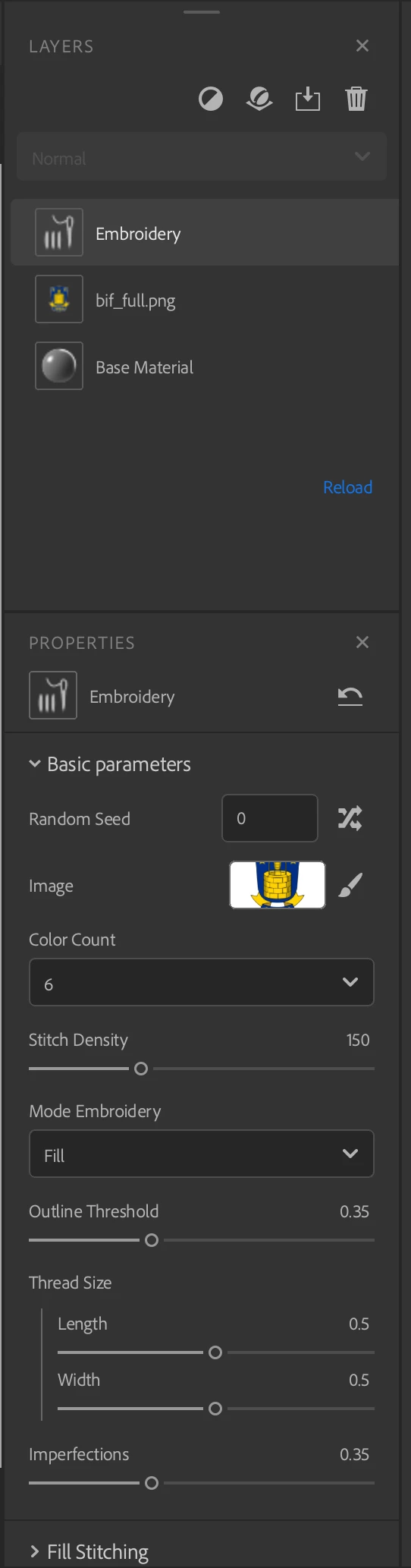
Hi. I'm brand new to Substance 3d Sampler so bear with me 🙂

I'm using the emroidery filter, and the tutorials i can find for placing materials on the different colors of a logo, are all using the drop down input field. Like here:
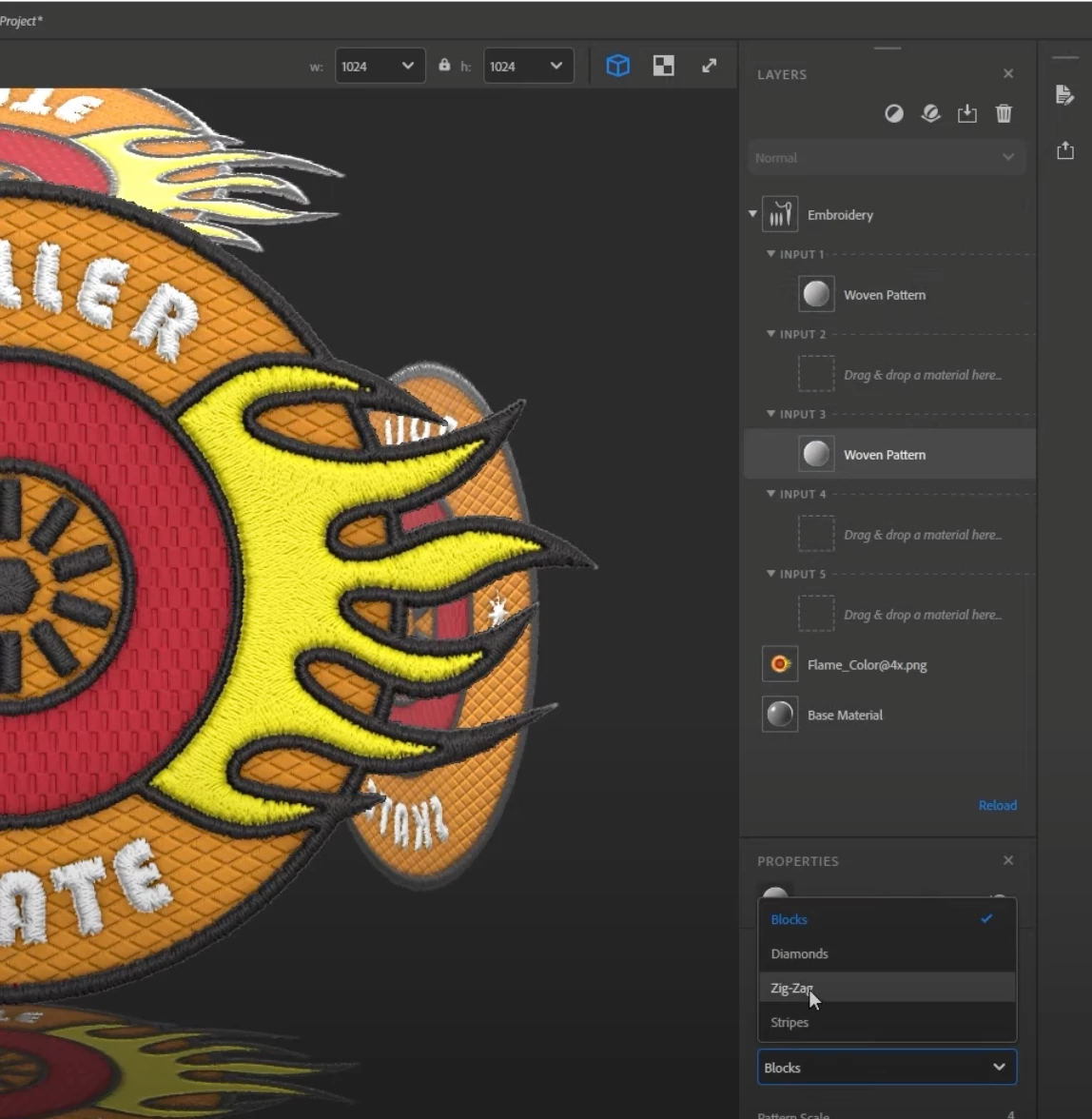

But in the new version of 3d sampler, that is not possible.

So question is, how do i add materials to the different clors in the new version of 3d sampler?

Thanks in advance

This topic has been closed for replies.
Correct answer LoryAline
  • You can drag materials into the input slots of the Embroidery layer to instead replace the corresponding color with a material. 
  • This replaces the embroidered effect with the material, but it can be used to create interesting patterns or integrate other fabrics and materials into an embroidered pattern.


Did you try that?

Thats exactly what i want to achieve. But i can't find any input slot in the embroidery layer after the new update.
Am i doing something wrong??


Hello,

The Embroidery filter has been updated in the new version of 3D Sampler (4.1.0) to better match the needs when creating an embroidery that will match "reality" specifications.

Find the tutorials to know how to use it:
https://youtu.be/rt41h6GTbHg
And the release note:
https://substance3d.adobe.com/documentation/sadoc/version-4-1-255426610.html

The documentation will be updated as soon as we can. 

It means the input fonctionnality isn't available anymore.
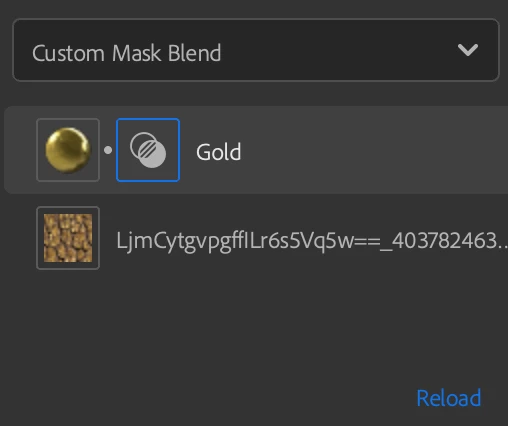
To put a material  on specific spots you'll have to make a mask or paint it:

  1. Add the material in the layer stack.
  2. Chose "Custom Mask Blend" as blend mode.
  3. Add or paint your mask. 


Thank you.

1 reply

Ares Hovhannesyan
Community Expert
Community Expert
April 3, 2023

Hope  I  understand correct your task, You need to use filters that allows to use Blend option for 2 different materials and mix their colors.. 

utkesen
utkesenAuthor
Participating Frequently
April 3, 2023

Thanks for taking your time to answer. 
I just need to be able to assign materials to the different colors of a logo, before it was done by dragging a material into the input field (like here)


, but the input fields are no longer there in the new version. So question is, how do i assign a material to a specific color in the logo?

Ares Hovhannesyan
Community Expert
Community Expert
April 6, 2023

I see 🙂 
Is that something you could do a tutorial on? 
Making a logo with height and materials, like this? 
It would be extremely helpfull...

Or just guide me to something a little like it.


IMHO Substance 3D Painter is right tool for such task,