Exit
  • Global community
    • Language:
      • Deutsch
      • English
      • Español
      • Français
      • Português
  • 日本語コミュニティ
  • 한국 커뮤니티
0

target channel to input maps in substance sampler

Community Beginner ,
May 29, 2023 May 29, 2023

Another question, when I import a normal map or a heigh map not named properly they might be input in the wrong channel, how can I target the channel to input the map properly without necessarily renaming the files in advance?

PS: I have Substance 2022 Steam edition
TOPICS
How to
338
Translate
Report
Community guidelines
Be kind and respectful, give credit to the original source of content, and search for duplicates before posting. Learn more
community guidelines

correct answers 1 Correct answer

Adobe Employee , May 29, 2023 May 29, 2023

Hello,

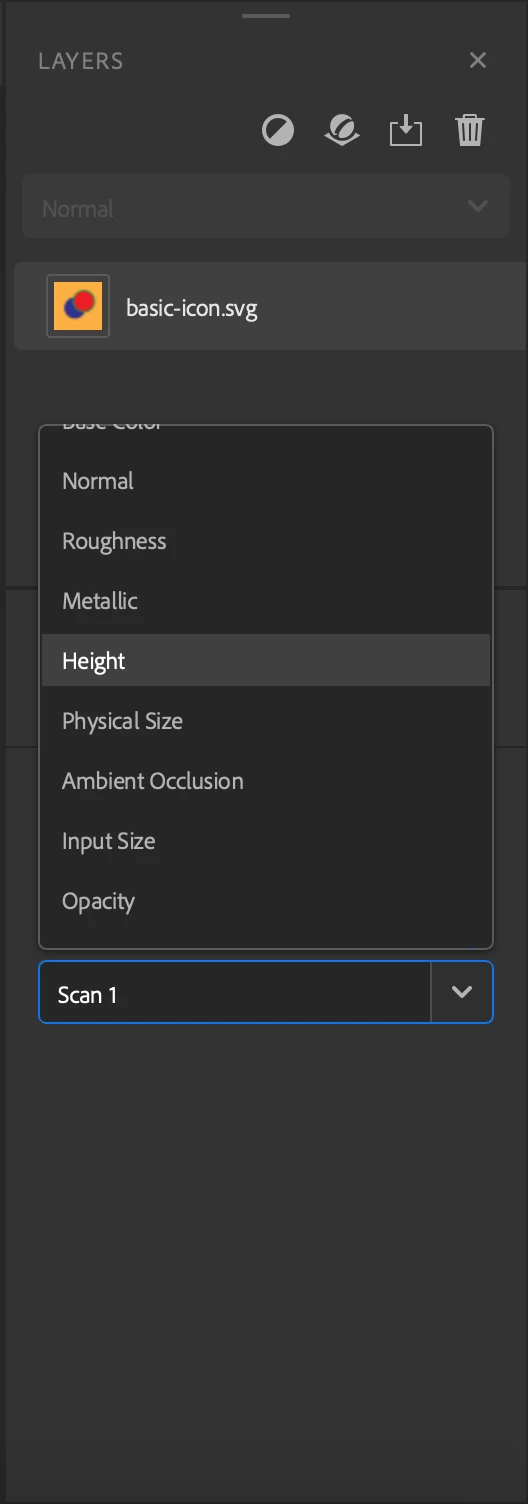
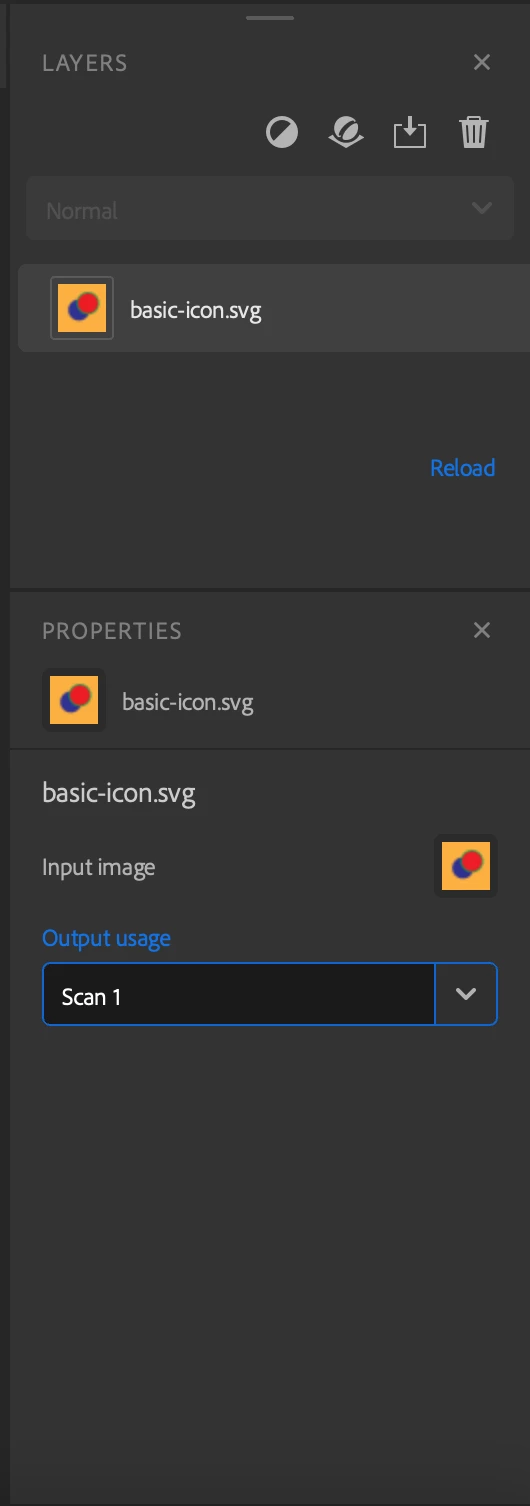
When you select your Image layer, in the properties panel, you can modify the Output usage parameter. There is a list of predefined usages  (basecolor, normal, height, metallic, ...) or you can type the usage of your choice.

Screenshot 2023-05-29 at 15.49.58.pngScreenshot 2023-05-29 at 15.50.15.png

Translate
Adobe Employee ,
May 29, 2023 May 29, 2023

Hello,

When you select your Image layer, in the properties panel, you can modify the Output usage parameter. There is a list of predefined usages  (basecolor, normal, height, metallic, ...) or you can type the usage of your choice.

Screenshot 2023-05-29 at 15.49.58.pngScreenshot 2023-05-29 at 15.50.15.png

Translate
Report
Community guidelines
Be kind and respectful, give credit to the original source of content, and search for duplicates before posting. Learn more
community guidelines
Community Beginner ,
May 29, 2023 May 29, 2023
LATEST

That's exaclty what I was looking for, thanks!

Translate
Report
Community guidelines
Be kind and respectful, give credit to the original source of content, and search for duplicates before posting. Learn more
community guidelines