




Stager vs Dimension Decal Quality Improvements
Hello everyone! My name is Jeanette Mathews - I'm the product manager for both Adobe Dimension and Substance 3D Stager. Placing graphics quickly onto models has been a core capability in both of these tools. When we launched Stager there was a ton of changes in our rendering and material technology, which caused the quality of decals placed on models to go down significantly compared to what had been avialable in Dimension.
Unfortunately, it took a long time before we were able to address these issues. We sincerely apologize for the impact to your work in the mean time. Improvements to Stagers decaling quality were completed over the summer and are included in Substance 3D Stager 2.1.1. Here are some screenshots comparing Dimension and Stager.
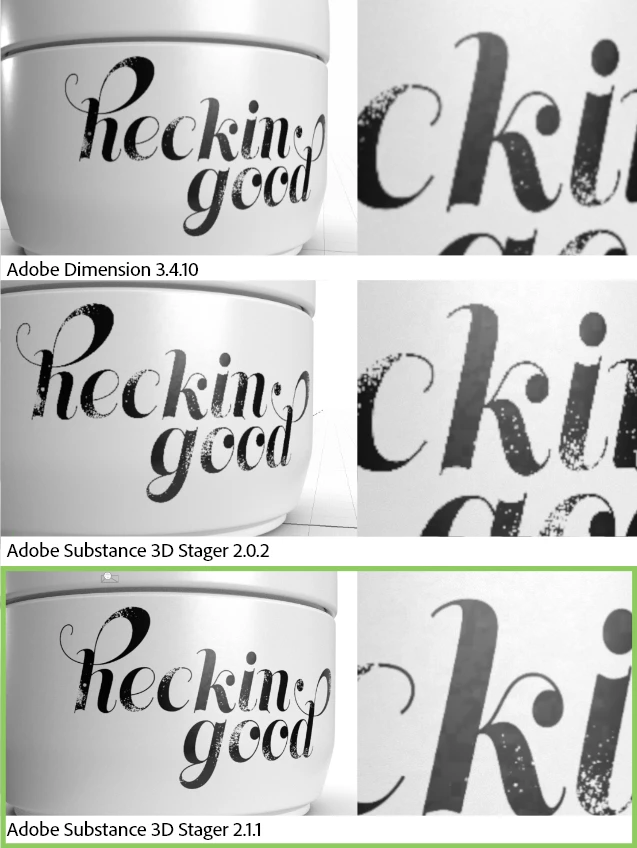
We hope that these improvements make using the decal and image placement in Stager better. As you can see the final results are actually better than Dimension was in some cases.
---
Limitations, tips & tricks
Short version summary
- Save your decals at around 2000x2000 pixels + larger ideally, they are rasterized on import
- Make sure your materials are also larger (4096x4096 ideally)
- The UVs of an object can greatly affect how the resolution of decals look. Stager does not have manual UV-ing tools.
Rasterization of vector graphics on import:
Stager does not natively render vector graphics. When you import an Illustrator file it is rasterized at the size the Illustrator document was saved to. We recommend saving decal graphics at least at 2000x2000 pixels to ensure there's enough resolution in the image.
Resolution of underlying material:
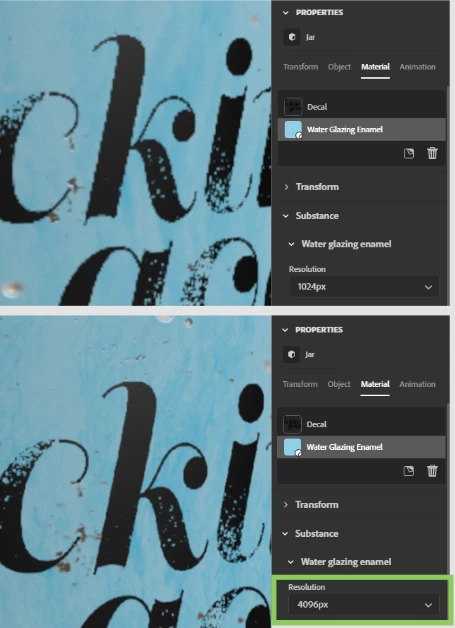
Decals are composited on top of the object materials. If the material resolution is small, the decal may only take up a small portion of the material texture and the result can be lower quality decals.
In these screenshots you see the same decal applied over the same material. In the top, the material resolution is only 1024 px, and the decal is blurry. In the bottom, the material resolution is 4096, and the decal is sharper.
UV resolution limitations:
Decals are 2D images. Materials are an asset that have several 2D images (textures) bundled with them to control different propeties. In both cases the images are 2D and need to be mapped onto the 3D surface of a model. This happens usually through a system called UVWs, where the object is flattened from 3D into 2D. Imagine cutting up and flattening a cardboard box. The materials and decals are applied in this flattened 2D space, and then the result is simply viewed in the 3D viewport.
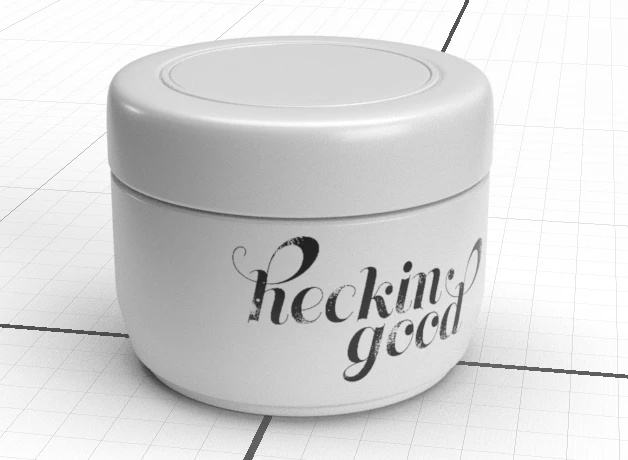
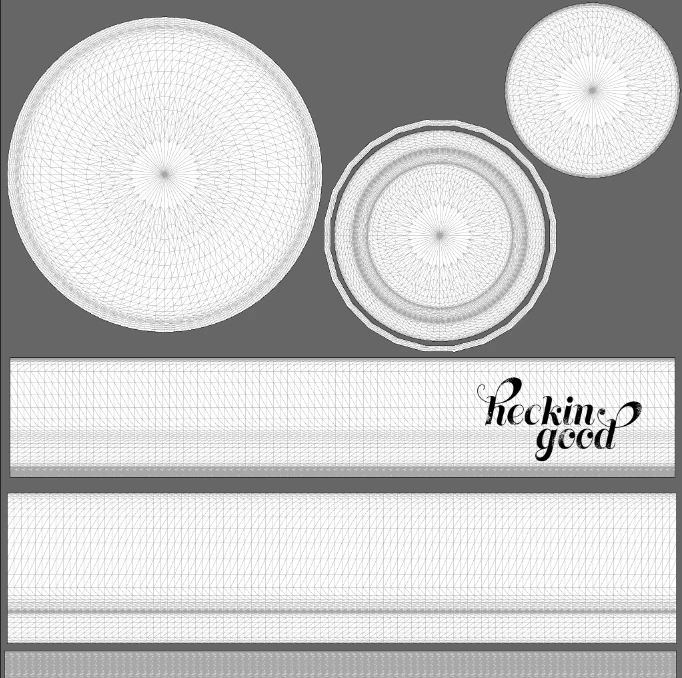
Here is a screenshot showing the UVWs for the jar object example. In the UVw layout the circle areas are the lid and jar bottom while the rectangles are the inside and outside of the jar surface itself. Despite the fact that the jar appears to take the majority of the space in the 3D viewport, the UVW layout you can see the area with the logo is actually only a small amount of the total texture.
Using the above material example, if you have a material that is 2048 x 2048 resolution, that fills the entire UVW square area. But the decal is only a very small area compared to the entire UVWs, only about 500x300 pixels! Even though the original decal was 2000x2000 pixels, it's being rendered at about 1/4 resolution because of the material being smaller.
 AdChoices