



Please add the resolution settings from Adobe Dimensions!
The output size options in Stager have always been confusing to people who don't understand the relationship between ppi and pixel dimensions. Please see this thread to understand the issue: https://community.adobe.com/t5/substance-3d-stager-discussions/stager-and-print-300dpi-or-higher-web-digital-72dpi-what-s-the-deal-adobe/m-p/14507707#M2094
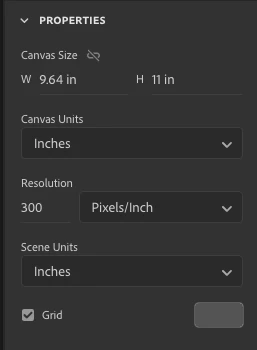
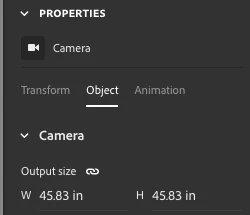
In Adobe Dimensions, you had canvas units and scene units together in one place. I understand why it is separated in Stager. AND, we are still missing a resolution setting and it requires us to pre-know the pixel dimensions that our printed piece is going to be at 300 dpi when we set up up camera properties for the output dimensions. Adding an output resolution setting would take away this frustration and misunderstanding.
Dimensions settings:
Stager settings:
 AdChoices