

Answered
layers help
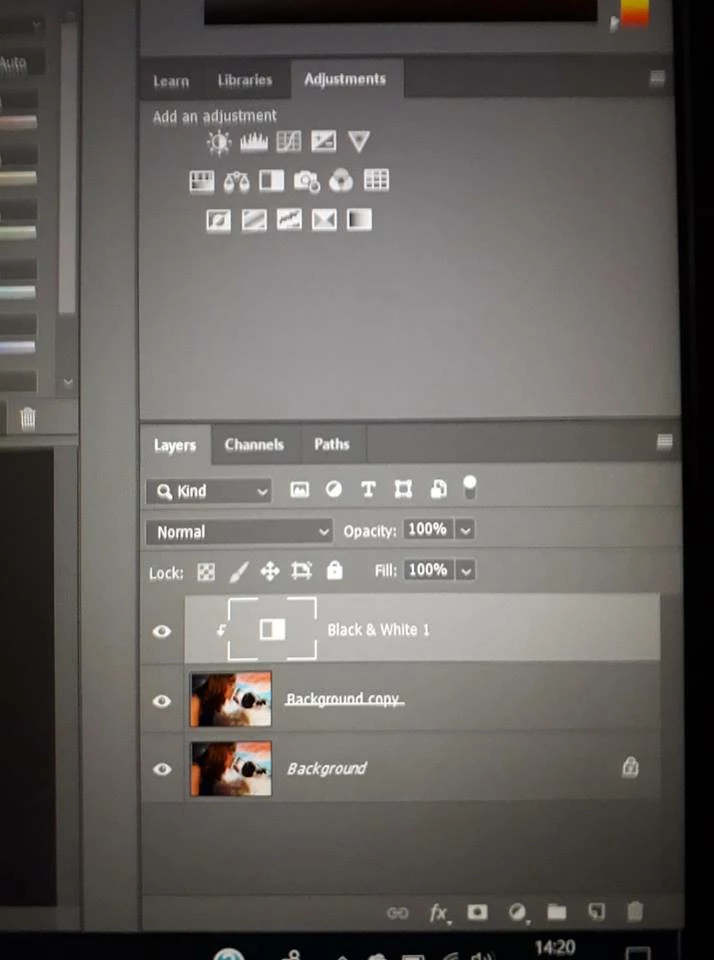
Please could anyone help as I am fairly new to Photoshop CC. I am trying to remove dark circles under the eyes in a photo I have, however the tutorial said the use a New adjustment layer but i am unable to do anything to the the pictures, my layers thumbnails look different to the tutorial and I don't know why, have i hit a button I should not have. it the Black and White layer, any adjustment layer I add all look like this, thanks in advance.
 AdChoices