


タイムラプスを生成すると、周囲に大きな余白が出来る
縦長の絵を描きながら、定期的にタイムラプスを書き出していたのですが、先ほど書き出そうとしたら大きな余白が出来てしまいました。
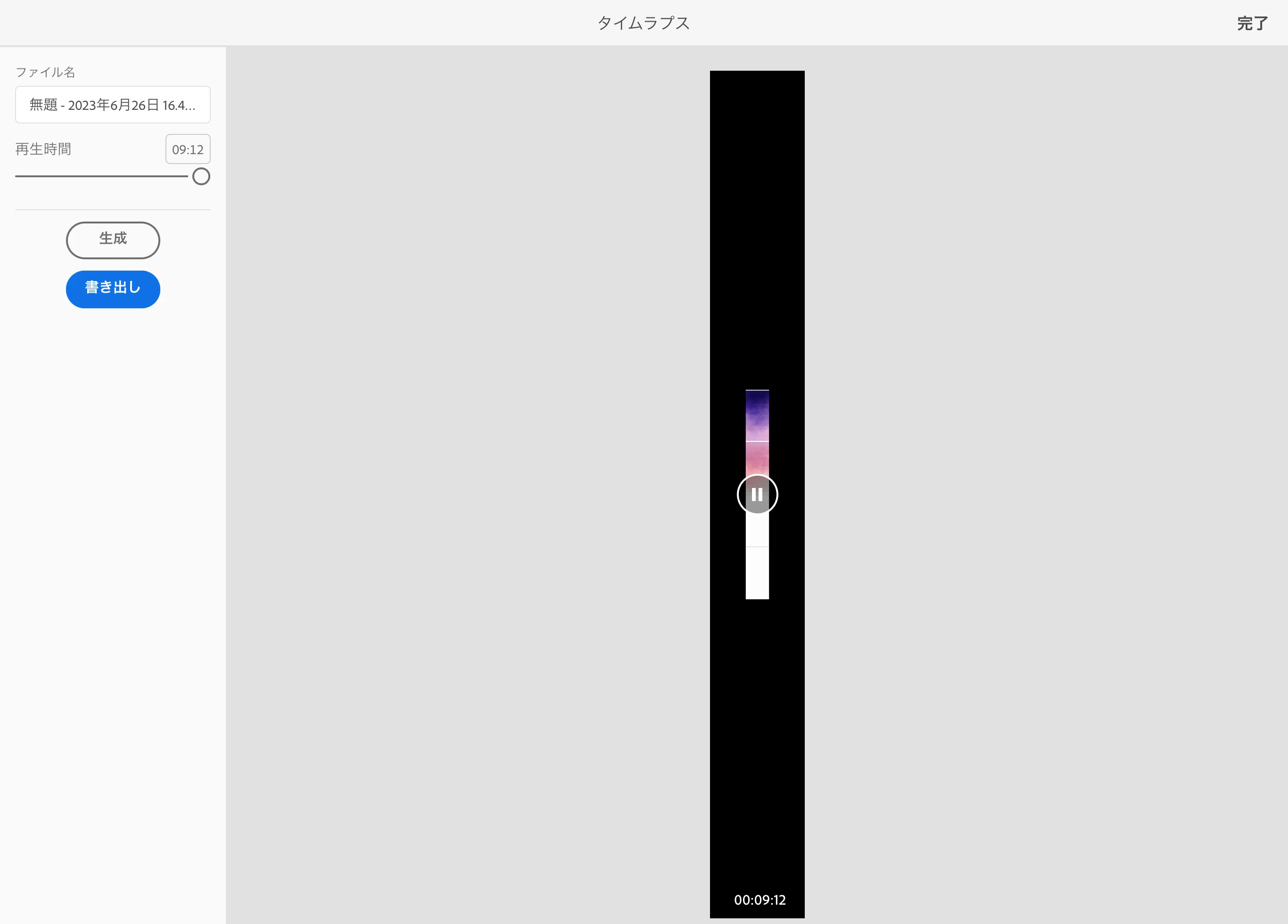
今朝タイムラプスを書き出した時は、このようになっていました。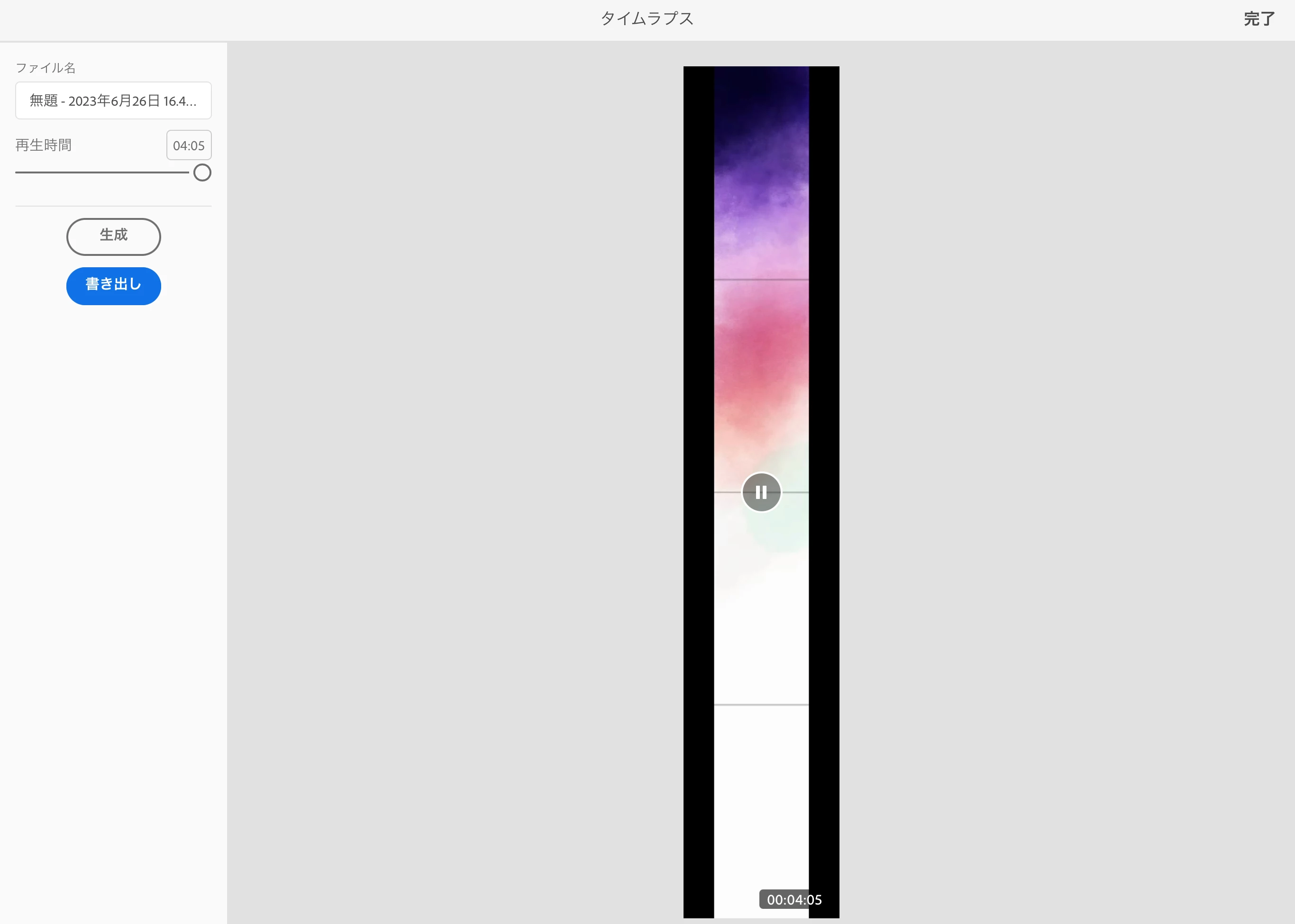
確かにこれも余白はあるのですが、そこまで大きくはないのでこの時点では心配していませんでした。しかし、今はこんなに余白が大きくなってしまい困っています。どうしたら直りますか?
●環境
・iPad Pro
・iPad OS 16.5.1
・Adobe Fresco 4.7.1
・カンバスサイズは889×8000ピクセル、解像度は300ppi
●既に試したこと
・iPadの再起動
・タイムラプス設定で、画質・画面サイズの変更
どうかよろしくお願いします。
以下、翻訳機で翻訳した文章です。
The following text was translated by a translator.
Subject
When a time-lapse is generated, a large margin is created around it.
Main text
I used to regularly export time-lapses while drawing vertical screen-size pictures. However, when I tried to export a time-lapse earlier, a large margin was created.
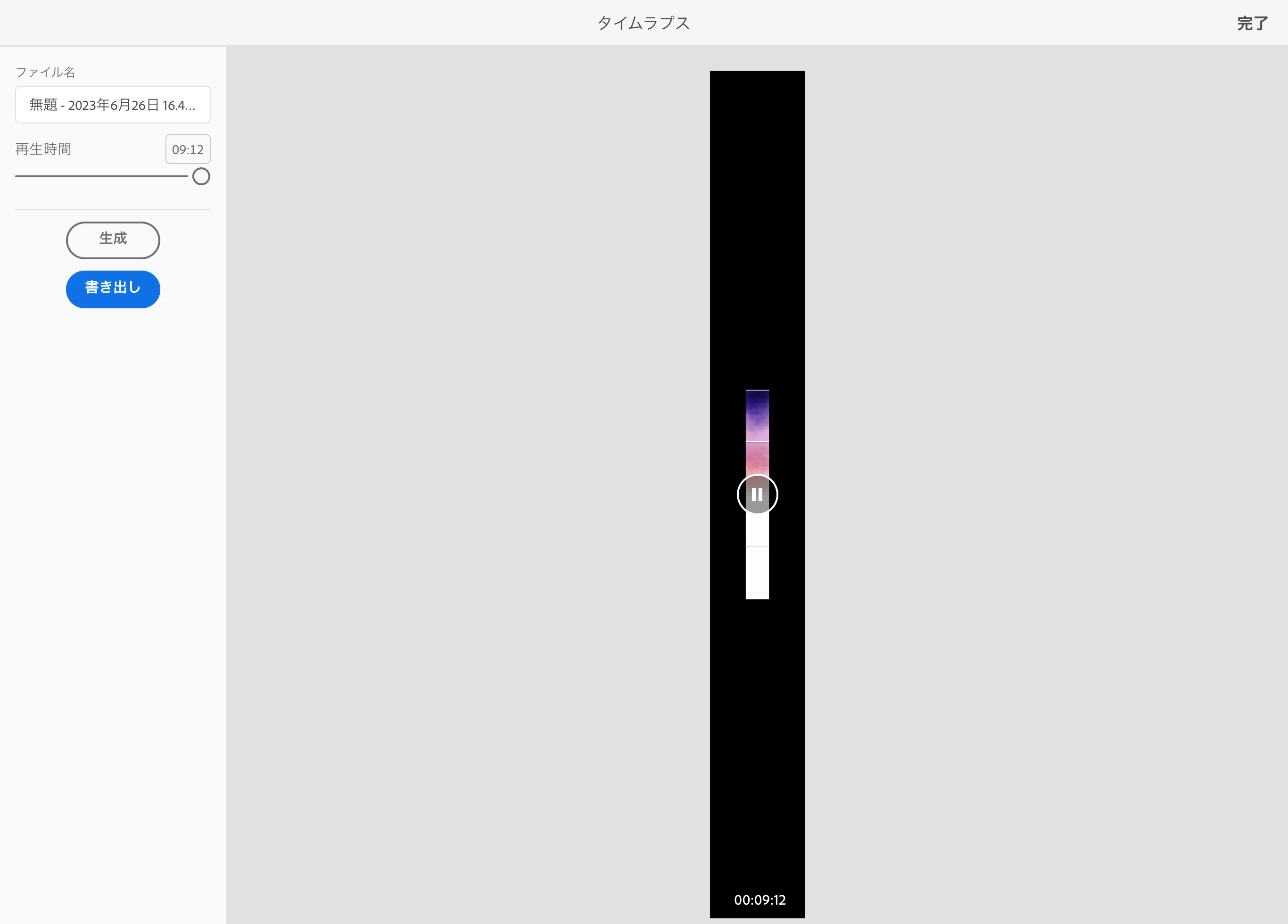
When the time lapse was exported this morning, it looked like this.
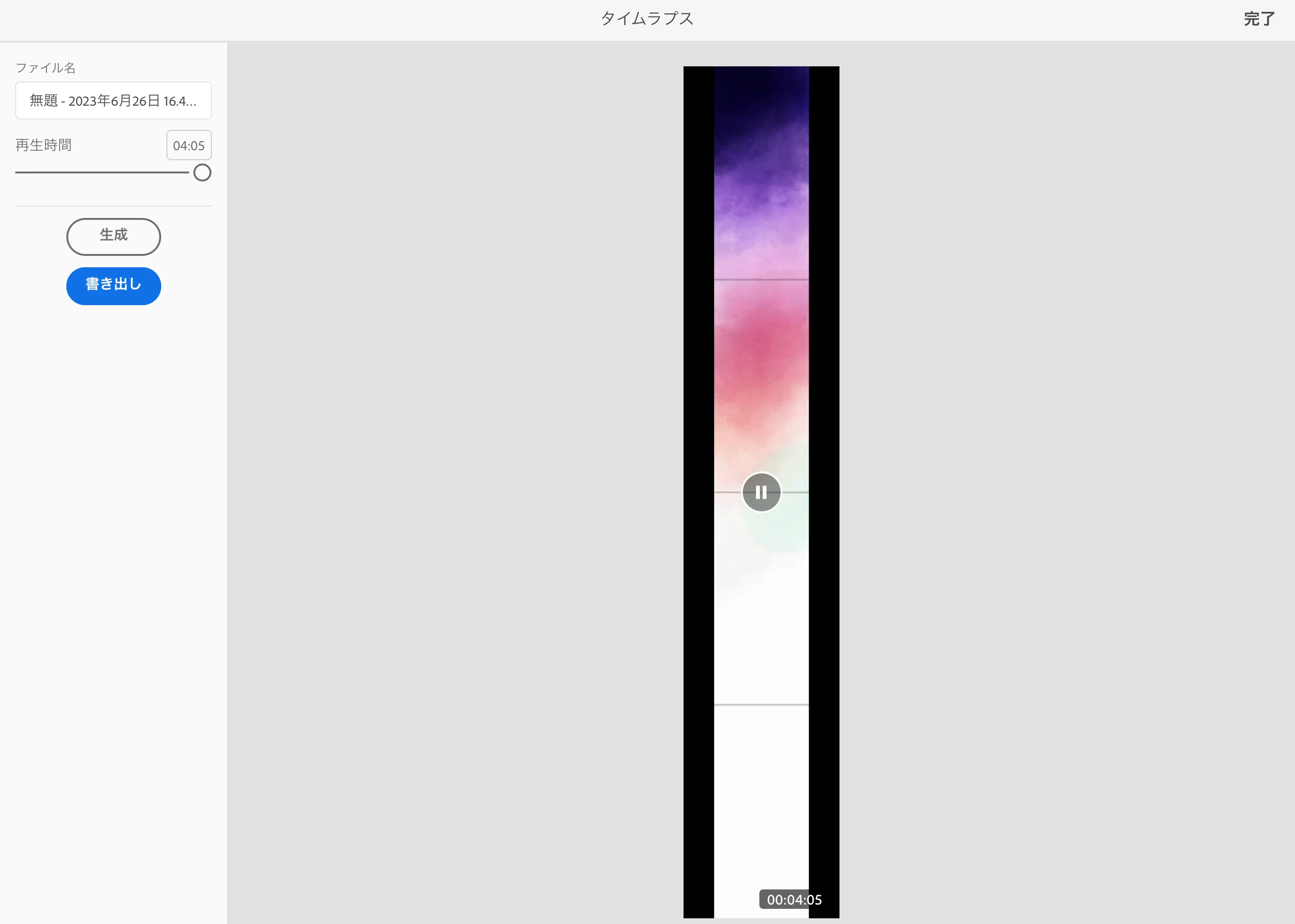
There are indeed margins in this time-lapse, but they are not that big, so I was not worried at this point.
However, now the margins are this big and I am having trouble. How do you think I can fix it?
Operating environment
-iPad Pro-iPad OS 16.5.1
-Adobe Fresco 4.7.1
-Canvas size 889 x 8000 pixels, resolution 300 ppi.
Things that have already been tried but did not improve
-Reboot the iPad.
-Changing the image quality and screen size in the time-lapse settings.

 AdChoices