

Answered
Mac版「調整」メニューのフォント
Mac版 Photoshop Elements Editorで「クイック」を選択した際、
画面右側の「調整」メニューのフォントが明朝体で表示されてしまいます。
これをゴシックに戻すにはどうしたらよいでしょうか?
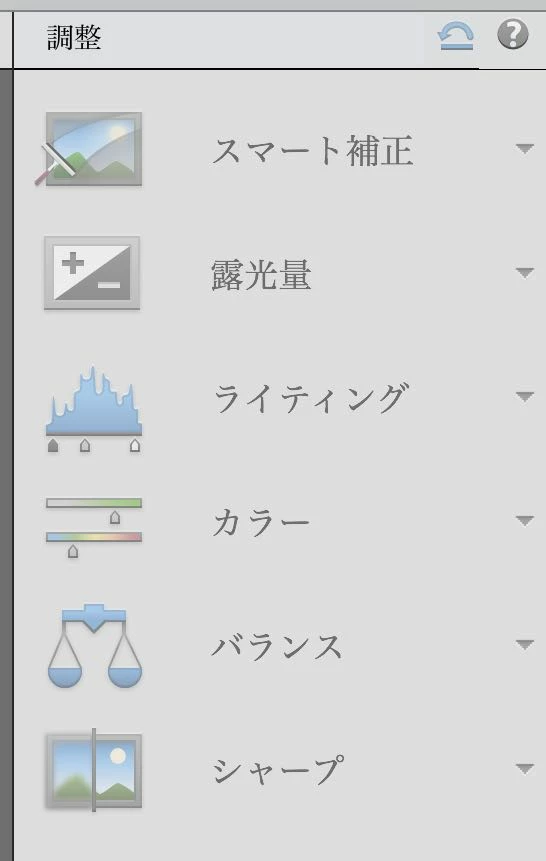

Mac版 Photoshop Elements Editorで「クイック」を選択した際、
画面右側の「調整」メニューのフォントが明朝体で表示されてしまいます。
これをゴシックに戻すにはどうしたらよいでしょうか?
Already have an account? Login
Enter your E-mail address. We'll send you an e-mail with instructions to reset your password.

 AdChoices