Answered

こんにちは、修一岩4771639 さん
推定ですが、「環境設定をリセット」してみたらいかがでしょうか。
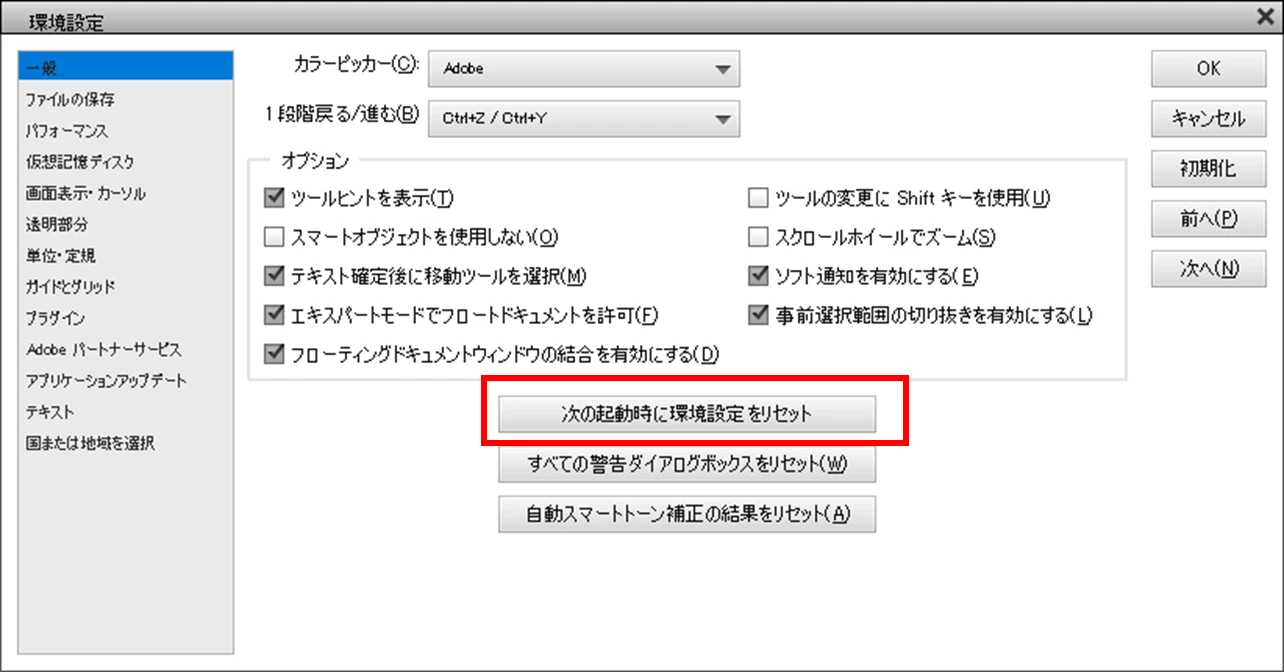
「環境設定」⇒「一般」ペインで「次の起動時に環境設定をリセット」をクリックした後、「OK」を2回クリックして「環境設定」ウィンドウを閉じ、続いてPhotoshop Elementsを再起動します。
再起動後ブラシが正常になったか確認してみていただけますか。


Sign up
Already have an account? Login
To post, reply, or follow discussions, please sign in with your Adobe ID.
Sign inSign in to Adobe Community
To post, reply, or follow discussions, please sign in with your Adobe ID.
Sign inEnter your E-mail address. We'll send you an e-mail with instructions to reset your password.
 AdChoices