Participant
December 25, 2024
Answered

Help me

  • December 25, 2024
  • 1 reply
  • 249 views

I am foreigner here in Korea. I do not know Korean very well. I want to change English version CC

    This topic has been closed for replies.
    Correct answer Rucca Cina


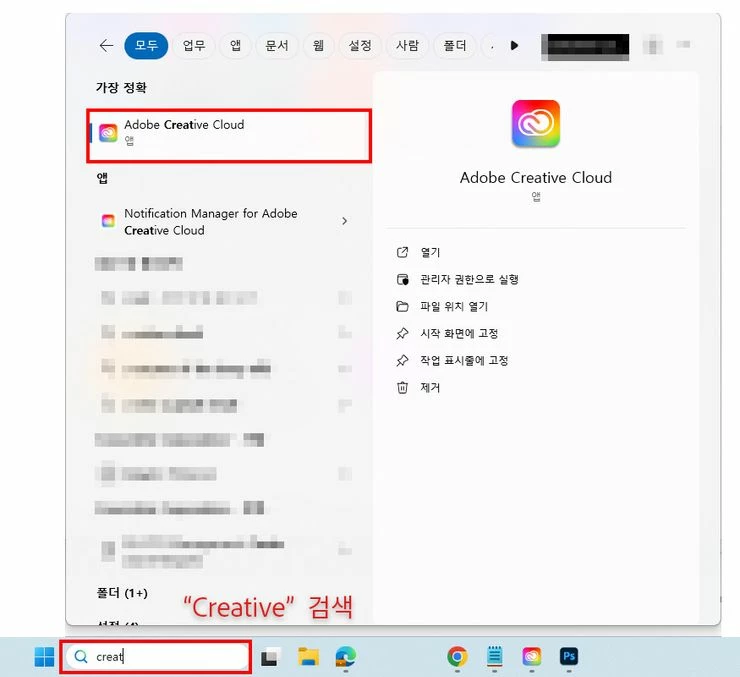
    1.Run Adobe Creative Cloud


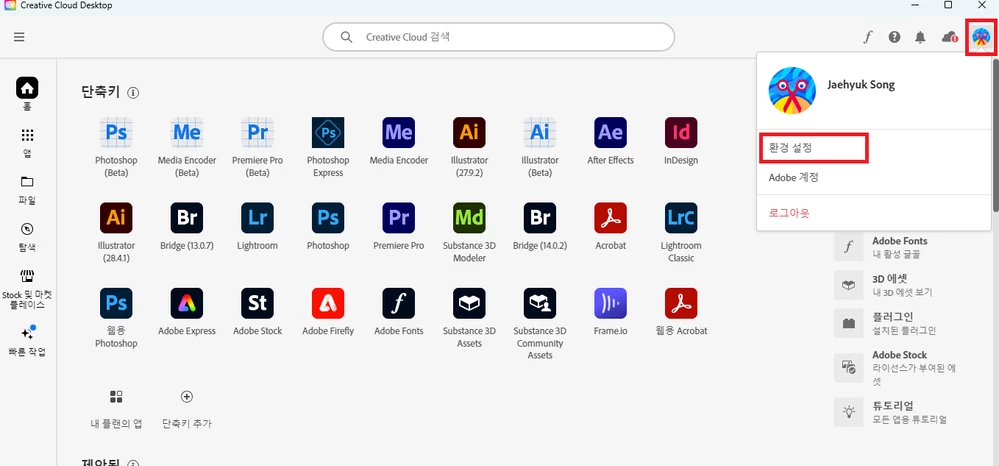
    2. Click the profile icon at the top right and open the “Preferences” menu!


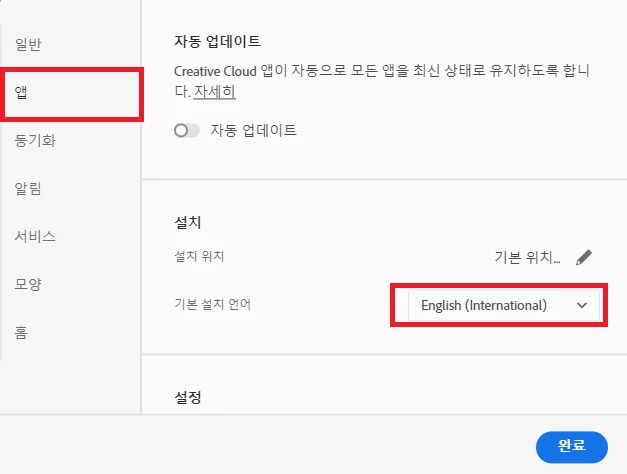
    3. Select “App” in the left menu, change the default installation language, and then press Done.


    4. Reinstall the latest version of Photoshop.


    ※ Even if you install the English version, the Korean version of the app remains.

    If you change the default installation language to Korean, apps installed in the Korean version will be exposed.

    After confirmation, uninstall the Korean app.

    1 reply

    Rucca CinaCorrect answer
    Legend
    December 26, 2024


    1.Run Adobe Creative Cloud


    2. Click the profile icon at the top right and open the “Preferences” menu!


    3. Select “App” in the left menu, change the default installation language, and then press Done.


    4. Reinstall the latest version of Photoshop.


    ※ Even if you install the English version, the Korean version of the app remains.

    If you change the default installation language to Korean, apps installed in the Korean version will be exposed.

    After confirmation, uninstall the Korean app.