
Answered
Rucca CinaCorrect answer
Legend
September 23, 2024
현재 말씀해주신 이미지는 하단에 이미지처럼 해당 사운드의 우클릭 프로젝트 추가를 눌렀을때 나오는 한번 기본 사운드 패널에서 Free로 필터를 적용한 다음 검색해서 나오는 사운드를 우클릭을 해서 로컬저장이나 라이브러리 저장을 시도해 볼수 있습니다.
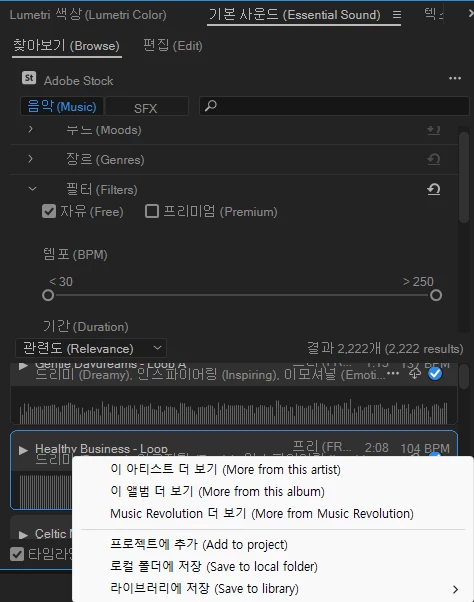
만약 이후에도 동일한 오류가 발생한다면 어도비 클라우드 자체 라이브러리 동기화 오류로 분류 할수 있습니다.
Creative Cloud 데스크탑 앱에서의 파일 동기화 문제 해결
해당 링크를 통해 우선 프리미어 이전에 클라우드 동기화에 문제는 없는지 확인해 볼수 있습니다.


 AdChoices