
Brush settings
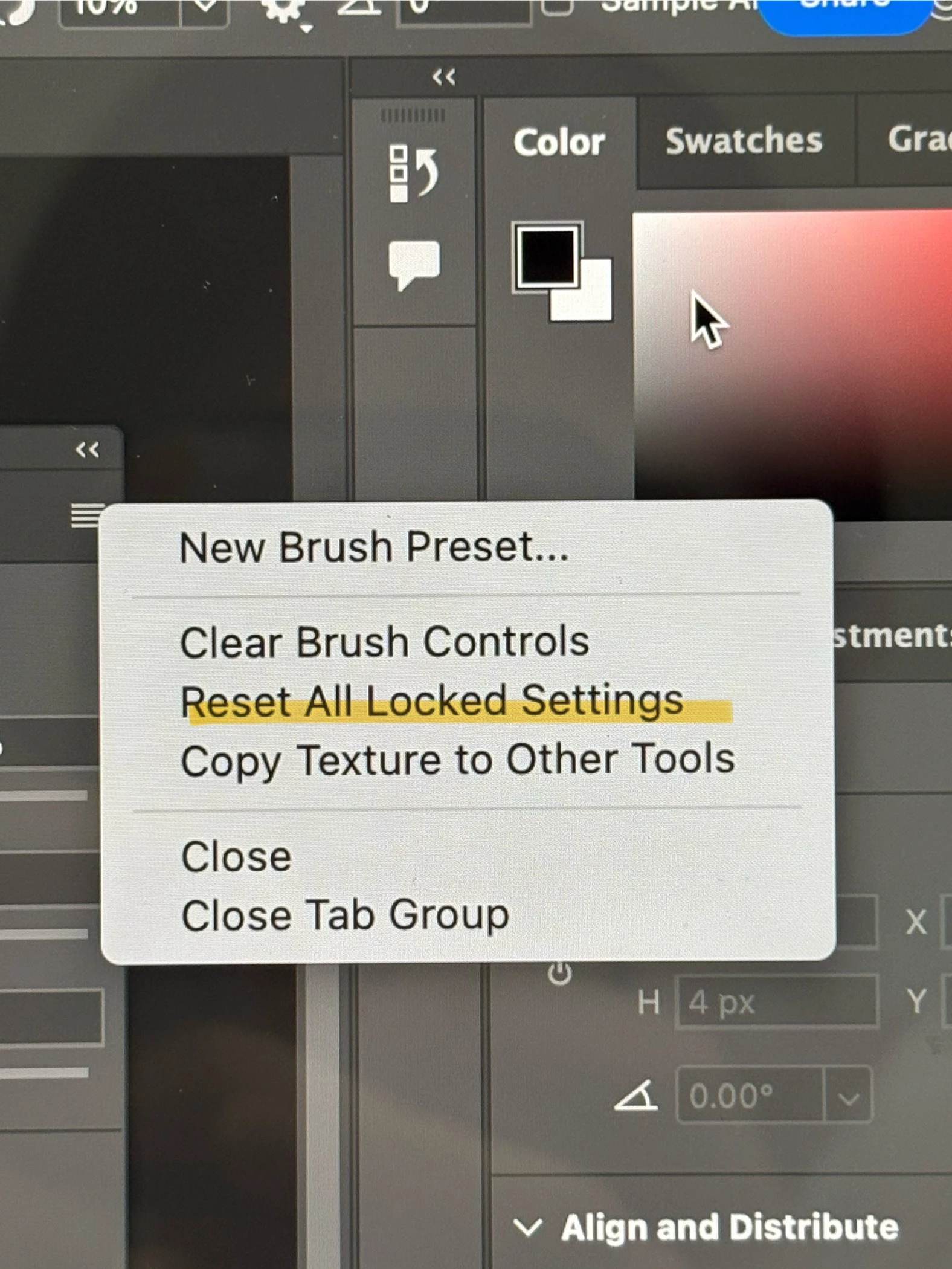
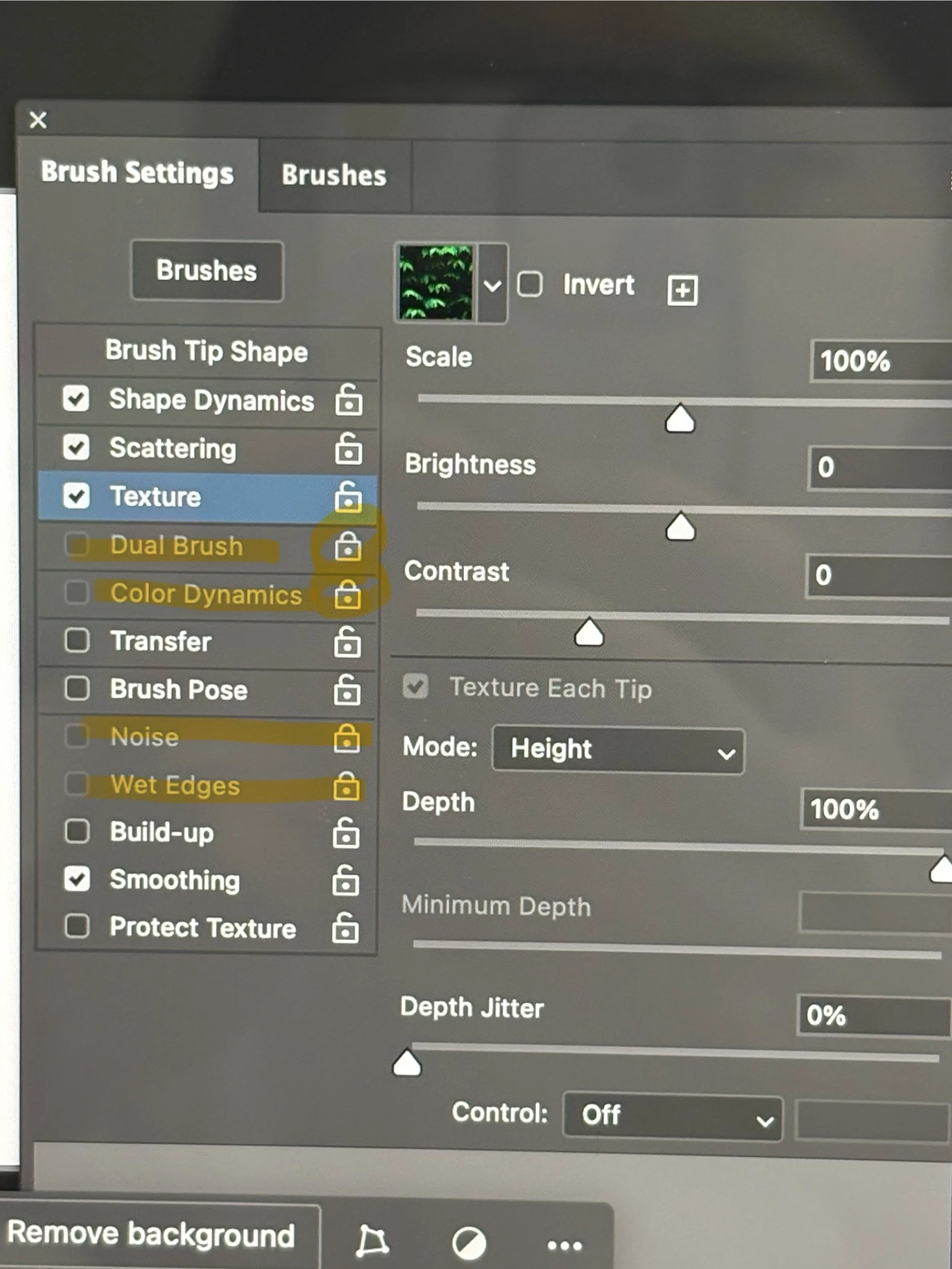
안녕하세요. 어도비 포토샵 초보사용자 입니다. (adobe photoshop 2025 버전)
위에있는 좌측 사진을 봐주세요. clear brush controls를 클릭하려다 실수로 Reset all locked settings를 클릭했습니다.
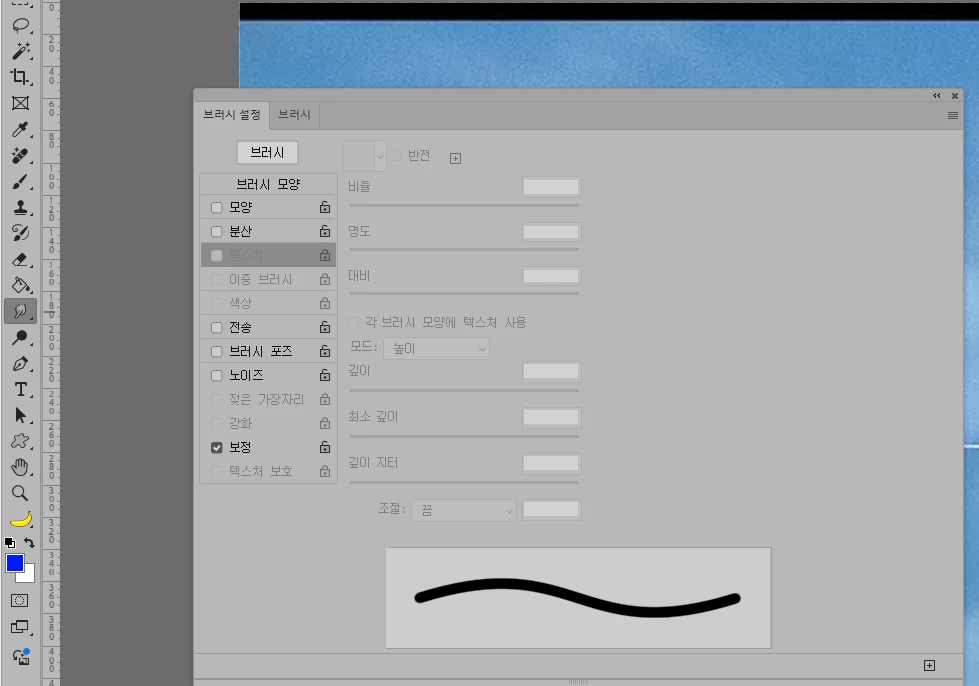
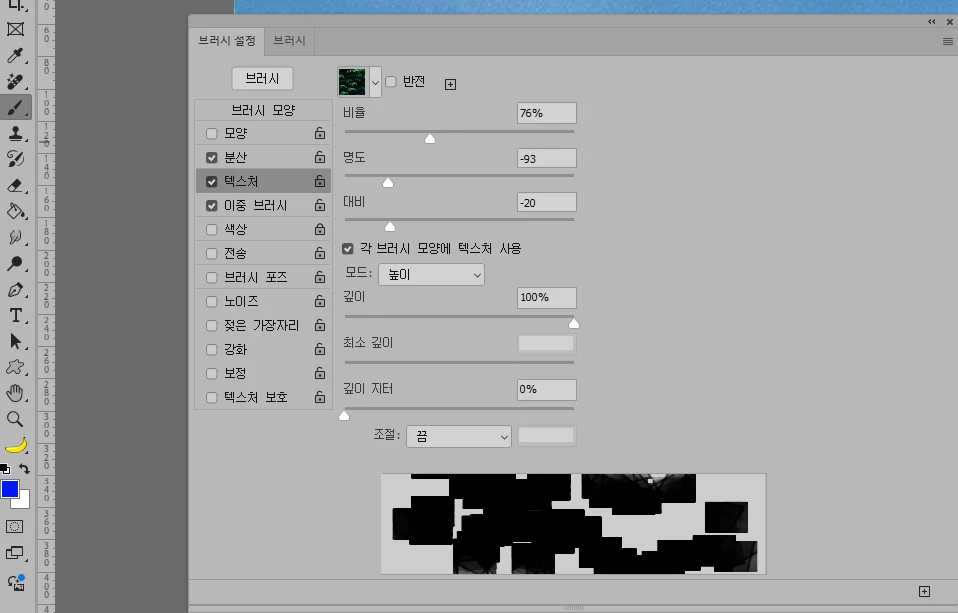
그러자 우측 상단의 사진처럼 4개의 옵션이 잠금이 걸려 쓸 수가 없게 되었습니다.
잠금 해제하는 모든 방법을 다 해봤지만 해제가 안됩니다... 다시 되돌릴수 있는 방법이 없을까요?
자물쇠를 클릭해도 안되고, 포토샵 프로그램을 삭제했다가 새로 깔아봐도 그대로 이고, Reset all locked settings를 다시 클릭해봐도 안됩니다.
tool reset도 해봤지만 잠금이 안풀려 글을 남깁니다. 어도비 전문가들께 제발 부탁드립니다. 잠금해제하는 방법을 알려주세요....
hello. I am a beginner Adobe Photoshop user. (adobe photoshop 2025 version)
Please look at the left photo above. When I tried to click clear brush controls, I accidentally clicked Reset all locked settings. Then, as shown in the photo at the top right, four options were locked and could not be used. I've tried all the ways to unlock it, but it doesn't work... Is there any way to get it back? Clicking on the lock doesn't work, even if I uninstall the Photoshop program and reinstall it, it stays the same, and clicking Reset all locked settings again doesn't work either. I tried resetting the tool, but it didn't unlock, so I'm writing this. Please ask the Adobe experts. Please tell me how to unlock it.... (feat. google language translator)


 AdChoices