Participant
July 22, 2020
Answered

오늘 처음 샀는데 툴이 안보여요
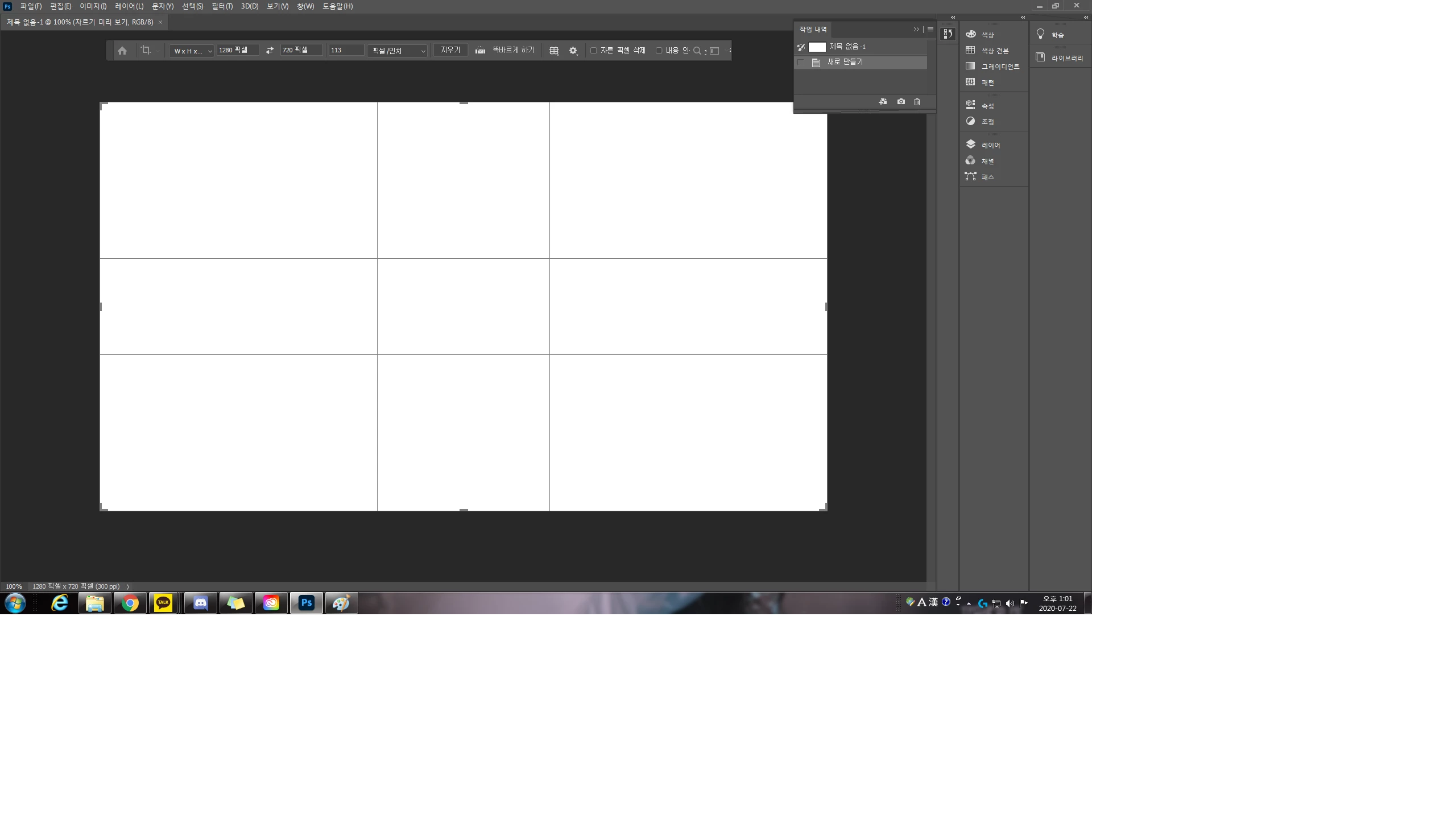
  • July 22, 2020
  • 3 replies
  • 186 views

오늘 처음 사서 하는 데 툴이 안 보이는데 툴 보이게 하는 키가 있나요? 도와주세요 ㅠㅠ

This topic has been closed for replies.
Correct answer 초원98_2

메뉴바에서 창(window) > 도구(tool) 선택하세용~!

3 replies

초원98_2
초원98_2Correct answer
Inspiring
March 18, 2022

메뉴바에서 창(window) > 도구(tool) 선택하세용~!

JJMack
Community Expert
Community Expert
July 22, 2020

Try checking menu Window>Tools

JJMack
Akash Sharma
Legend
July 22, 2020

Hi there,


Sorry that Toolbar is missing from Photoshop.


Would you mind restoring the toolbar to default? Selecting Window > Workspace > Essentials (Default) or Window > Workspace > Reset Essentials can  restore the default Toolbar.


If that does not help, try restoring the preferences for Photoshop & see if it helps? To restore preferences quickly using a keyboard shortcut: Press and hold Alt+Control+Shift (Windows) as you start Photoshop. You are prompted to delete the current settings. The new preferences files are created the next time you start Photoshop


Let us know how it goes.


Thanks,

Akash