Participant
Jun 24, 2019 5:36 AM UTC
Question

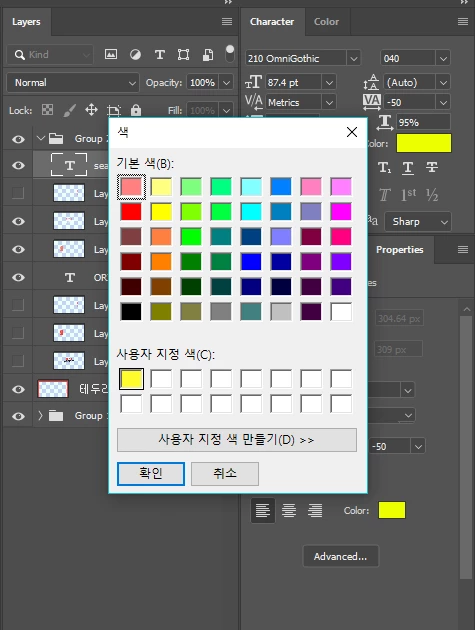
컬러 팔레트 팝업창이 이상해요.

기존에 그 색을 조절하는 창이 나오도록 하려면 어떻게 해야 하나요?

    This topic is closed to new replies. Start a new post to keep the conversation going.

    5 replies

    Semaphoric
    Community Expert
    Community Expert
    Jun 24, 2019 5:49 PM UTC

    In the menu, open Edit > Preferences > General, and for Color Picker, choose "Adobe".

    Translate
    c.pfaffenbichler
    Community Expert
    Community Expert
    Jun 24, 2019 5:50 AM UTC
    How do I get a window that already adjusts that color?

    How do you raise that panel exactly?

    Translate
    Norman Sanders
    Legend
    Jun 24, 2019 6:35 PM UTC
    Semaphoric
    Community Expert
    Community Expert
    Jun 24, 2019 7:01 PM UTC

    It's the same one I get if I change the Color Picker to "Windows".

    Translate