


Answered
Rucca CinaCorrect answer
Legend
September 2, 2024
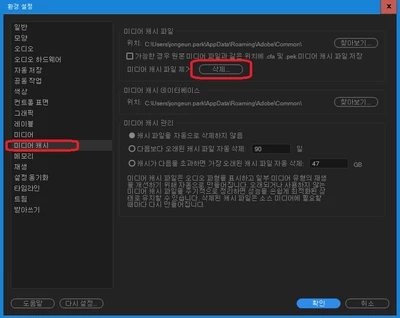
미디어 캐시 전체 삭제 후 아래의 설정을 따라 해보시길바랍니다.
미디어 캐시 삭제방법
편집 > 환경설정 > 미디어 캐시 > 미디어 캐시 파일 삭제 클릭 > 확인 클릭해주세요
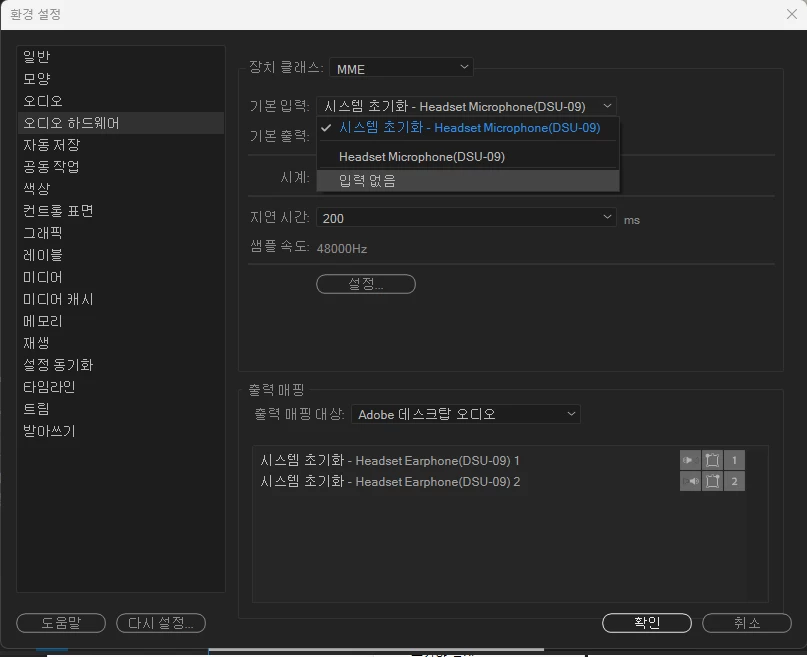
오디오 하드웨어 구성이 올바르지 않을 때, 미리보기의 버벅임이 발생할 수 있습니다.
아래의 경로를 따라 설정해보시길 비랍니다.
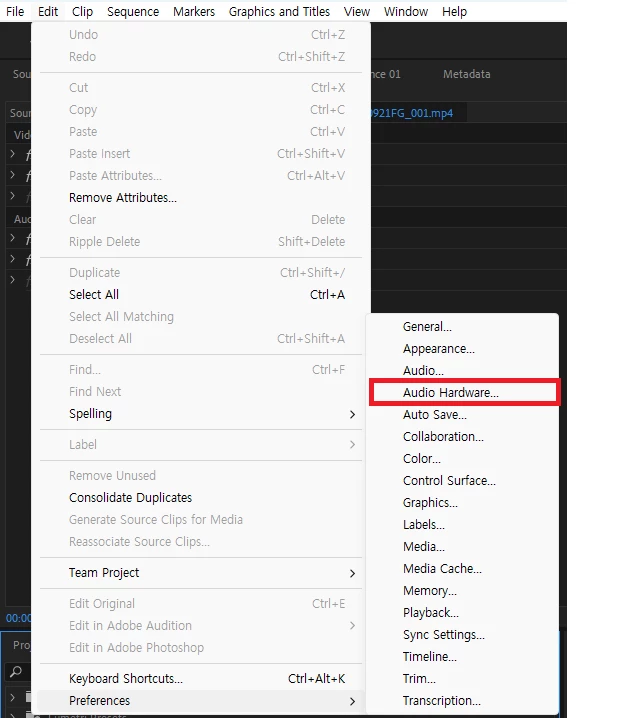
영어 경로 : Audio Hardware - Default Input - No Input
 AdChoices