


Neither of Photoshop's two pen input methods is performing as well as it should.
I would like to report two different pen-input issues that appear to affect Photoshop's two tablet input modes differently.
I'm using wacom pen display(cintiq pro) and 2 monitors.
1. Wintab mode: noticeable line jitter
Configure Photoshop to use Wintab. When the canvas zoom level is low (e.g., 12.5%), especially when drawing slowly, visible jitter may occur in pen strokes, resulting in reduced positional accuracy.
The effect resembles low-resolution coordinate input and is easy to observe when drawing smooth diagonal or curved lines.
Currently, I'm using wintab and lazynezumi's “jitter fix” option to avoid this line roughness.
However, that option stopped working after version 27.7(27.8 too).
Did you change anything in the internal design?
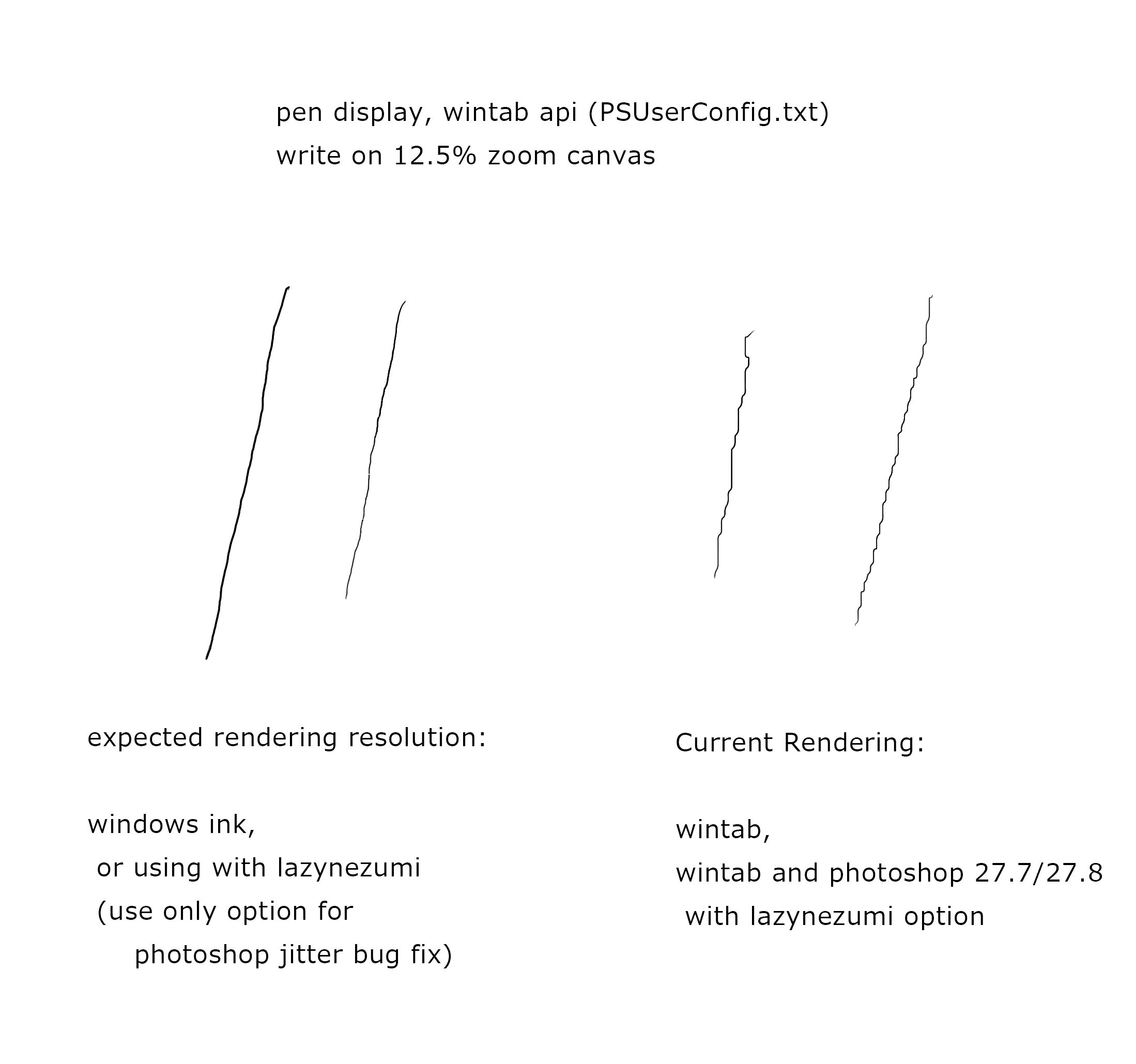
2. Windows Ink mode: slider drag threshold ("sticky" sliders)
When using Windows Ink, brush strokes are smoother, but many Photoshop sliders become difficult to adjust with a pen.
The behavior is as follows:
- Small pen movements are ignored until a certain movement threshold is exceeded.
- The slider feels "sticky" or "magnetized" at its current value.
- Standard dialog sliders are affected (for example, adjustment dialog sliders).
- Scrubby sliders, such as dragging the Opacity value in the Layers panel, appear to work normally.
As a result, Wintab provides poor stroke quality, while Windows Ink provides better stroke quality but poor UI control responsiveness.
--------------------------------
Has anyone else observed this difference between Wintab and Windows Ink in recent Photoshop versions?
At the moment, users seem forced to choose between accurate UI interaction (Wintab) and accurate stroke rendering (Windows Ink), neither of which provides a fully satisfactory experience.
 AdChoices