Inspiring
June 20, 2026

Wintab : stroke jitter at low zoom levels when drawing slowly

  • June 20, 2026
  • 1 reply
  • 0 views

I'm using Photoshop with a Wacom pen display (Cintiq Pro).

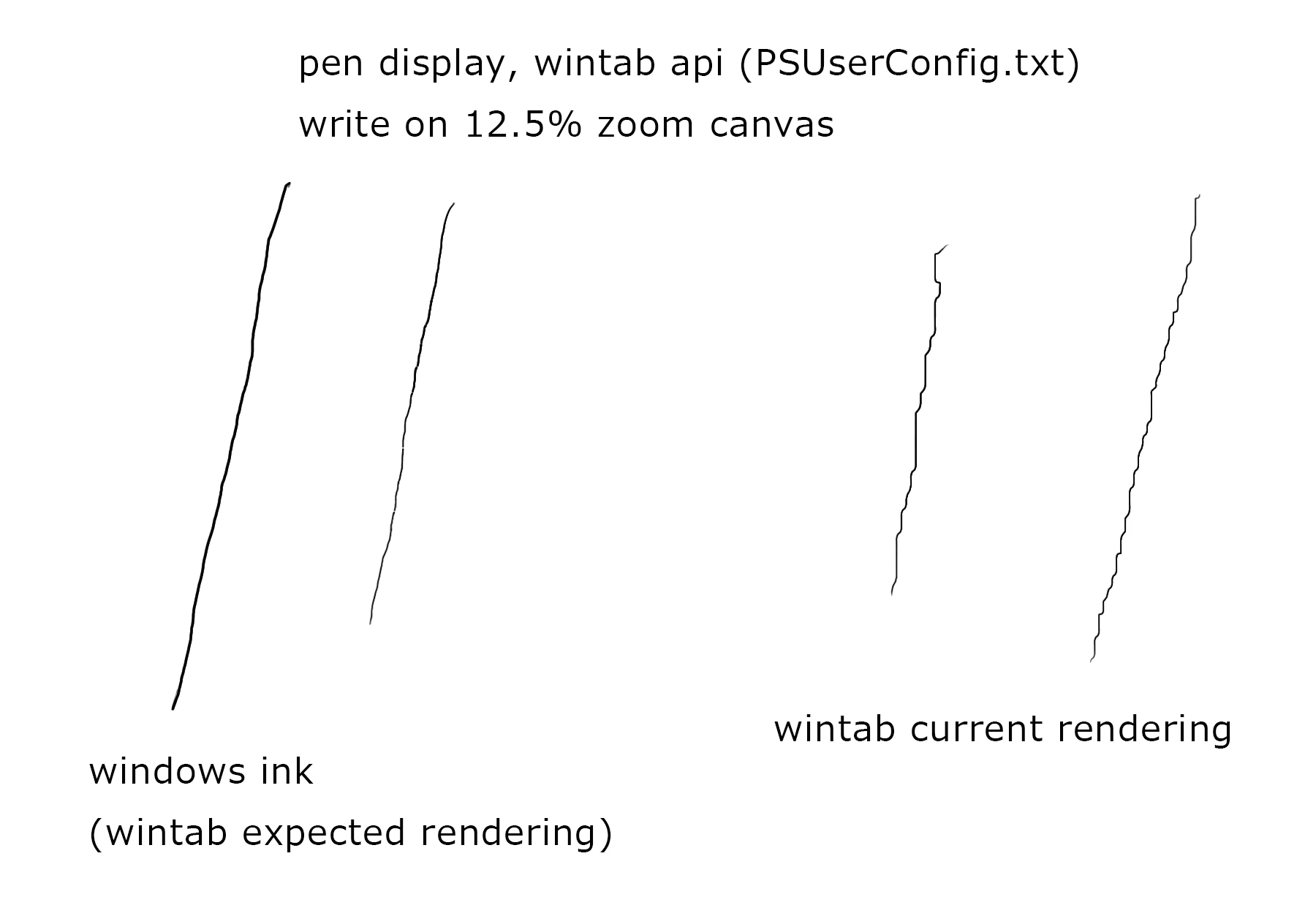
When Photoshop is configured to use Wintab, pen strokes may show noticeable jitter at low canvas zoom levels (for example, 12.5%), especially when drawing slowly.


Symptoms:

  • Most visible when drawing smooth diagonal or curved lines
  • Appears similar to low-resolution screen coordinate input
  • Stroke position accuracy is reduced
  • More noticeable at lower zoom levels

The pen tablet seems to be behaving as if its tracking accuracy has dropped to the level of the screen resolution. In terms of actual hardware performance, the accuracy should be the same as Windows Ink.


System:

Wacom Cintiq Pro, and dual-monitor setup (total 3 monitors)
wintab enabled
Photoshop :from older to recent version all

1 reply

kzh_12Author
Inspiring
June 20, 2026

This is additional information.

The creator of lazynezumi points out that this is due to a design flaw in Photoshop's WinTab feature.
Furthermore, the details of the issue seem to match this behavior.

Setting aside whether the specific details are correct or not, in fact, thanks to this software's “jitter bug fix” option, I've been able to maintain the expected line-drawing performance.
As noted elsewhere, this has remained unchanged for over a decade.

I know you're probably going to tell me to use Windows Ink, but because of the Slider's snapping behavior (which I mentioned in another post), It causes me  frustration.


------------

https://lazynezumi.com/news

>When PS realizes that its Wintab converted coordinates don't match what other system APIs are returning for the current pointer position, it panicks and decides to just use mouse coordinates instead