


Windows Ink: pen drag threshold makes sliders feel "sticky"
I'm using Photoshop with a Wacom Cintiq Pro and have noticed a UI issue when Windows Ink is enabled.
Many Photoshop sliders become difficult to adjust with the pen.
When using wintab , these are not happen.
Observed behavior:
Small pen movements are ignored
The slider does not respond immediately
Movement only begins after a certain drag threshold(about 10px) is exceeded
The slider feels "sticky" or "magnetized" to its current value
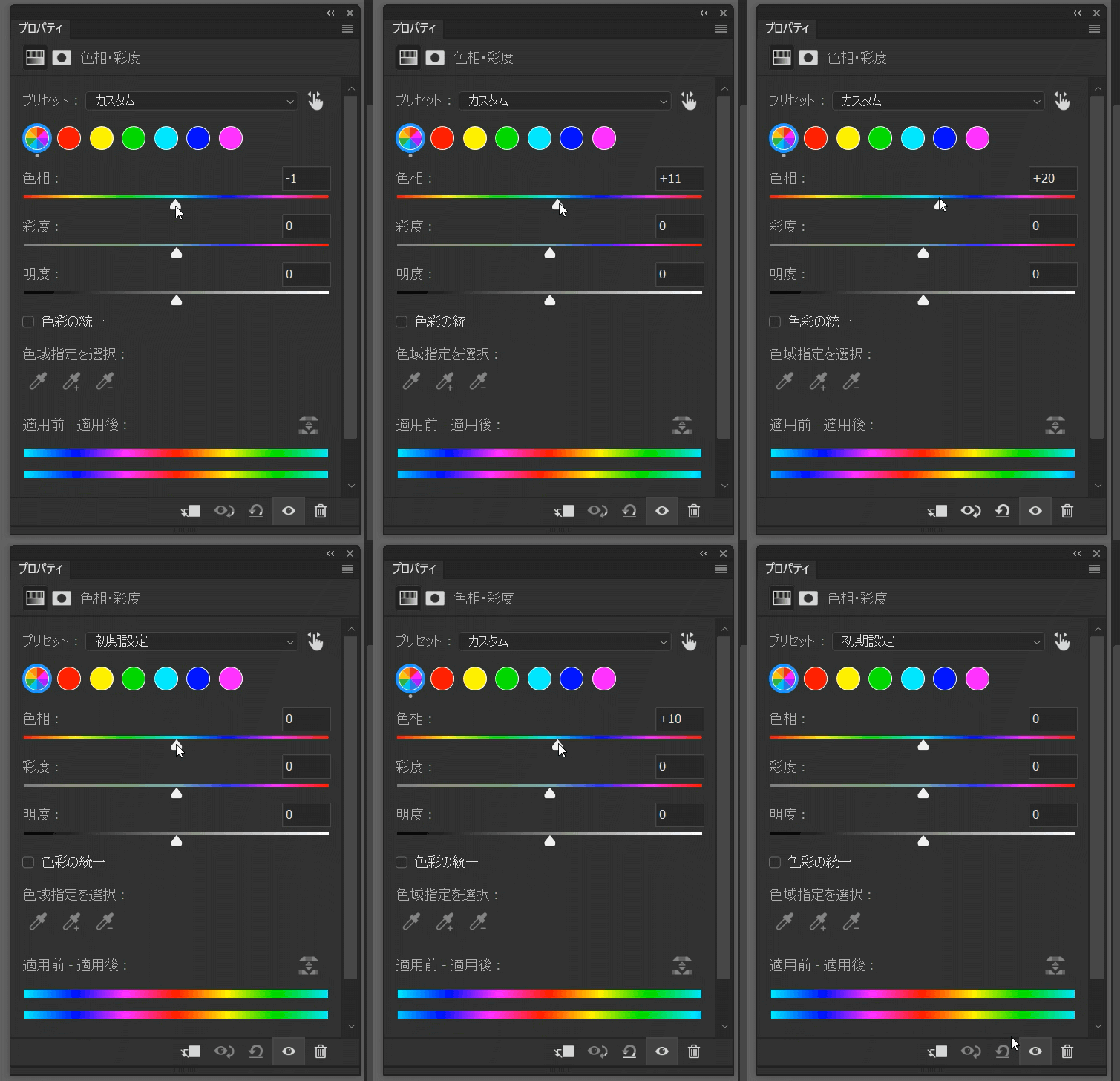
about 10 value magnetized move.
Affected example:
Warp
adjustment panel slider
brush size/hardness slider
Not affected example:
opacity dialog
liquify
Because of this, making small precise adjustments with the pen becomes difficult.
System:
Wacom Cintiq Pro, and dual-monitor setup (total 3 monitors)
Windows Ink enabled
Photoshop :from older to recent version all
To rule out tablet driver settings, Windows pen press-and-hold / double-click assistance features are disabled, and Wacom double-click distance is set to Off (0).
 AdChoices