

隼也山49633772
Participating Frequently
September 22, 2021
Question

フォトショップのズームが固まってしまいます。

  • September 22, 2021
  • 3 replies
  • 3458 views

フォトショップのズームが固まってしまいます。

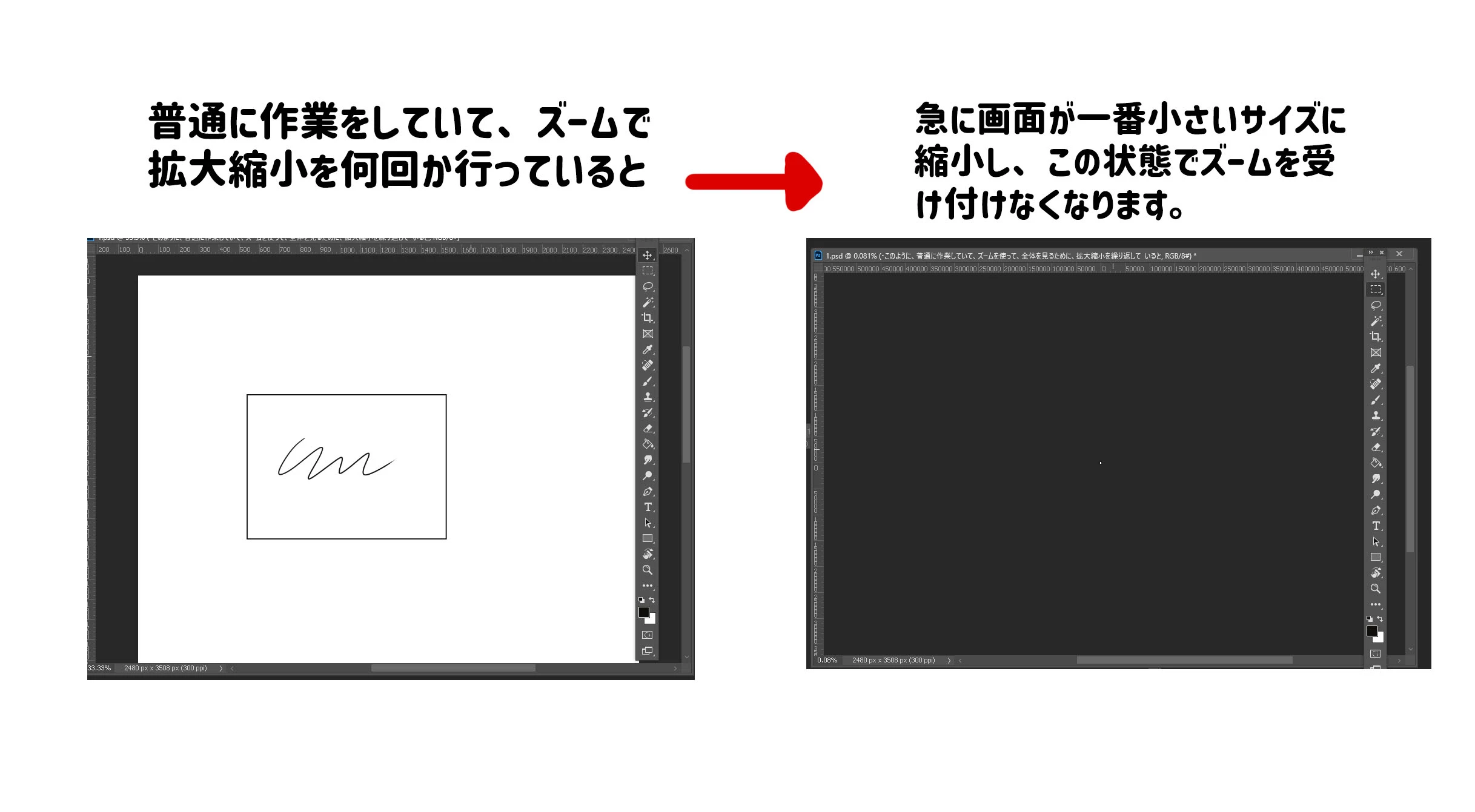
フォトショップで作業を普通にしており、ズームで拡大縮小を行っていると、

かなりの頻度で拡大した瞬間に、作業画面が一番小さいサイズに縮小され
ズームができない状態で固まってしまいます。

フォトショップを閉じてもう一度つけると一時的に直るのですが、しばらく操作していると再び固まります。

環境設定などいじったりバージョンを更新したりしているのですが、直りません。

直し方を教えていただけると幸いです。

This topic has been closed for replies.

3 replies

assause
Community Expert
Community Expert
September 23, 2021

Ver.21とのことですが、そこで止めている理由は何でしょう。

また環境設定を弄ったとのことですが、リセットはしているでしょうか。

環境設定の削除を含むアンインストールと再インストールも試みることも必要です。


あと、マルチポストはマナーとして適切ではありません。


なお Photoshop ecosystem (us) から Photoshopフォーラム (jp) に移動しました。

隼也山49633772
Participating Frequently
September 23, 2021

マルチポストがマナー違反と知らずに、行ってしまったのはすいません。

環境設定を上記の方法でリセットを行ったら、解決致しました。

お手数おかけして申し訳ございません。


隼也山49633772
Participating Frequently
September 22, 2021

Adobe Photoshop バージョン : 21.2.11 20210805.r.171 2021/08/05: 4d0af5f68b1 x64になります

Legend
September 22, 2021

Try this: Go to Preferences > Performance... and uncheck Use Graphics Processor. Restart Photoshop. If this fixes it, try updating your graphics driver and re-enable Use Graphics Processor.  https://helpx.adobe.com/photoshop/kb/troubleshoot-gpu-graphics-card.html 

nikunj.m
Legend
September 22, 2021

Hi,


We're sorry about the trouble with Photoshop. Would you mind sharing the version of Photoshop you're using?


You can try to reset the preferences of Photoshop using the steps mentioned here: https://adobe.ly/2Qzc0K3

Please backup your settings prior to resetting the preferences. You can check: https://adobe.ly/2vNz6FG


Let us know how it goes!

Regards,

Nikunj