


Question
Photoshop CS5を起動するとえらーメッセージが出ます。
起動環境は以下の通りです。
OS:Windows 7 professional 64bit
Photoshop CS5
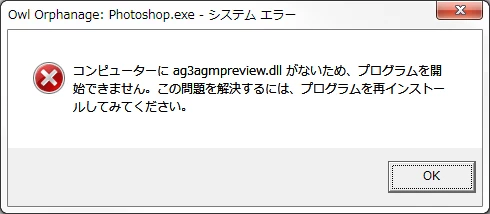
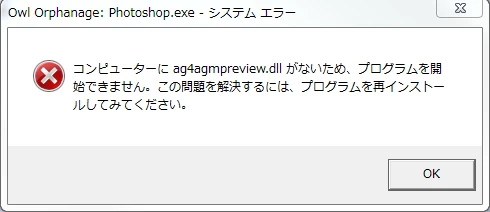
Photoshop CS5を起動すると以下のエラーメッセージ(owl orphanage error)が出ます。
OKを押すとPhotoshop CS5は起動するのですが、エラーを回避する対処方法を御教授ください。

起動環境は以下の通りです。
OS:Windows 7 professional 64bit
Photoshop CS5
Photoshop CS5を起動すると以下のエラーメッセージ(owl orphanage error)が出ます。
OKを押すとPhotoshop CS5は起動するのですが、エラーを回避する対処方法を御教授ください。
Already have an account? Login
Enter your E-mail address. We'll send you an e-mail with instructions to reset your password.
 AdChoices