

Inspiring
May 9, 2018 12:50 PM UTC
Question

surface book 2 15インチを使うと、Photoshop CS6 の文字が小さすぎる

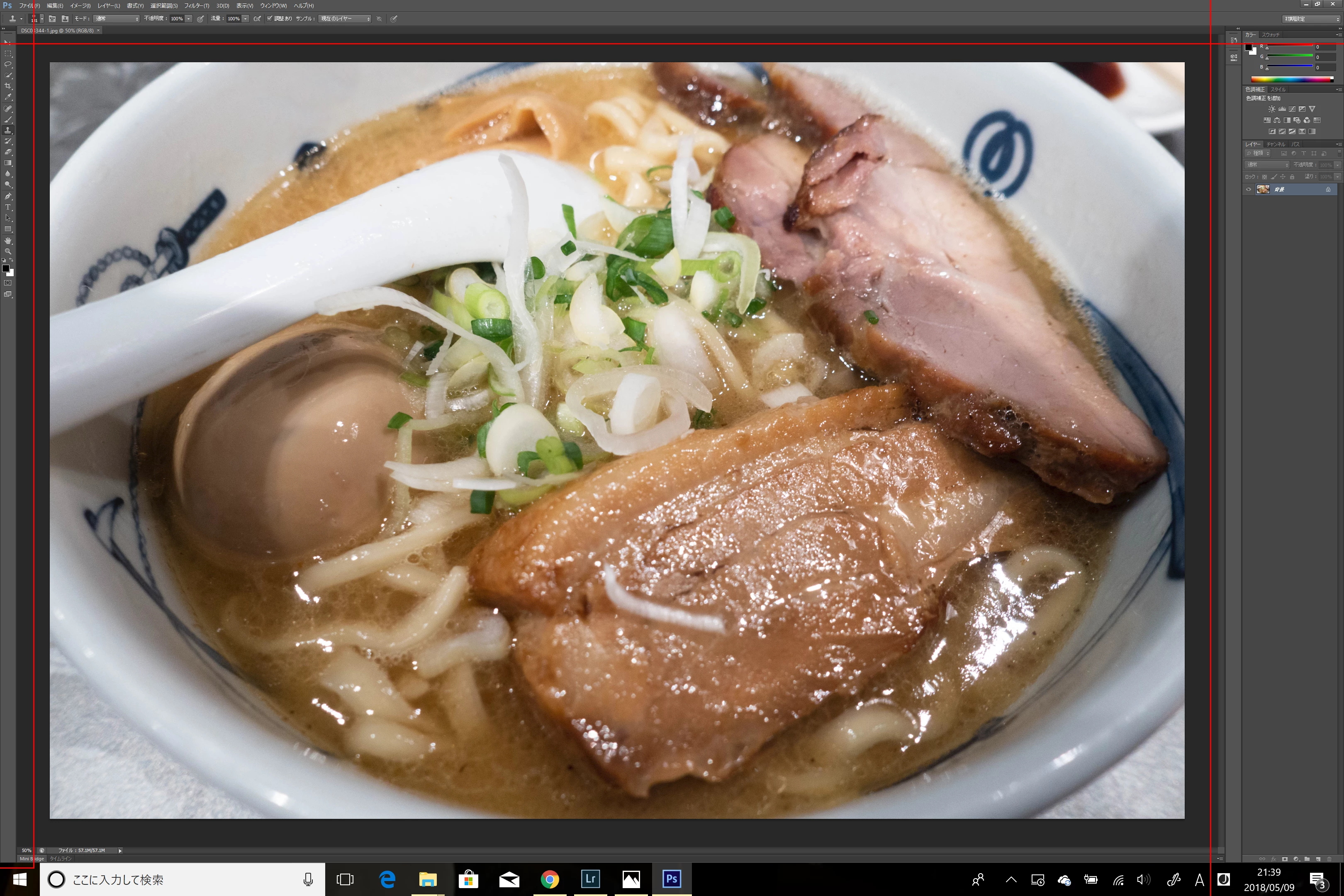
Photoshopを起動すると、

メニューとツールの部分が小さすぎて、文字が読めないです。

設定変更できるのでそふか?
    This topic is closed to new replies. Start a new post to keep the conversation going.

    7 replies

    ぷろなみ
    Legend
    May 11, 2018 1:59 AM UTC

    まず、PhotoshopCS6については、ソフトウェア自体がHiDPIに対応しておりません。

    そのために、HiDPI環境(Surfaceの現行バージョンですとHiDPIディスプレイです)で利用すると

    ソフトウェア自体が持っている情報をピクセル等倍で表示しようとするため、文字が小さくなってしまいます。

    こちらはHiDPIディスプレイと、HiDPI非対応アプリケーションにおける技術上の仕様となります。

    HiDPI と Retina ディスプレイのサポートに関する FAQ (Photoshop)

    また、回避策としてGed Traynor様にご投稿いただいている手順を

    弊社環境のSurfaceで試してみたのですが、fannrei様と同じような表示となりました。

    こちらは、Adobe以外のアプリケーションでも同じ動作でしたため、調べてみたところ

    Microsoft様のコミュニティにこのようなディスカッションがございました。

    アプリケーションのプロパティの [互換性] タブで [高いDPIスケールの動作を上書きします] - マイクロソフト コミュニティ

    私の手元でも、この「高いDPIスケール…にチェックを入れてから、タブを何度か押し、アプリケーションに選択枠が来た所で↓キーを押す」手順を実施し、システム(拡張)に変更したたところ文字を大きくすることができました。

    しかしながら、前述のとおり、CS6製品はHiDPIディスプレイに対応していない作りとなっているため

    この手順で拡大表示をしてもピクセル数の足りないものを拡大表示しているだけなので

    インターフェイス・作業画面・開いたファイル等、全体的に表示がぼけてしまいます。

    鮮明さを優先される場合はPhotoshopCC2014以上のバージョンをご利用ください。

    Translate
    gener7
    Community Expert
    Community Expert
    May 9, 2018 11:42 PM UTC

    Ged is doing well assisting you, so there is no need to move your topic, but you might like to know that Adobe also has a Japanese language community.

    Photoshopコミュニティフォーラム (Japan)

    Translate
    May 9, 2018 1:06 PM UTC

    Hi

    If you're on Windows 10 close Photoshop, right click on the Photoshop.exe or shortcut and select Properties > Compatibility and select these options

    Translate
    fannreiAuthor
    Inspiring
    May 9, 2018 2:02 PM UTC

    Hi,

    Thank you.

    My Photoshop is within the Start Up, when i right clicked on it, there is no option for setting properties.

    Translate
    May 9, 2018 2:13 PM UTC

    OK

    You need to go to this location C:\Program Files\Adobe\Adobe Photoshop CC 2018

    You will have Photoshop CS6 instead of CC 2018

    Find the Photoshop.exe file there and do as above

    Translate
