




Acrobat Sign February 2026 Release: Flexible Workflows, Greater Control, Better Experiences
The Adobe Acrobat Sign February 2026 release just got an upgrade and delivers meaningful enhancements that make signing workflows more flexible, more accurate, and easier to manage—without sacrificing compliance or control. From better in-flight changes to improved authoring and recipient experiences, this release is all about reducing friction while increasing confidence. Here are the highlights:
1. Dynamic Participation for In-Flight Agreements
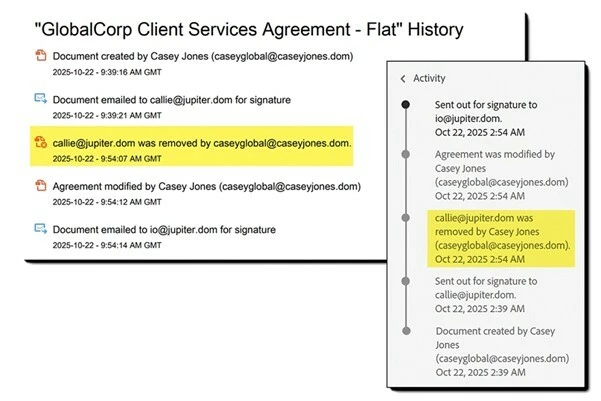
Work doesn’t always go exactly as planned—and now your agreements don’t have to either. With Dynamic Participation, senders can remove recipients from agreements that are already in progress without canceling and restarting the transaction from scratch.
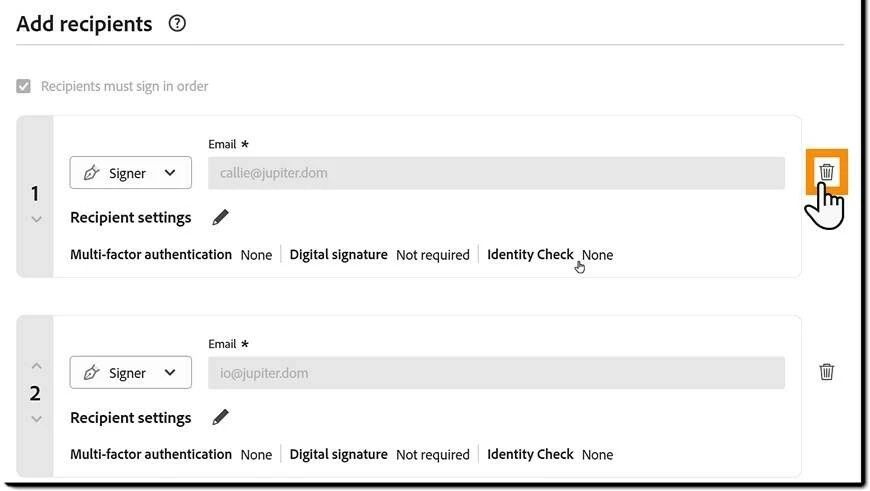
Acrobat Sign automatically revokes access, updates reminders, removes assigned fields, and preserves a complete audit trail. This is especially valuable when the additional signatures are no longer needed.
Find out more here.
2. Copy Agreements to Move Faster
Repetitive work just got a whole lot easier. Senders can now copy completed, canceled, or expired agreements directly from the Manage Page to create a new draft. All recipients, settings, files, and form fields are prefilled automatically, and the agreement opens in the Compose page for quick edits before authoring and sending. Whether you’re handling renewals, corrections, or recurring agreements, this feature significantly reduces setup time, minimizes errors, and boosts productivity.
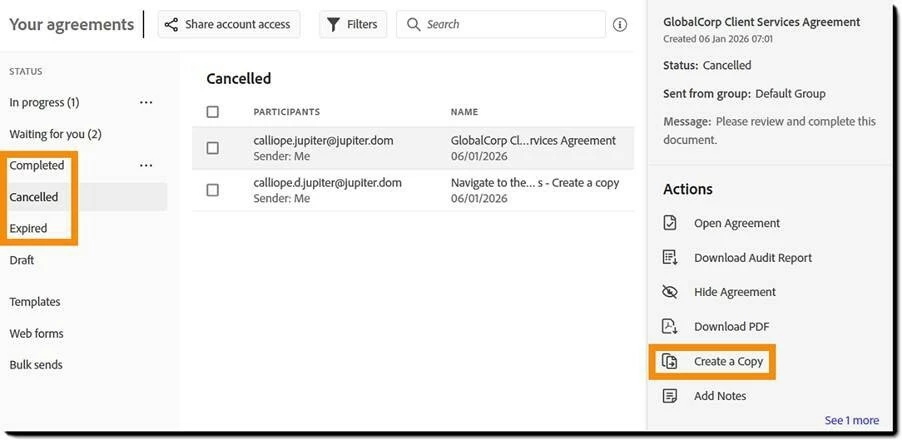
Note: For users on the NA1-4 or EU1-2 Datacenter this feature is targeted to be rolled out on Feb, 14 2026.
Find out more here.
3. Checkbox Groups for Smarter Forms
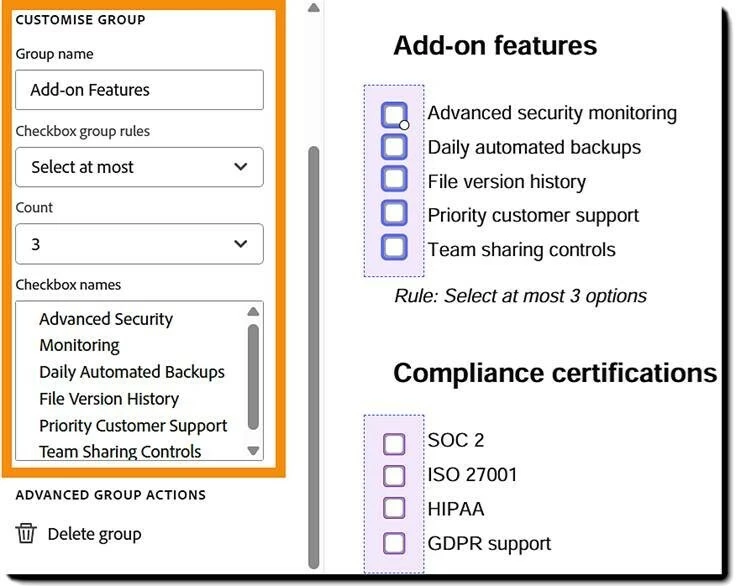
Built for complex form logic, checkbox groups are now available in modern authoring and when creating or editing library templates to support you. It enables senders to define validation rules—such as selecting exactly, at least, at most, or a range of options directly in the User Interface — ensuring signers provide complete and accurate responses. Supported across Request Signature, templates, bulk sends, web forms, and custom workflows (via library templates), grouped checkboxes help standardize data capture and improve consistency across even the most complex forms.
Step 1: Create a Checkbox Group
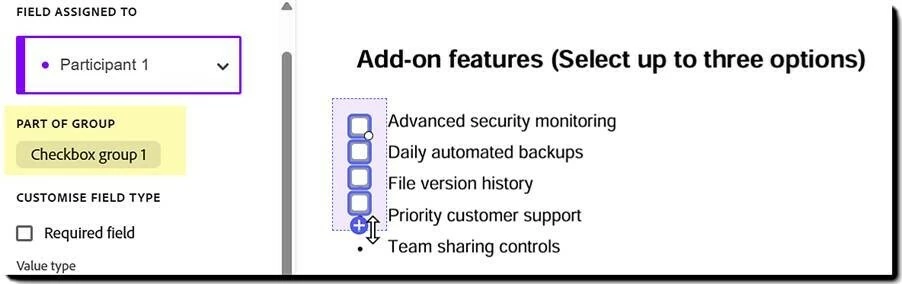
Step 2: Add Validation logic
Find out more here.
4. Auto-Populate Forms with Verified Identity Data
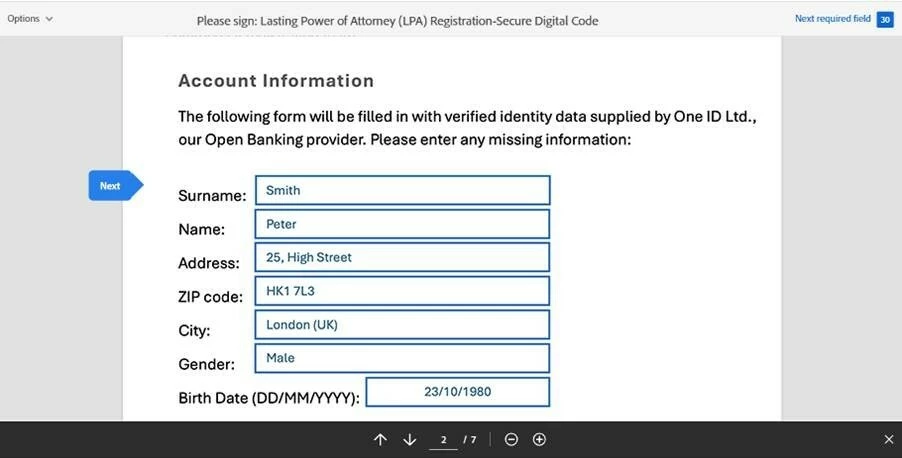
For workflows that require higher levels of trust and compliance, Acrobat Sign now supports verified form fields powered by identity-verified data. When a signer authenticates through a supported digital identity provider, key information—such as name or address—can automatically populate assigned form fields. These fields can be locked or left editable, reducing manual entry errors while ensuring that verified data is accurately captured. It’s a big step forward for regulated industries and identity-driven signing experiences.
Step 1: User authenticates with one of the Digital Identity Gateway Identity Providers
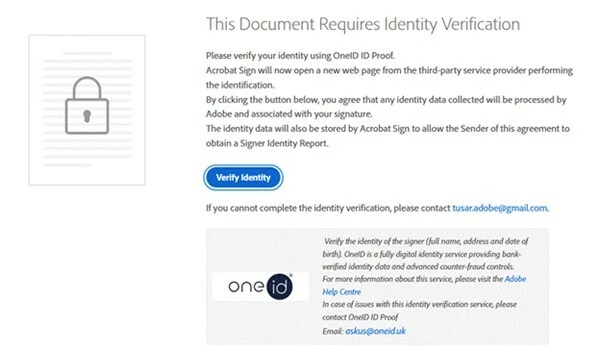
Step 2: After successful authentication, the respectively assigned fields are automatically populated with verified identity information from the Identity Provider.
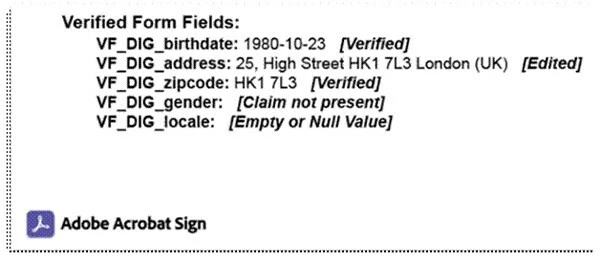
Step 3: After the signature the identity data is stored in the Signer Identity Report
Find out more here.
5. Upgraded User Experiences Across the Signing Journey
This release also brings meaningful user experience improvements. Enhancements across Request Signature, Create Template, and the Recipient Signing Experience are now clearer, faster, and more intuitive. From improved routing flexibility and template management to new login and navigation experiences, these updates reduce friction at every step—helping users get agreements out the door and completed with less effort.
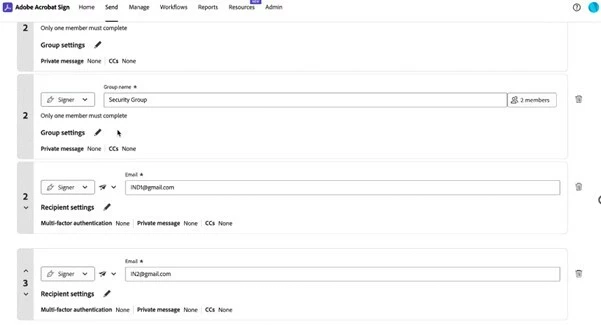
Improved Routing Experience: Sequential or In-Parallel signing now easily setup via numbering
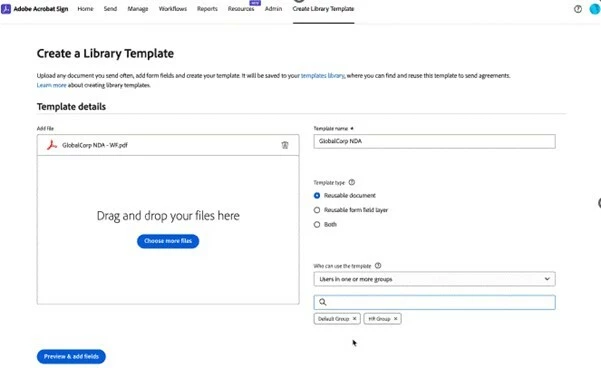
Create a Template for multiple Groups: Search and pick multiple user groups
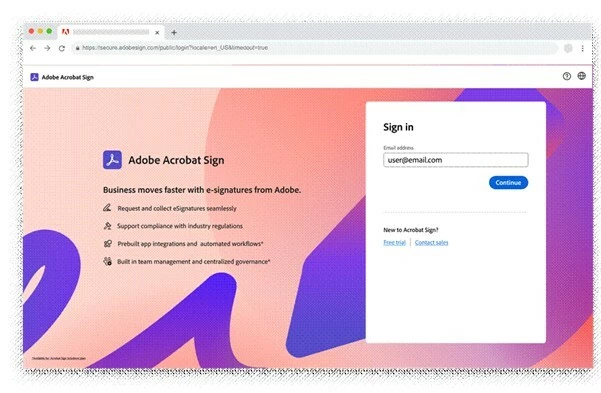
New Login Experience: Modern Look & Feel
👉 Read the full February 2026 release notes for more details.
 AdChoices