













새로운 Adobe 커뮤니티에 오신 것을 환영합니다.
Announcements
최근 활동
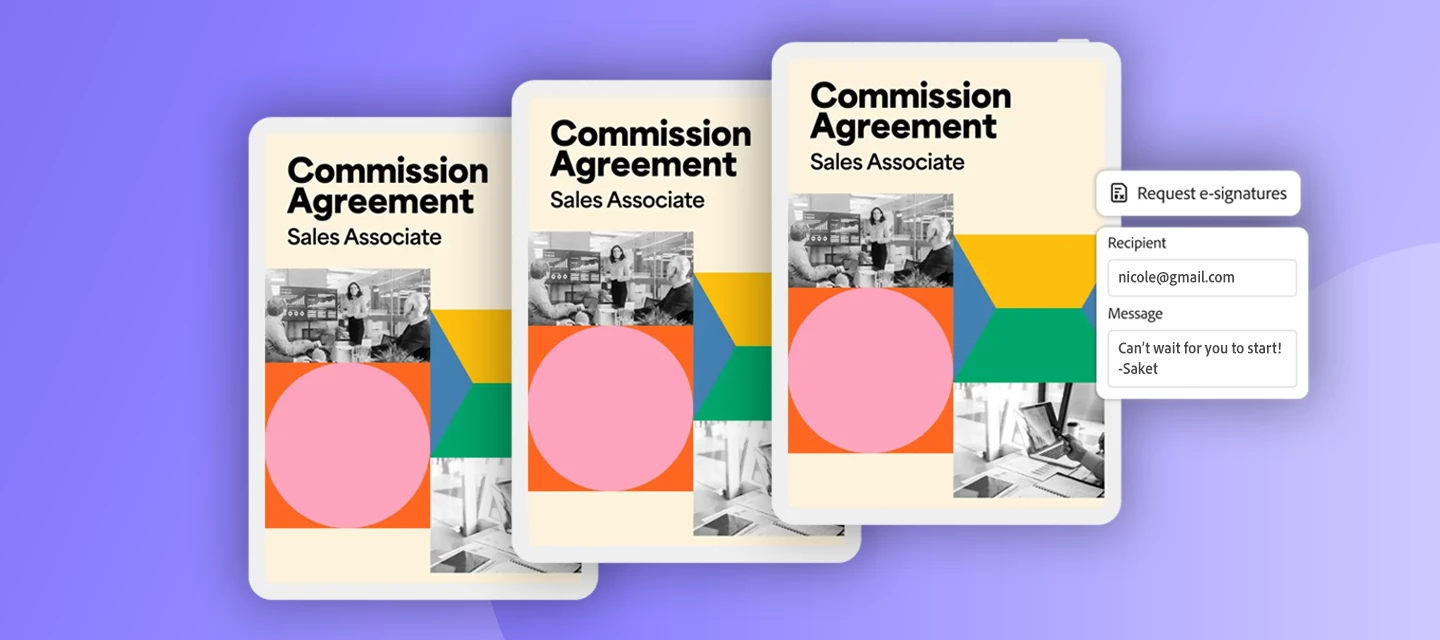
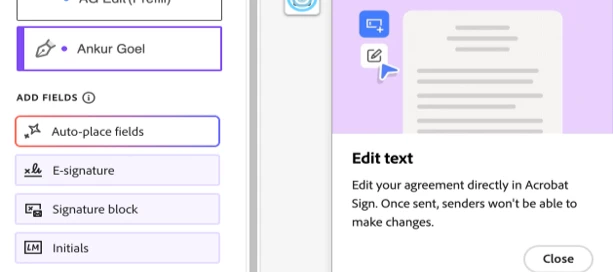
At Adobe, we are committed to empowering users with tools that make document workflows more flexible, efficient, and tailored to their needs. With the introduction of Dynamic Participation, Acrobat Sign unlocked additional control over agreements — both before and after they've been sent for signature. This feature is designed to adapt to evolving business requirements, ensuring seamless collaboration and streamlined workflows at every stage of the agreement lifecycle. In this blog we are covering the evolution of Dynamic Participations in Acrobat Sign until Today: PHASE 1: DYNAMIC PARTICIPATIONS FOR DRAFT AGREEMENTS What's New? Draft agreements are agreements in the authoring phase that have not been sent to recipients for signature. Dynamic Participation was introduced to add a comprehensive suite of capabilities, which allows users to “go back” and fully customize the assigned participants, agreement names and any other details of their agreements before initiating the signing proc
The Adobe Acrobat Sign February 2026 release just got an upgrade and delivers meaningful enhancements that make signing workflows more flexible, more accurate, and easier to manage—without sacrificing compliance or control. From better in-flight changes to improved authoring and recipient experiences, this release is all about reducing friction while increasing confidence. Here are the highlights: 1. Dynamic Participation for In-Flight AgreementsWork doesn’t always go exactly as planned—and now your agreements don’t have to either. With Dynamic Participation, senders can remove recipients from agreements that are already in progress without canceling and restarting the transaction from scratch. Acrobat Sign automatically revokes access, updates reminders, removes assigned fields, and preserves a complete audit trail. This is especially valuable when the additional signatures are no longer needed.Find out more here. 2. Copy Agreements to Move FasterRepetitive work just got a whole lot e
Stronger by Default: How DIG as the Default Authentication Method Raises the Bar for Secure SigningDigital agreements are at the heart of how modern organizations operate -- from onboarding new clients to executing high-value contracts. But as signing workflows scale, one question becomes harder to ignore: how confident are you that the person signing is actually who they say they are?Identity verification in e-signatures has long been a balancing act. Too much friction and signers abandon the process. Too little rigor and organizations expose themselves to compliance gaps, fraud risk, and legal liability. Adobe Acrobat Sign has always offered robust authentication options -- and now, with the ability to set the Digital Identity Gateway (DIG) as the default authentication method, we are making it easier than ever to enforce strong identity verification without slowing anyone down. Why Identity Authentication Matters More Than EverNot all e-signatures carry the same legal or compliance
In an era where mobile efficiency is key, completing tasks on the go is no longer optional. From professionals signing contracts to parents filling out school forms, the demand for simple mobile solutions is greater than ever. Yet, for many, working with PDF forms on a mobile device remains difficult, slow, and often incomplete. Challenges exist on both sides. Recipients often struggle with pinching, zooming, and navigating clunky forms, which can lead to errors or abandonment. But the challenges are just as real for senders. Today, creating a true mobile-friendly form could mean months of custom coding or reliance on costly, complex third-party platforms — making it impractical for many businesses to keep pace with modern expectations. The result? Delayed rollouts, increased costs, and missed opportunities to engage mobile-first customers. With Mobile Focus, we’re setting a new standard — making it easier than ever for anyone to send, fill out, and
As a leading e-signature platform, Acrobat Sign continues to evolve and innovate for its users. The most recent July 2025 Release added dozens of improvements and new capabilities to support e-signature journeys around the world. In this blog, we are highlighting the five key features that you should not miss: 1. Accommodating Communication Preferences With Ease: WhatsApp Delivery for Agreements Grabbing signers' attention to review and sign agreements can be more successful if organizations communicate with them on the right channel. Thats why Acrobat Sign introduces WhatsApp Delivery for Agreement Notifications. Via this new capability, messaging to signers is delivered via a verified WhatsApp for Business message to the signers WhatsApp account – either in addition to an email notification or as the sole message if the e-mail of the signer is unknown. Find out more here. 2. Native PDF/A-2b Support for Long-term Archiving&nb
In today's fast-paced digital world, automation is the key to productivity. Zapier, a powerful no-code automation platform, enables you to connect different apps and services to create seamless workflows, called Zaps. These Zaps automate repetitive tasks by connecting two or more apps, performing actions like transferring data, triggering events, and sending notifications without the need for manual intervention. Zapier has over 6,000 apps in its ecosystem, from everyday tools like Gmail, Slack, and Google Sheets to specialized apps like Salesforce, HubSpot, and Trello. The beauty of Zapier lies in its simplicity — you don’t need to be a developer to create a Zap, yet the possibilities are nearly limitless. In this blog post, we will dive deep into what is possible with the new integration of Zapier and Adobe Acrobat Sign, an e-signature solution that helps businesses streamline agreements and contracts. This blog will explore the technical details, triggers
Hello Adobe Community, We are so excited to share that we have a new home and, it is better than ever! You can find the new homepage at community.adobe.com or adobe.com/community. The Adobe Community is more than just product forums—it’s a place to connect, get inspired, and grow as a creator. Our new Community homepage brings it all together in one central place, giving you a clearer view of everything available to you. Whether you’re here to learn, contribute, or just explore, this community is for you — a place where ideas grow, connections form, and your voice helps shape the future of our products. This is your Community. So, what’s new: A streamlined homepage where you can explore product forums, browse creative inspiration galleries, and discover upcoming events—all in one place. A new Creator Spotlight section featuring community members like you and highlighting your work and giving you quick access to starter
The April 2025 Acrobat Sign Release builds on Adobe's latest signer experience update to streamline signing, add flexibility, and expand how users connect with agreements —especially on mobile. A More Intuitive Mobile Signing Experience Filling a form and signing it on mobile devices can be cumbersome if the document was not created with mobile users in mind. Thats why Adobe is stepping in to provide a much better experience – automatically generated and easily adjusted before sending it off to the intended recipients. By offering a mobile friendly focus view, mobile users can more easily fill in required data and sign without any need to zoom in or struggle to hit the right field with their fingertips. Discover the new Mobile-friendly View: Learn more here. Accommodating communication preferences with ease Verifying users with a second factor is a global best practice for baseline authentication, and phone one-time passcodes (O
Acrobat Sign strives to uphold the highest standards for security with an objective to keep agreements and signatures safe during and after e-signature processes. A key component of this security is the use of Transport Layer Security (TLS), which plays a vital role in the document lifecycle by protecting data as it moves across networks. TLS helps safeguard Acrobat Sign agreements during transmission by encrypting the communication channels and preventing unauthorized access or tampering. For example, when agreements are sent via email, received, and signed, TLS helps to ensure their security throughout these processes. This is especially important for Acrobat Sign users, as it keeps sensitive information confidential and intact throughout the signing process, reinforcing trust and compliance in every digital transaction. Why TLS is Important The primary purpose of TLS is to establish a secure channel between a client and a server – in this case, between Acroba
Business moves at the speed of a signature! For businesses, the signature represents the last mile in their journey to acquire or service customers. Each year, hundreds of millions of users electronically sign agreements. Many of these users, who are used to signing on paper, are signing electronically for the first time. A seamless and intuitive user experience helps users easily understand agreements, fill the required information, and complete the signing process quickly. Any friction in the user experience can lead to delays in closing the transaction or worse - losing the customer. For something so critical, e-signing has seen little innovation for the last several years – until now. We are thrilled to launch Acrobat Sign’s next generation e-signing experience. Traditionally, e-signature solutions rendered agreements as images which inherently limited the end user experience. In contrast, our new e-signing experience, built on Acrobat’s trusted global standard PDF v
With Adobe’s last Acrobat Sign Release of 2024, Adobe is yet again expanding its electronic signature capabilities by adding more flexibility to signature processes and providing additional ways to verify the recipient’s identity. Managing document templates for multiple user groups Acrobat Sign users tend to repeatedly use templates to make sending documents for signature more efficient and control the layout and content. Many companies have groups responsible for creating templates for others in the company to use (common examples are legal agreements such as non-disclosure or data protection agreements). With the November 2024 Acrobat Sign release, users can share templates with multiple user groups, even groups they’re not part of, to ensure use of the most recent version across the organization. Learn more here. When Creating a Template When Modifying a Template Notifying users when it counts Managing time-sen
Adopting e-signature solutions not only modernizes document processes but also contributes to organizational efficiency, security, and compliance in today's digital age. Forrester Consulting conducted a study on behalf of Adobe, called The Total Economic Impact™ of Acrobat Sign. The study examined the financial impact of Acrobat Sign and found that companies who modernize their document workflows with Acrobat Sign can see significant business benefits on their investment. It suggests that organizations may experience benefits of $6.8 million over three years versus costs of $1.3 million, resulting in a net present value (NPV) of $5.5 million and an ROI of 420%. Be it in terms of efficiency and speed, resource savings or positive environmental impact, e-signatures can improve customer experiences and support digitization for organizations. Acrobat Sign’s built-in features offer a seamless experience for both senders and recipients, minimizing the need for manual interv
With the Acrobat Sign September 2024 Release, Adobe is raising the bar for electronic signatures by providing one of the best-in-class document viewing experiences. On top of that, Adobe is changing the way agreements are authored and sent for signature to delight its users and make Acrobat Sign even more intuitive. Time for a change of technology When it comes to getting an agreement filled and signed, signers have been victim to technology limitations of the market. To be specific, what signers are presented with was simply an image of the document with different form fields on an additional layer to fill in information and sign the agreement. With these limitations in document rendering, users are exposed to accessibility disadvantages in the form of pixelation when zooming in and limited support for screen readers that could not access the content of the document, but only the information included in the form fields. As inventor of the PDF format wit
Digitalization has been in the forefront of reducing paper use for a long time. These days, it’s rare to find an organization that doesn’t have a digitalization strategy. However, organizations often face challenges with implementation. Printed to become a waste problem Almost every paper used in the office today turns into tomorrow´s waste problem. While recycling paper certainly helps, it’s only a treatment for the symptom, which can almost always be avoided. Moreover, when running a company in 2024, the benefits of becoming paperless can be critical to its success. The International Chamber of Commerce estimating that 4 billion paper documents are moving through the global trade system daily. It is clear that we are far from being paperless as a global society. Managing paper physically is costly. Research indicates that the average cost to file a single document is about $20, $120 to find a misplaced document, and $220 to reprodu
Introducing SMS Delivery for Agreements In March 2024, Adobe Acrobat Sign announced the general availability of SMS delivery, enabling senders to notify recipients of agreements via SMS. As consumer behavior shifts towards mobile access for critical information, traditional methods like email or physical paperwork often cause delays. SMS delivery offers a quicker, more efficient solution, making it easier to obtain signatures promptly. With nearly everyone having a mobile phone, this method is both flexible and convenient. Customers face significant challenges that SMS delivery can solve: Expanding Reach: Customers often need to obtain signatures quickly while on the go. For example, in retail, customers can sign agreements for financing or warranty services at the point of sale via SMS, enabling a seamless experience and speeding up the checkout process. Unknown/Outdated Email Addresses: Sometimes, email addresses of recipients are unknown
Email phishing is one of the most prominent ways bad actors use to impersonate organizations to steal sensitive information. In 2023, the global average cost of a data breach increased to $4.45 million. International regulators are taking notice and enacting laws to prevent organizations from sending digital communications, including emails with links to end customers. Hong Kong, Malaysia & Philippines in Southeast Asia are already enforcing businesses to comply with these rules or face monetary consequences. These laws can impact Acrobat Sign customers, who often send emails with links to collect signatures from end customers. One such use-case is within Human Resources (HR). When hiring a new employee, organizations need to get documents signed for payroll, NDA, and access different services. In the current flow, once the HR admin sends the agreement for signature, this employee will receive an email like the one below: The “Review and Sign” but
Dear Users, We are pleased to announce a valuable resource to streamline your experience with Adobe Acrobat Sign for Salesforce – our newly launched FAQ page! Visit the Acrobat Sign for Salesforce FAQ page to access comprehensive answers to various queries, allowing you to navigate and enhance your experience with the package. Explore the FAQ page today for an elevated user experience. Empower yourself with knowledge and maximize your Acrobat Sign for Salesforce package.
Remix with Firefly Community Gallery
Thousands of free creations to fall in love with and remix in Firefly.
이미 계정이 있으신가요? 로그인
Enter your E-mail address. We'll send you an e-mail with instructions to reset your password.
죄송합니다, 다운로드하려는 파일의 안전성을 확인하고 있습니다. 몇 분 뒤에 다시 시도해 주세요.
죄송합니다, 바이러스 스캐너가 이 파일이 안전하지 않다고 감지했습니다.