




Edit agreements without leaving Adobe Acrobat Sign
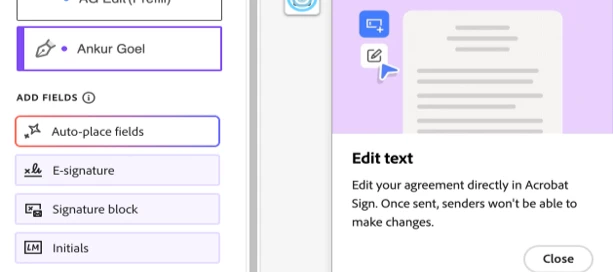
Acrobat's editing experience now lives inside the Adobe Acrobat Sign authoring environment, so you can fix a document while you prepare it.
Almost every agreement needs one last touch before it goes out. A price changes. A start date slips. A name is misspelled. A clause needs a word swapped. An image is wrong. Small edits can carry a disproportionate cost.
Until now, making that change meant leaving Adobe Acrobat Sign entirely: download the document, open it in another application, make the edit, save, and re-upload the corrected file before you could pick the workflow back up. A thirty-second fix could turn into a five-minute detour — repeated across every agreement that needed a tweak.
That round-trip is gone. Document editing during authoring brings Acrobat's editing experience directly into the Acrobat Sign authoring environment. You can now update text, formatting, and images right where you're already preparing the agreement — and existing form fields and agreement configuration are preserved while you do it.
The problem it solves
The friction was never a single edit; it was the context switch. Consider a few familiar moments:
- A sales representative finalizing a contract spots a price that needs an update before it reaches the customer.
- An HR manager preparing an offer letter needs to correct the joining date or fix a role title.
- A procurement specialist closing a vendor agreement realizes a section is missing, or the formatting is off.
In each case, the document is almost ready. The old workflow forced a full stop — export, edit elsewhere, re-import — just to change a few characters. For teams handling dozens of agreements a day, those interruptions compound into real lost time.
How it works
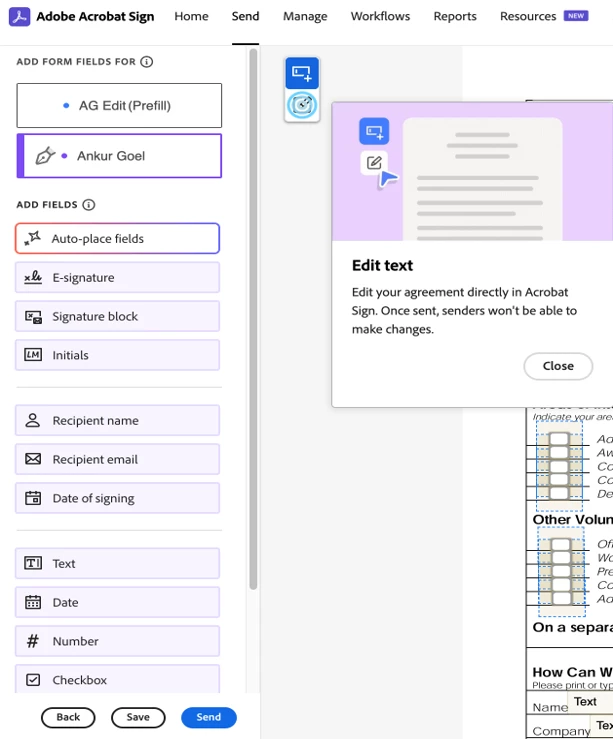
Editing lives on the same authoring screen where you already add recipients and place fields — no separate tool, no new tab.
- Create a new agreement and upload your document.
- Add recipients and configure the agreement settings.
- Select Preview & Add Fields to open the authoring environment.
- Select Edit document to switch from field placement into document editing mode.
What you can edit
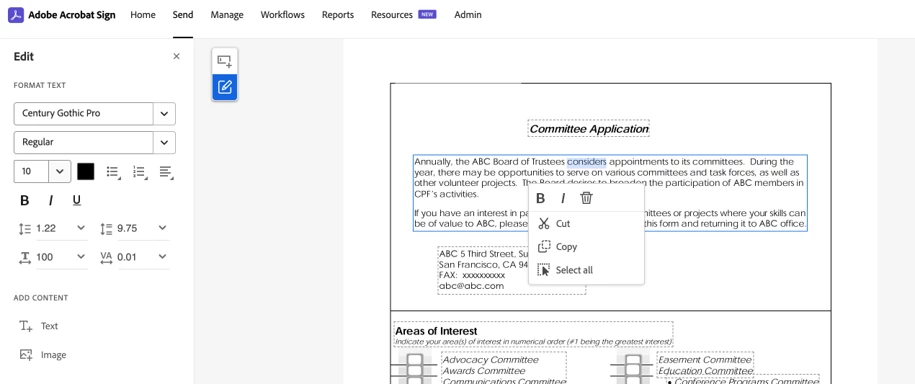
The editing mode is built for quick, inline revisions rather than a full document rebuild. You can:
- Edit text: modify, add, or remove text and update its formatting.
- Edit fonts: add or modify fonts inline.
- Work with images: add, rotate, or delete images.
Back to fields, then send
When you've made your edits, return to field authoring mode by selecting the field authoring icon, closing the editing panel. Your saved edits become part of the version recipients review and sign, and existing form fields stay attached to the document throughout.
One habit worth building: because editing text or images can shift surrounding content, review your field placement after making changes. A small text edit in a tightly formatted agreement can nudge nearby fields out of position, so reposition anything that moved before you send.
Once everything looks right, click Send. The edited document becomes the final version delivered to recipients for signature.
A step toward a more unified document experience
On its own, this is a practical time-saver. Seen more broadly, it's part of a larger direction: bringing Acrobat's document capabilities and Acrobat Sign's e-signature workflows closer together.
Organizations that once relied on separate tools for editing and signing can now handle both in one place, across the workflows they run every day — from sales contracts and HR onboarding to vendor agreements and internal approvals. As Acrobat and Acrobat Sign continue to evolve together, the goal stays the same: let teams manage document preparation and agreement workflows more efficiently across the entire agreement lifecycle.
For more details, visit the Help article on editing agreements during authoring. Happy Editing!
 AdChoices