




Collecting logs for generation errors in Adobe Firefly
Hey everyone,
When encountering issues with generating images in the web version of Firefly, the product team needs additional information to understand what is causing this. The log files they need are sometimes called “HAR files”. If you are able, can you please follow these steps to create these HAR files:
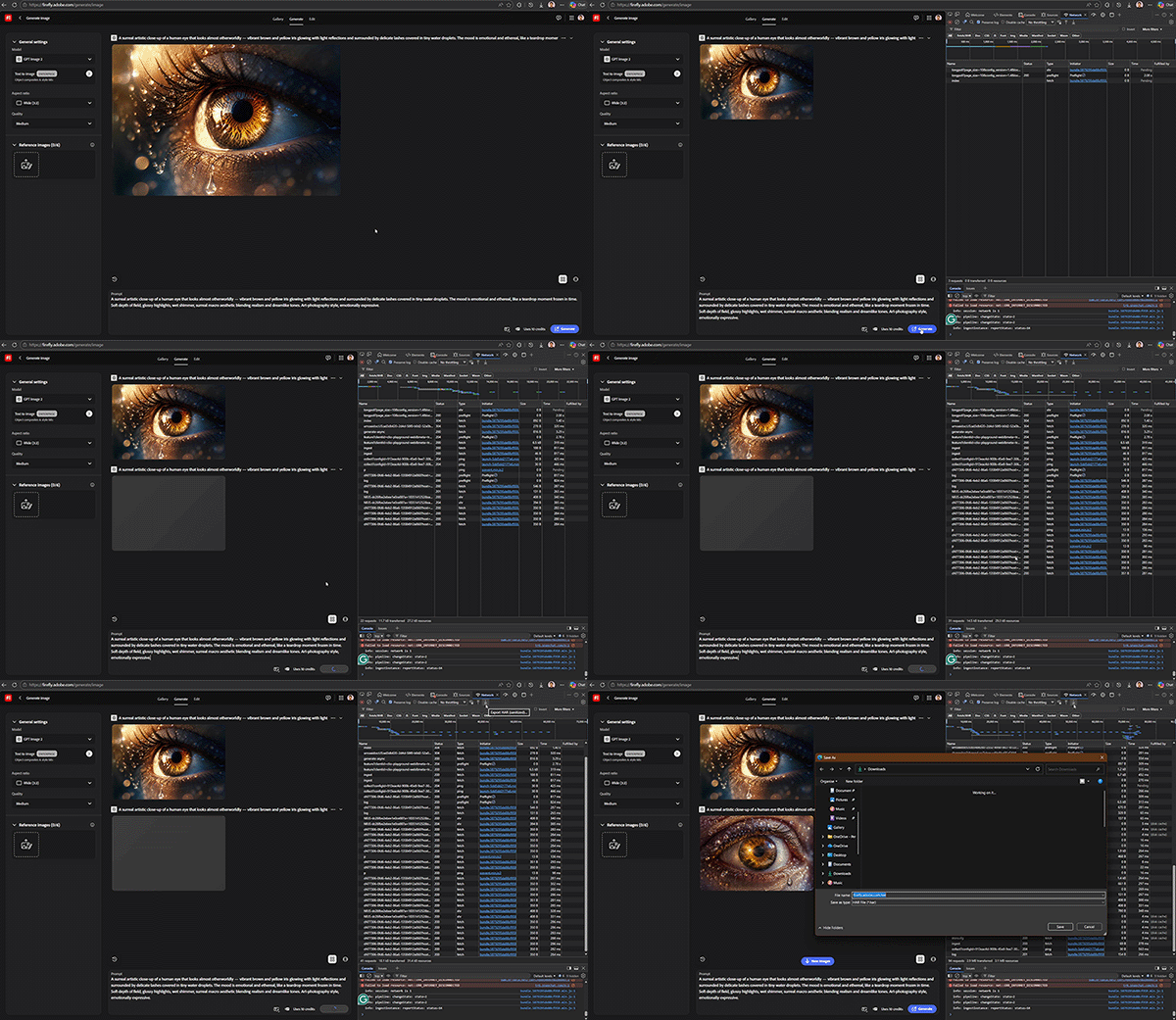
Setting up
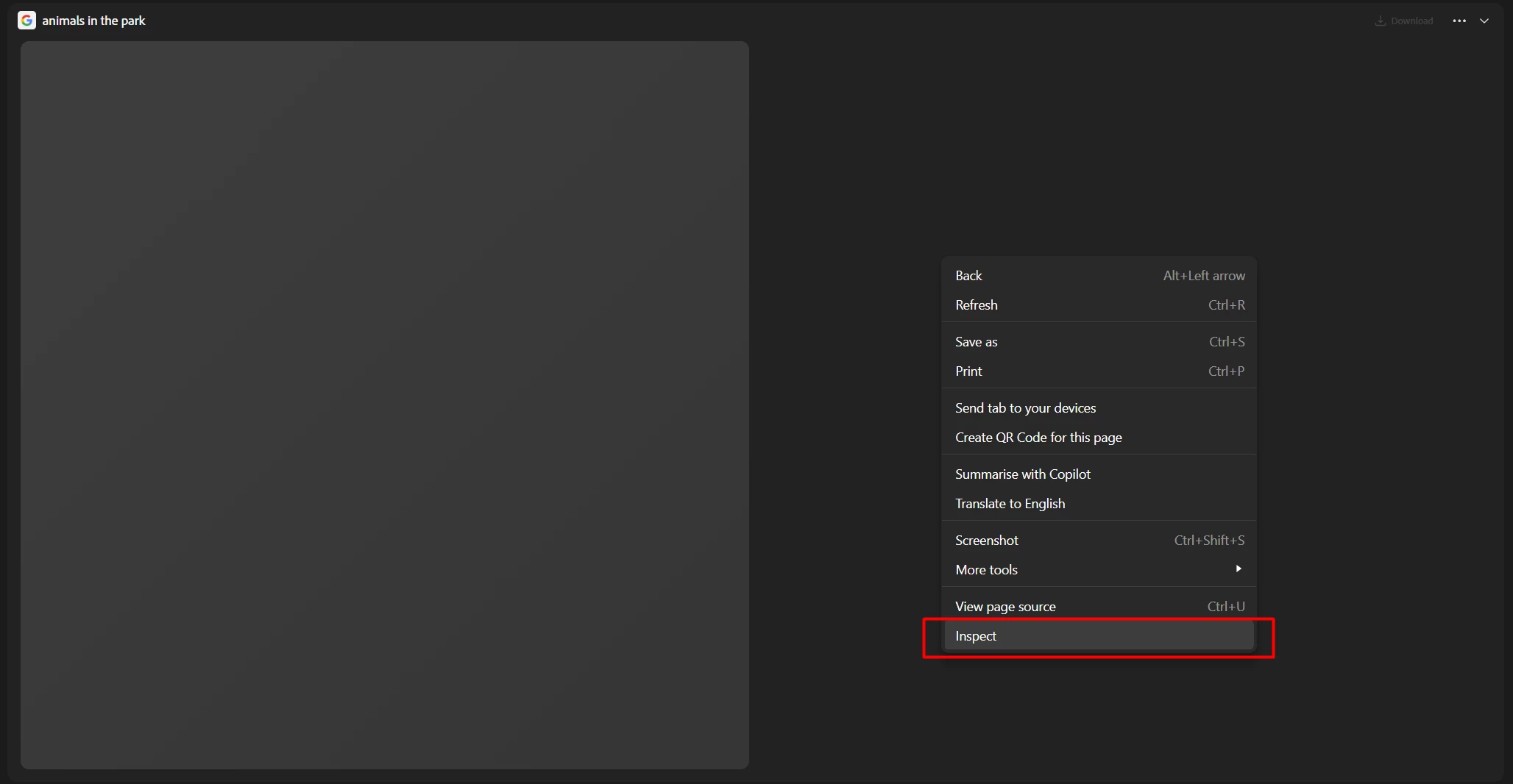
- Use Chrome or Microsoft Edge.
- Navigate to the generation page.
- With the browser window selected, and hovering over that window, right-click anywhere on the page and select "Inspect".
Preparing to record the HAR file
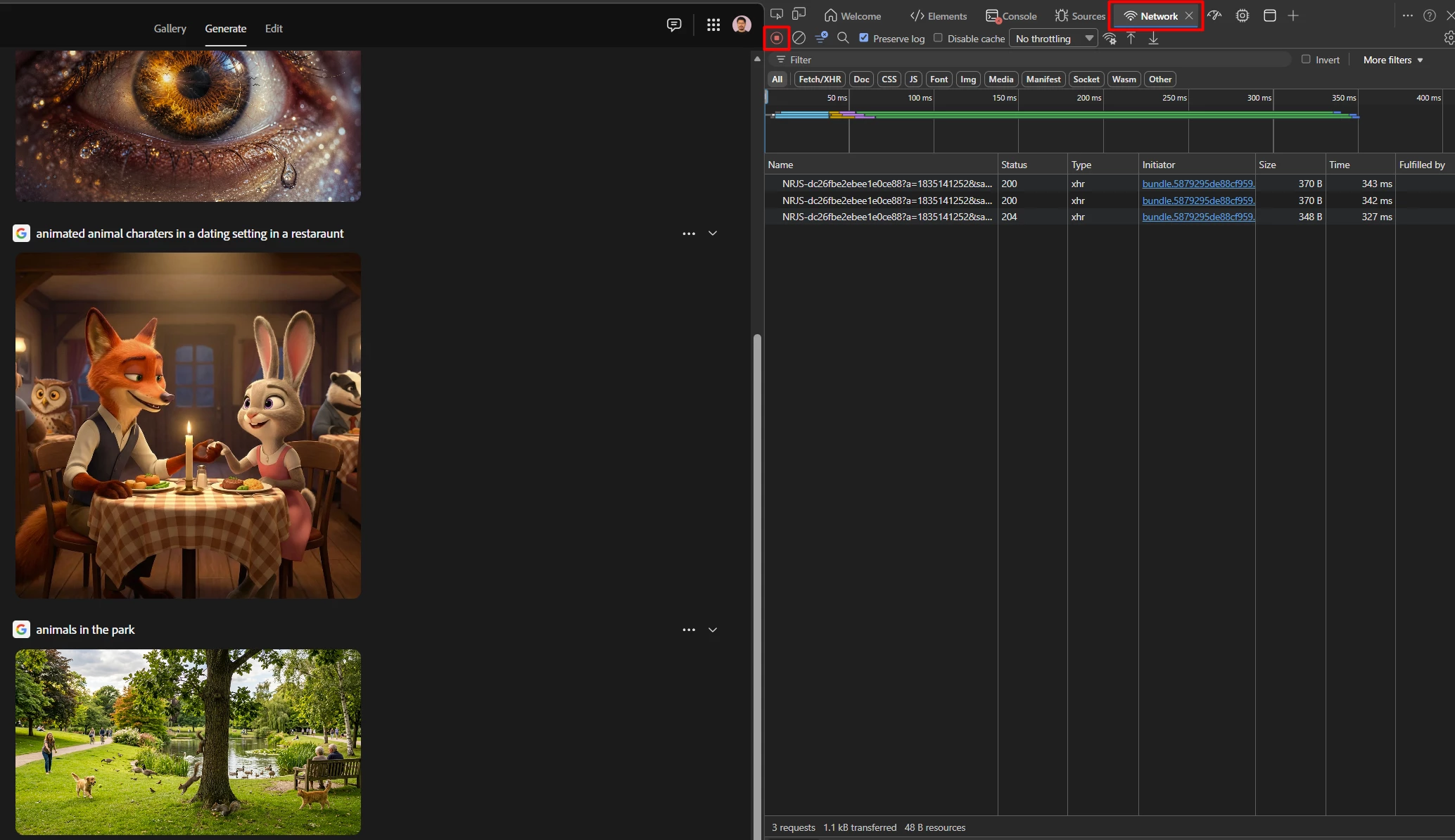
With the Developer options window open, navigate to the Network Tab and ensure recording is enabled.
Note: The Developer options window may look slightly different in your web browser. Also the option for the Network tab could be hidden under the » more options button.
Exporting the logs
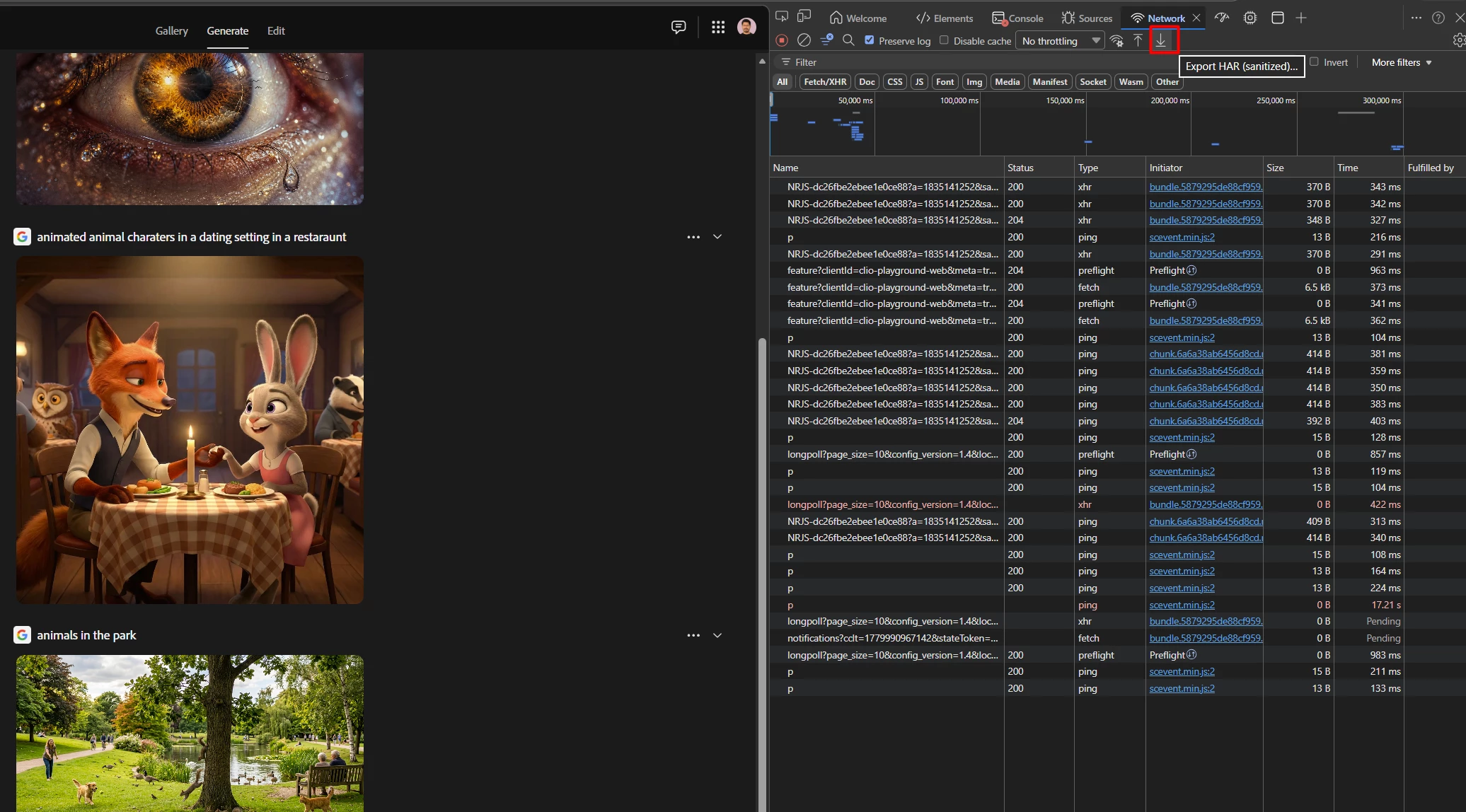
With everything set up, try generating your image again that fails with the error message. Once done, export the HAR file and save it to your computer.
If you have any issues, please create a post on the community with the following information:
- Your browser & OS version
- The Firefly model you're using
- Your prompt (or a screenshot)
- Whether you're using a reference image
Thank you for your patience and support, any additional details you can share will help our team investigate the issue more effectively.
Kartika
 AdChoices