




Where to Post Your Problem, Question, or Idea: A Quick Guide

Not sure which section your post belongs in? Use this guide before you hit submit — it helps your post reach the right audience and get a faster response.
Quick Summary
If you're describing something the app can't do, that's a Feature Request. If you're describing something that's broken even after troubleshooting, that's a Bug Report. If you're not sure and just want to talk it through, start in Discussions.
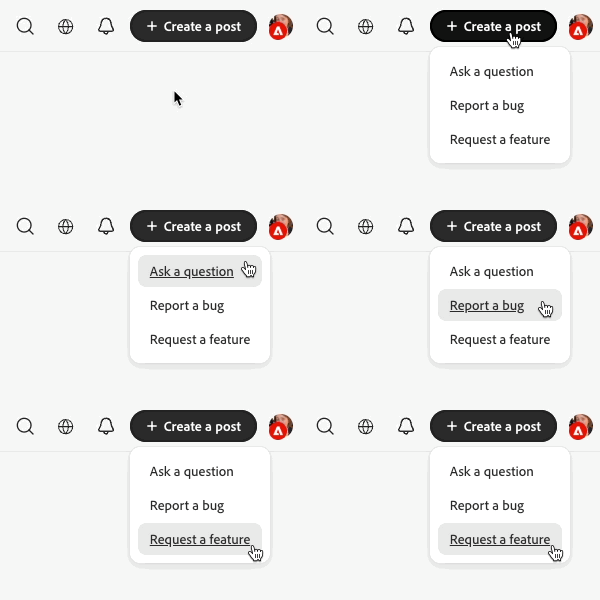
Discussions
The discussion board is for questions, problem-solving, and general conversation. Post here if you want to ask how something works, troubleshoot with the community, or share a tip. Example: "How do I export a file with transparent background?"
Announcements
Announcements are official updates from the moderator/product team. Check here to keep up with new features and known issues. Example: "Photoshop 26.1 release notes"
Feature Requests
Feature requests are ideas for new functionality or improvements. Post here if you want the product to do something it can't do today. Search to see if someone else has already requested the same feature! You can upvote their post instead of making your own. Example: "Add a batch-export option for multiple artboards"
Bug Reports
Bugs are reproducible problems with the app as it exists today. Post here if something is broken, crashes, or doesn't behave as expected. Example: "App crashes when saving a file over 2GB on macOS 15"
Including the information below in your bug report will help an Adobe team member reproduce your bug and find a fix as quickly as possible!
- Device – are you on mobile or a computer?
- Example: Samsung Galaxy on Android 17 | Macbook Pro
- Operating System (OS) – are you on a Mac, PC, or mobile OS? Which version?
- Example: Mac Sequoia 15.7.7 | Windows 11 | iOS 26
- Browser – which internet browser are you on while using Firefly?
- Example: Safari, Firefox, Google Chrome, etc.
- Generative Model – Firefly provides access to many models. Which one are you using?
- Example: Firefly Image 5, Gemini 3 (Nano Banana Pro), Veo 3.1, etc.
- Error Messages – Does Firefly give you any information?
- Example: “Something went wrong”
- Steps to reproduce – How do we get Firefly to show us the same behavior?
- Example:
- Import file over 2GB as a reference image
- Use Nano Banana to make edits
- Download saved file to see error message
- Example:
 AdChoices